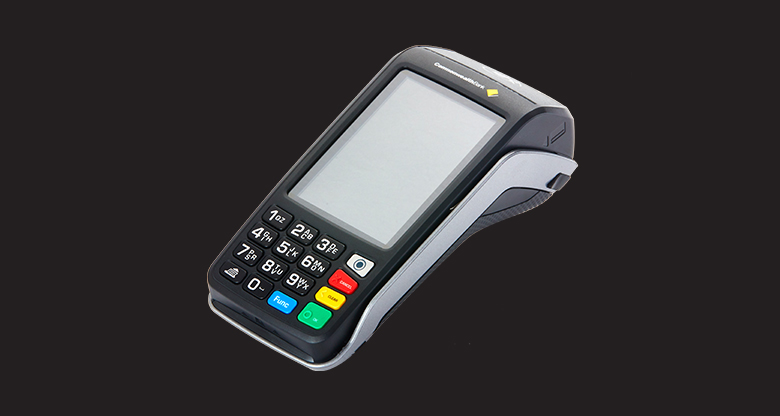
Cardholders in Australia are now able to make Visa, MasterCard, American Express and Diners Club credit or charge card purchases by using a pen (signature) or entering their PIN (Personal Identification Number). The PIN is simply an alternative method of authorising card payments. Australian debit cardholders already use a PIN to authenticate transactions at EFTPOS terminals, and using a PIN on credit and charge card transactions will operate in the same way. Our EFTPOS terminals will support a PIN on credit and charge card transactions.
Find out more below, or download an information brochure.
Currently, the customer presses the 'OK' button, after selecting ‘CREDIT’ for a credit card or charge card payment, and then signs the merchant receipt. This process remains the same if the customer chooses to sign.
From 4 June 2008, a customer can use a PIN instead of signing for the transaction. To do this, they simply select 'CREDIT' then enter their PIN and press 'OK'.
With a PIN, you don't need to verify the signature on the back of the card. It is the same as using a debit card PIN, and your terminal will display 'APPROVED – 00' instead of 'SIGNATURE REQUIRED'.
Your EFTPOS terminal will be able to accept PINs for MasterCard, Visa, American Express and Diners Club credit and charge cards issued in Australia. As a general rule, international credit and charge cardholders will also be able to use their PIN in Australia.
The PIN provides an alternative method of verifying cardholder authenticity. As the PIN authorisation process mirrors the current debit card process, there are no complicated new instructions to learn. The PIN also enhances security, leading to a reduction in disputes, fraud and chargebacks. PIN authorisation is quick, simple and safe, offering choice and control to your customers.
All Commonwealth Bank EFTPOS terminals can now support PINs for credit and charge card transactions. No terminal upgrade or swap-out will be required.
All you have to do is make sure you and your staff ask your credit and charge card customers if they want to input a PIN or press 'OK' and sign. This will ensure your customers are aware of the new way to validate their transactions.
To process a credit or charge card transaction with a PIN, follow these simple steps:
1. Swipe the credit or charge card.
2. Select 'CREDIT'.
3. Offer the customer the choice of PIN or press 'OK' (for signature).
4. If they select the PIN option, give the customer access to your terminal so they can enter their PIN.
5. If PIN verification is successful and the transaction is approved, complete the transaction and hand the receipt to the customer.
6. If PIN verification is unsuccessful, the customer can attempt to re-enter their PIN. Alternatively, start a new transaction by swiping the card and process as a signature-based transaction by pressing the 'OK' button.
Once the PIN or signature transaction has been processed, you may see one of the following responses on your terminal screen:
‘00 – Approved’
PIN accepted, no signature required.
You may see one of the following responses:
'55 – Invalid PIN'
The customer may try their PIN again, or re-swipe the card and process as a signature based transaction. You may suggest to the customer that they contact their card-issuing bank if they continue to get an invalid response.
'75 – Exceed Number of PIN Tries'
The customer may re-swipe their card and process as a signature based transaction. You may suggest to the customer that they contact their card-issuing bank to check the validity of their PIN.
'08 – Approve with Signature'
The cardholder needs to sign the merchant receipt to complete the transaction.
For any other response codes for either PIN or signature based transactions, please refer to your Terminal Operator Guide.
It gives customers the choice of using a pen or PIN. When the 'CREDIT' button is pressed, all you need to do is ask the cardholder if they prefer to sign the sales receipt or enter their PIN.
They can simply press the 'OK' button and sign for their purchase. To obtain a new PIN, they should contact their bank. Commonwealth Bank customers can call 13 2221 or visit their nearest branch for assistance.
Occasionally, the credit or charge card transaction may be declined because the terminal is not able to reach the Bank. In this instance, PIN acceptance will be unavailable and the standard downtime process outlined in your Terminal Operator Guide will apply. Transactions under your merchant floor limit can continue to be processed either in-store and in forward mode or using offline vouchers. For credit card transactions under your merchant floor limit, contact the relevant Authorisation Helpdesk to get authorisation.
There will be no change to the current process. Any refund transaction processed at a terminal using a credit or charge card should continue to be processed as a signature-based transaction.
There will be no change to the current process. Any damaged card transaction manually processed at a terminal using a credit or charge card should continue to be processed as a signature-based transaction.
There will be no change to the current process for card-not-present transactions on credit or charge cards. The PIN option is not available for mail or telephone orders.
If a cardholder disputes a transaction, you should refer them to their credit or charge card issuing bank for further assistance.
There are no additional costs associated with accepting PIN on credit and charge card transactions.