Help & support
Help protect yourself from scams with practical security tools, scams and fraud prevention technology and education.
June 2026 - Fake Cyber issue scams: Scammers are posing as cybersecurity providers and targeting businesses with claims of a "critical" security issue. They may demand payment to fix the problem and offer to reveal additional vulnerabilities once paid. Always verify claims by seeking a second opinion from a trusted, reputable security provider. Never send money based on unverified cybersecurity warnings. See latest alerts
Help protect yourself with our range of security features and tools designed to help you detect and prevent scams.
Stay up to date with the latest on scams, new trends and tips from our experts to help protect yourself.
Keep up to date on how to better spot and prevent scams before they happen including tips from CommBank scams and fraud experts.
Find out some of the tactics scammers use, to help protect your business from invoicing scams.
If something looks too good to be true, double check it.
Watch how one wrong click may be all it takes for a fake text to succeed.
Scammers use powerful psychological tactics to disarm us. Understand some of the mind games and learn some simple safeguards.
Before you commit to a new investment, make sure you know how to check for signs of a scam.
Extra checks for first-time payments
Get alerts if a first-time payment looks unusual, thanks to NameCheck and Confirmation of Payee.
Verify CommBank calls instantly
Received a call from us? CallerCheck pops up as a security notification in your CommBank app so you know it's us.
Confirm your identity using CustomerCheck
CustomerCheck helps us securely confirm your identity through a notification in your CommBank app.
Stay protected with CommBank notifications
Turn on CommBank app notifications for alerts so you can act fast if something doesn't look right.
Extra security when you log onto NetBank
Multi-factor authentication adds an additional layer of protection to help keep your banking secure.
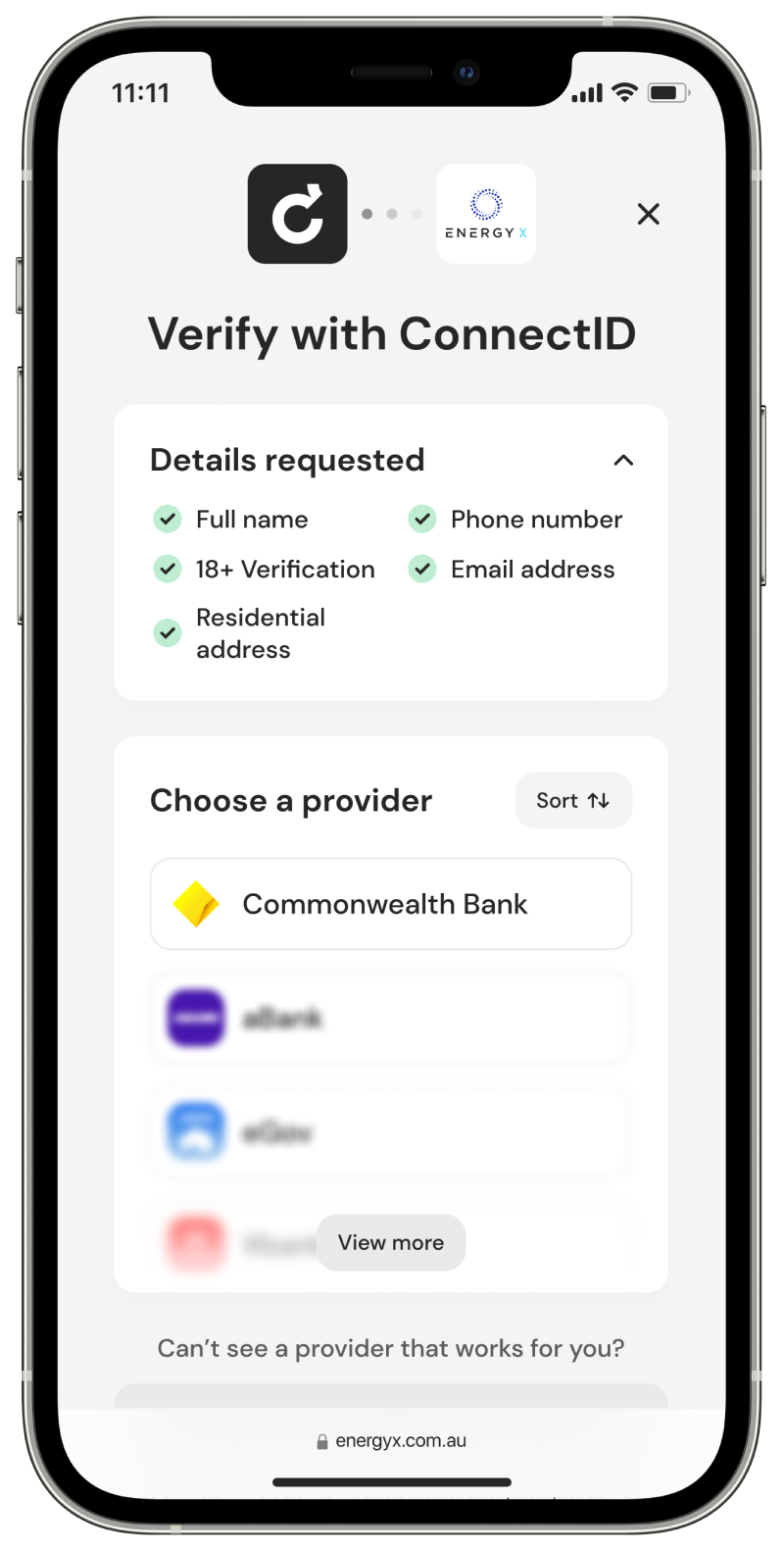
ConnectID - simple, secure identity verification
With your consent, ConnectID® 1 lets you securely prove your identity with approved businesses using the CommBank app.
✘ Share your NetBank Client ID, NetCode or passwords
✘ Share your card details including your PIN, expiry date or CVC
✘ Withdraw cash, transfer money or buy gift cards
✘ Login directly to your account via a link from an email or SMS
✘ Move money to a “safe” account
✘ Help us catch cyber criminals
✘ Share your screen or download remote access software
What to do:
If you received a suspicious message and haven’t clicked on it, you can report it by sending a screenshot or copy to [email protected]
Behavioural information helps us understand patterns in how you interact with your device such as how you hold your phone, tap on the screen, or type. CommBank uses this information to help detect suspicious cyber activity and financial crime, helping protect you from fraud, scams, and identity theft.
Behavioural information refers to data that measures patterns in how an individual moves, behaves, or interacts with their device. It can include factors such as how a device is held or moved, how a person types or taps on the screen, and other routine interaction patterns. This information reflects behaviour rather than personal content, and is often used to help verify identity or detect unusual activity.
CommBank is collecting behavioural information about the way you interact with your devices while using the CommBank app, NetBank and CommBiz. This includes information about how you interact with your devices such as typing speed, keystroke patterns and mouse movement to help identify potential fraud.
CommBank collects behavioural information to help detect suspicious cyber activity and financial crime to combat fraud and scams, such as identity theft.
Behavioural information allows CommBank to understand how a customer typically uses their device. When activity falls outside these patterns, it may signal a customer’s account has been compromised or unauthorised device use.
The way that you interact with our digital platforms is used to help identify if a third party is in control of your banking. All behavioural information we collect is held by our trusted third party in a de-identified form to help maintain your privacy.
Your behavioural information will only be collected when you are using the CommBank app, NetBank and CommBiz.
If you don’t consent to this information being collected, you won’t be able to use these platforms. We can support you to remove your NetBank ID if required.
If you don’t want CommBank to collect this information for you or your child (who is under 14 years old), you will need to go to a CommBank branch and request the removal of their Netbank ID or de-register devices that have the CommBank App.
There may be a time when we will reach out to you to confirm information on your account or your identity.
Having accurate and up-to-date details is part of our ‘Know Your Customer (KYC) requirements. It also helps us protect you from fraud, as we can contact you immediately if we detect any suspicious activity.
If you’re ever concerned whether the person you’re speaking to is legitimately from CommBank, you can use the CallerCheck feature in the CommBank app to verify your caller’s identity.
Regardless of whether the caller has been identified, we will never ask you to transfer funds, share your screen or reveal your passwords.
Ceba can help you lock your card or securely connect you to a specialist in the CommBank app.
Fast-track your call, see expected wait times and connect with a specialist in the CommBank app.
Send us a copy or screenshot if you receive a hoax email or SMS.
1 ConnectID is a registered trade mark of ConnectID Pty Ltd ABN 80 648 970 101.





?$W780_H416$&fit=crop)