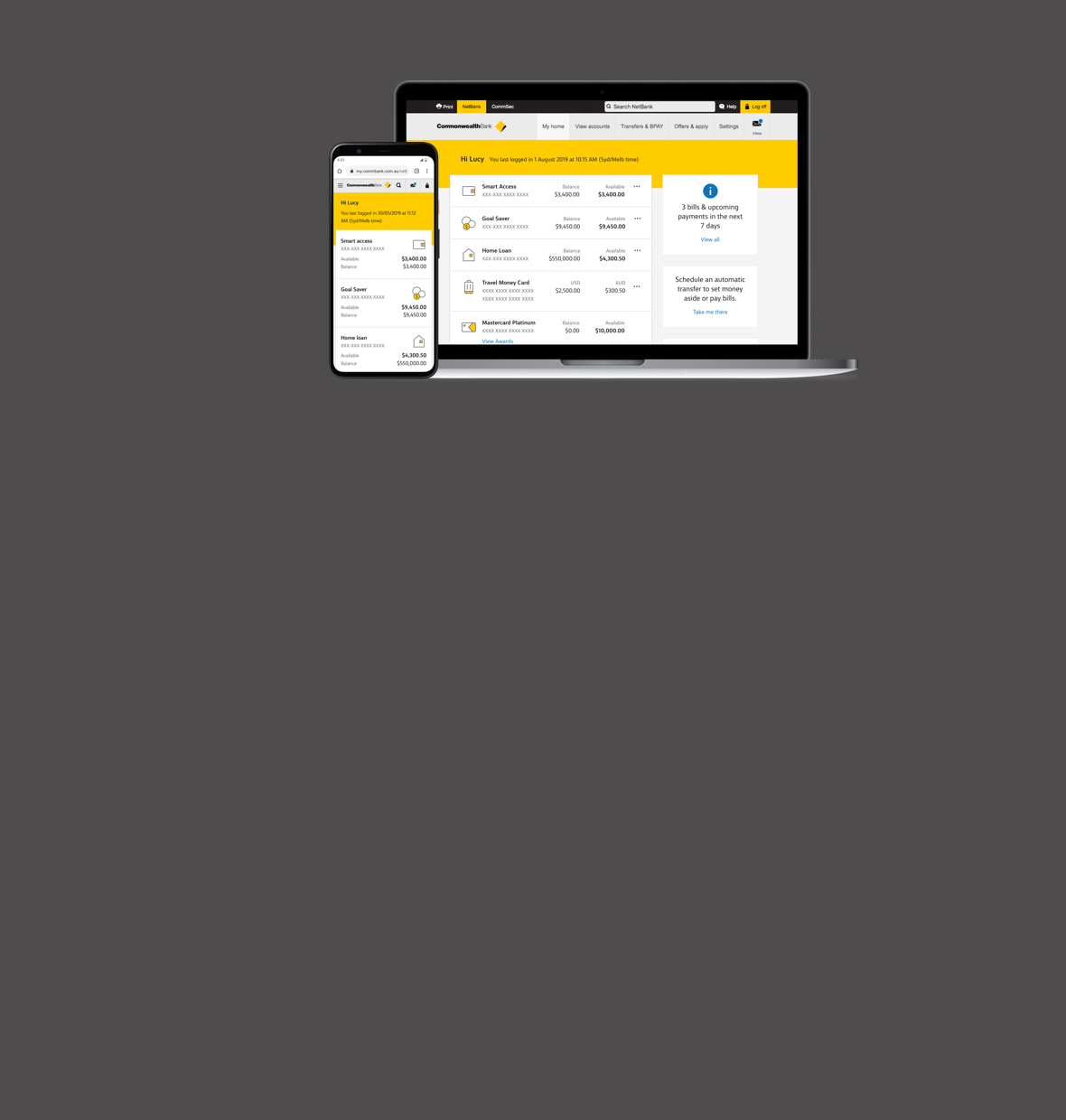
You can transfer to any account linked to your NetBank service. Your can also transfer to other Australian financial institutions. You will require the BSB number and account number to make these transfers.
You can also transfer funds, via the Pay Bill in NetBank to Credit Cards as long as the account is accessible via BPAY.
When making a payment on your Home Loan use the 'Transfer money' page in NetBank. When transferring to a non-linked Commonwealth Bank Home Loan, use the BSB number 062-370.
Yes. Use our International money transfers function, located under the 'Transfers' tab.
Transfers ’to’ and ‘from’ other financial institutions are not
instantaneous. If you complete a transfer via NetBank to other Australian
financial institutions before 6pm (Sydney time) on a business day, the funds
will generally be available in the recipient's account within 1-2 business
days.
If you make a transfer via NetBank to another Australian financial institution
after 6pm (Sydney time) on a business day, or on a weekend/public holiday, it
can take up to 3 business days to appear in the recipient's account.
You will continue to receive interest on the funds in your account, until the Bank processes the transaction.
Example 1
A NetBank customer transfers $5,000 at 2.00pm on a business day to another bank. As the transaction is before the cut off time of 6pm (Sydney time) it will be processed overnight. The other bank will receive the funds the next business day, so they will generally be available in the recipient’s account either that day or the following business day.
Example 2
A NetBank customer transfers $5,000 on a Saturday. Although their account balance and available balance are updated immediately in NetBank, the transaction is not processed until the next business day. The funds are ‘held aside’ so as they cannot be spent twice inadvertently, but will still earn interest until the transaction is processed by us on the next business day (usually end of day on the following Monday). The other bank will receive the funds the next business day, so they will generally be available in the recipient’s account either that day or the following business day.
Yes. You can schedule a funds transfer to occur on a future specified date, or dates, rather than the 'Transfer now' option, which provides an on-the-spot transfer.
For example: You might use it to transfer extra funds to your Commonwealth Bank home loan account each fortnight, or make a regular payment to someone's account at another financial institution.
For more information, including how to set up a scheduled transfer, see the scheduling demo.
Note: scheduled transfers do not replace any existing direct debit repayments that you may have established.
Standard account transaction fees apply.
Other Australian financial institutions may charge for receiving the transferred funds. Please refer to recipient financial institution for their charges.
Note: If your account does not contain sufficient available funds to process a scheduled payment on the scheduled date, NetBank will automatically attempt to make the payment each day for the next 5 working days. A dishonour fee is applicable if the scheduled transfer cannot be processed as a result of insufficient funds after the 5th day.
Yes, you have 3 options:
1. Ability to transfer funds to your own linked accounts, as well as accounts held at any other financial institution (including 3rd party accounts). This is the default setting.
2. No ability to transfer funds on NetBank.
3. Ability to transfer funds to your linked NetBank accounts only.
You can restrict access by telephoning 13 2221 (option 4), 24 hours a day, 7 days a week. If you are calling from overseas, telephone +61 13 2221 (option 4). International charges will apply.
There is no limit on transfers between accounts linked to your NetBank service.
A daily withdrawal limit applies to transfers to accounts held at other financial institutions and non-linked Commonwealth Bank accounts.
To view your daily withdrawal limit please login to NetBank, navigate to the 'Security' tab, and then select 'Payment limits'.
Limits can be increased up to $20,000 by calling 13 2221 (option 4), 24 hours a day, 7 days a week or visiting your nearest branch of the Commonwealth Bank.
This is a security measure for your protection.
If you have a number of transfers to make, this NetBank function enables you to do them faster, from a single NetBank page. You can make the transfers immediately, or schedule them for a future date.
To make a multiple transfer:
1. Click the 'transfers' tab at the top of the NetBank screen, and then click 'multiple transfers' from the side menu.
2. When the 'Multiple transfers' page displays, enter the required multiple details as you would for a single transfer.
A multiple transfer cannot be scheduled for more than one occurrence, and cannot include transfer groups. For details of these, see the transfer money FAQs .
No, each transfer will appear as a separate transaction on your statement.
Your 'Account address book' allows you to retain a list of account numbers you want to regularly transfer funds to. Using the 'Account address book' means you don't have to re-enter the account numbers each time you want to transfer funds.
Note: You do not need to add your own NetBank linked accounts to your 'Account address book'.
Whenever you make a payment to a non-linked account for the first time, the account will be added to your 'Account address book'.
You can also add accounts at any time without making a payment. You need the following information to enter an account number into the 'Account address book':
Branch State and Bank Number (BSB) _ _ _ _ _ _ (6 digits)
Account Number _ _ _ _ _ _ _ _ _ (up to 9 digits)
You can have up to 300 accounts.
Yes, the changes made to accounts in the 'Account address book' are automatically reflected in all the schedules and transfer groups that include the account.
Go to the 'Account address book', enter the information and press ‘Save’ at the bottom of the page. Use the next page to confirm or modify the entry.
This is a security measure for your protection.
Yes, you can suspend or delete a scheduled transfer.
Any scheduled transfer suspension must be completed before 5am EST time on the day it is scheduled.
Note: Scheduled transfers cannot be suspended indefinitely. If you select 'Suspend', you will be presented with the option to suspend the payments for a maximum of 9 times (to a maximum of 18 months into the future).
NetBank will make 5 attempts to process your schedule. NetBank will make the first attempt on the day in which your schedule is due; further attempts will be made by NetBank on subsequent business days.
To avoid the dishonour fee you can delete the scheduled transfer provided that you cancel it prior to 5am on the 5th attempt. A scheduled transfer cannot be suspended indefinitely.
Where a scheduled transfer due date falls on a public holiday or weekend the payment will be processed on that day but any subsequent attempts will be processed on the following business day.
Reasons for the failure of a scheduled Credit Card transaction can be:
Please contact the Bank on 13 2221 (option 4), 24 hours a day, 7 days a week for further details.
We want to help you get more out of NetBank IMTs. So we’ve taken your comments on board and developed an even better online banking experience for you. We have:
• Reduced the amount of information that you need to input.
• Reduced the number of screens by displaying the beneficiary personal and banking details on the same screen.
• New delivery methods for payments to Vietnam (for local Vietnamese currency only). The delivery method can be one of the following: ‘Credit Account’, ‘Hold at Branch’, or ‘Home Delivery’.
No. The 'International address book' lists the account details of beneficiaries you have previously sent money to. You can use it to automatically enter their details when making an International money transfer rather than manually entering them each time. This address book is completely separate from your NetBank address book and its entries will not appear there, or vice versa.
A Bank Code (which may also be referred to as a Clearing or Sort code) is a numeric code which is used to identify banks around the world, including any you wish to send money to. It is equivalent to Australia's 'BSB' code, and can be between 3 and 23 digits depending on the country of the bank. A Bank Code may be known as:
You can obtain the Bank Code from your beneficiary, or it can be obtained
via a search on the 'Beneficiary details' page of the NetBank International
money transfer.
When you search for a bank, you will be required to enter either the bank's
name and address details OR the Bank Code. Contact your beneficiary if you are
unsure of the details.
The IBAN is a number that uniquely identifies a customer’s bank account. The IBAN consists of an alphabetical country code, followed by two check digits, and up to thirty alphanumeric characters for the bank account number.
An example of an IBAN and its components follows:

Do not enter hyphens or spaces (e.g. enter GB 12 CPBK 0892 9965 0449 91 as GB12CPBK08929965044991).
You will need to contact your beneficiary for their IBAN (the IBAN is provided to the beneficiary by their bank).
An IBAN is necessary in order to ensure proper routing of IMTs to many countries in the European Union. The Commonwealth Bank may be unable to process your IMT to some European countries without a valid IBAN.
The Commonwealth Bank may be unable to process your IMT to some European countries or European Economic Area's without an IBAN or BIC. If the IBAN or BIC is missing or incorrect, the charge (which may be substantial) may be applied by the beneficiary bank and your IMT may be rejected. Beneficiary bank charges may be deducted from your payment or charged back to you.
NetBank lets you conveniently send money to the following countries/locations:
|
Albania |
Algeria |
Andorra |
Antigua and Barbuda |
Argentina |
|
Australia |
Austria |
Azerbaijan |
Bahamas |
Bahrain |
|
Bangladesh |
Barbados |
Belarus |
Belgium |
Belize |
|
Bermuda |
Bolivia |
Bosnia-Herzegovina |
Botswana |
Brazil |
|
Brunei Darussalam |
Bulgaria |
Cambodia |
Cameroon |
Canada |
|
Cayman Islands |
Chile |
China |
Colombia |
Cook Islands |
|
Costa Rica |
Croatia |
Cuba |
Cyprus |
Czech Republic |
|
Denmark |
Djibouti |
Dominica |
Dominica Republic |
East Timor (see Timor Leste) |
|
Ecuador |
Egypt |
El Salvador |
Eritrea |
Estonia |
|
Ethiopia |
Fiji |
Finland |
France |
French Polynesia |
|
Georgia |
Germany |
Ghana |
Gibraltar |
Greece |
|
Greenland |
Grenada |
Guadeloupe |
Guam |
Guatemala |
|
Guernsey |
Guyana |
Holy See (Vatican City State) |
Hong Kong |
Hungary |
|
Iceland |
India |
Indonesia |
Iraq |
Ireland |
|
Isle of Man |
Israel |
Italy |
Ivory Coast |
Jamaica |
|
Japan |
Jersey |
Jordan |
Kazakhstan |
Kenya |
|
Kiribati |
Korea, Dem Republic of (North) |
Korea, Republic of (South) |
Kuwait |
Lao, Peoples Democratic Rep |
|
Latvia |
Lebanon |
Lesotho |
Liechtenstein |
Lithuania |
|
Luxembourg |
Macau |
Macedonia |
Madagascar |
Malawi |
|
Malaysia |
Maldives |
Mali |
Malta |
Marshall Islands |
|
Martinique |
Mauritius |
Mexico |
Moldova |
Monaco |
|
Mongolia |
Montenegro |
Montserrat |
Morocco |
Mozambique |
|
Myanmar |
Namibia |
Nauru |
Nepal |
Netherlands |
|
Netherlands Antilles |
New Caledonia |
New Zealand |
Nigeria |
Norway |
|
Oman |
Pakistan |
Palestine |
Panama |
Papua New Guinea |
|
Paraguay |
Peru |
Philippines |
Poland |
Portugal |
|
Puerto Rico |
Qatar |
Reunion |
Romania |
Russia |
|
Saint Kitts and Nevis |
Saint Lucia |
Saint Vincent and Grenadines |
Samoa |
San Marino |
|
Saudi Arabia |
Serbia, republic of |
Seychelles |
Sierra Leone |
Singapore |
|
Slovakia |
Slovenia |
Solomon Islands |
South Africa |
Spain |
|
Sri Lanka |
Sudan |
Swaziland |
Sweden |
Switzerland |
|
Syrian Arab Republic |
Tahiti |
Taiwan |
Tajikistan |
Tanzania |
|
Thailand |
Timor Leste |
Togo |
Tonga |
Trinidad and Tobago |
|
Tunisia |
Turkey |
Uganda |
Ukraine |
United Arab Emirates |
|
United Kingdom of Great Britain |
United States of America |
Uruguay |
Vanuatu |
Venezuela |
|
Vietnam |
Western Samoa (see Samoa) |
Yemen |
Yugoslavia (See Serbia) |
Zambia |
|
Zimbabwe |
|
|
|
|
We regularly review the list of supported countries and seek to expand it whenever possible.
Most Commonwealth Bank transaction, savings and business accounts can be
used to make an IMT.
It is not possible to make an IMT from a Foreign Currency Account, Credit Card,
Home Loan, Personal Loan, Term Deposit, Passbook, or jointly operated accounts
which require more than one signature to operate.
If your account does not appear on the NetBank dropdown menu, you may not have
linked it to NetBank. To do so, telephone the NetBank Help Desk on 13 2221
(option 4), 24 hours a day, 7 days a week. If you are calling from overseas,
telephone +61 13 2221 (option 4). International charges will apply.
The following charges apply to an international money transfer via NetBank:
|
Name of cost and description |
Amount of fee (all fees in AUD) |
|
International money transfer (IMT) fee
|
Up to $22 |
|
IMT advice of fate (trace) fee¹
|
$20 |
|
Cancellation and return of cover fee ¹, ²
|
$35 |
|
Amendment to detail
|
$25 |
1 Messages sent to certain countries can require several
follow-ups which are charged at $10 per follow up message sent.
2 This is a request only and is dependent on the overseas bank
obtaining the relevant debit authority to be able to return funds. If funds are
returned in foreign currency they will be converted on the next business day
using the tt buy rate.
Your IMT daily withdrawal limit is the maximum amount of money expressed in Australian dollars you can send as IMTs per day.
You can increase this limit by telephoning the NetBank Help Desk on 13 2221 (option 4), 24 hours a day, 7 days a week. If you are calling from overseas, telephone +61 13 2221 (option 4). International charges will apply. If you request the Bank to establish or increase your IMT daily limit, your liability for unauthorised transactions may increase.
You can complete an IMT online via NetBank at any time. International money
transfers performed on a weekend or public/bank holiday, or after currency
cut-off times on a Bank business day, will be processed the following Bank
business day. Your transaction will be seen as 'PENDING' in your International
Address Book History. The next day, the status will change to 'SENT' if you
have sufficient funds in your nominated debit account or 'REJECTED', if you
have insufficient funds in your nominated debit account.
Under normal circumstances your money should arrive at the overseas bank of the
beneficiary within 2 to 5 business days. However, we cannot guarantee this
timeframe as there may be delays due to the banking practices of the overseas
bank or country.
If you submit an IMT before currency cut-off times on a Bank business
day, the amount of the transfer plus any fees will be debited from your account
immediately and your account balance available and account transaction history
will be updated by the next Bank business day.
If you submit an IMT after currency cut-off times on a Bank business day,
on a weekend or public/bank holiday, the amount of the transfer plus any fees
will be debited from your account the following Bank business day.
To check whether your IMT has been processed, view the international money
transfers history page, which lists the status of the transfers you have
submitted. The status will be one of the following: 'Sent', 'Pending' (waiting
to be processed), or 'Rejected'.
Use the international money transfer (IMT) history page to view IMTs you have submitted via NetBank. It includes transfers that are completed, pending (still being processed), and rejected. You can also use the details of any IMT listed here for a new transfer.
The 'international address book' lists the account details of beneficiaries you have previously sent money to. You can use it to automatically enter their details when making an international money transfer rather than manually entering them each time. This address book is completely separate from your NetBank address book and its entries will not appear there, or vice versa.
An international money transfer (IMT) will normally take 2 to 5 business
days, but can take longer depending on the country and the banking practices of
the overseas bank or country.
If the beneficiary has not received the IMT you may request a trace be placed
on the IMT by telephoning the NetBank Help Desk on 13 2221 (option 4), between
8:00am and 5:30pm (Sydney time), Monday to Friday.
A fee of AUD$20.00 is payable for this service. An additional fee of AUD$10.00 will also apply to each subsequent follow-up. Overseas banks involved in processing your IMT may also charge a service fee, which will be passed back to you.
This is a security measure for your protection.
The Commonwealth Bank has opened a branch in Vietnam, which will accept the following delivery methods for payments (for local Vietnamese currency only): ‘Credit account’, ‘Hold at branch’, or ‘Home delivery’. The hours of operation for NetBank IMTs to this branch are 8.30 am – 4.30 pm Vietnam time (11.30 am Sydney time – 7.00 pm Sydney time).
Note: Please ensure the correct beneficiary address is provided in your NetBank IMT and the beneficiary has the matching identification details to receive your payment, otherwise the payment may be returned to the Commonwealth Bank of Australia.
Delivering to customers (home delivery)
How will my payment be delivered to my beneficiary?
Your beneficiary is contacted via the phone number that you entered in your NetBank IMT. The following will be confirmed with your beneficiary:
• time they would like funds to be delivered to the address provided;
• the address provided on the NetBank IMT and the address the beneficiary would like to have the funds ‘Home delivered’ to must be identical.
Once the above has been completed, an unmarked vehicle will transfer the money from the bank to the beneficiary.
What are the delivery hours to the beneficiary? Is the beneficiary contacted before the home delivery is made to confirm that they will be at home?
Delivery hours are between 9.00 am – 5.30 pm Vietnam time (12.00 pm Sydney time to 8.30 pm Sydney time). Prior to 1.00 pm Vietnam time (4.00 pm Sydney time), the beneficiary will be called within 1 hour of the delivery of the NetBank IMT payment.
• second contact will be within 24 hours;
• third contact will be within 48 hours; and
• the NetBank IMT payment will be returned if the beneficiary cannot be contacted after 48 hours.
What happens if the beneficiary address doesn’t exist?
The address will be confirmed at the time that the beneficiary is called. If this does not match the NetBank IMT address, the NetBank IMT payment will be returned to the Commonwealth Bank of Australia.
What identification does my beneficiary need to show to receive my NetBank IMT payment i.e. what is appropriate ID (and will anything else be requested)?
For Vietnam, the National ID or a Passport. The document number must match the number that was provided on the NetBank IMT remittance.
What happens if my beneficiary isn’t at home or can’t provide sufficient ID at first visit – do they visit again?
Commonwealth Bank Vietnam’s correspondent will contact the beneficiary to arrange another time for delivery. If the beneficiary cannot be contacted within 7 business days, the funds will be returned to the Commonwealth bank Australia.
What evidence do we have that the correct person has received funds
The Cash Transit officer, will match the ID number from the NetBank IMT remittance to the National ID or Passport number.
What happens if the courier is robbed/delivery vehicle held up? Will my payment be still made?
Yes, the Cash transit Company takes responsibility for any losses, robberies or any other situation where the money is lost, stolen etc.
Advise & pay (hold at branch)
How many times is my beneficiary contacted when my NetBank IMT arrives?
Prior to 5.30 pm Vietnam time (8.30 pm Sydney time):
• first contact will be within 1 hour of receipt of the NetBank IMT payment;
• second contact will be within 24 hours;
• third contact will be within 48 hours; and
• the NetBank IMT payment will be returned if the beneficiary cannot be contacted after 48 hours.
How will my beneficiary receive my payment?
They will be identified by matching the ID number from the NetBank IMT remittance to the National ID or Passport number.
The beneficiary can then:
• Be provided cash;
• Arrange for a credit to their own account; or
• Transfer funds to another bank by completing a transfer form.
What happens if my beneficiary can not get to the branch?
The beneficiary can only accept funds by arranging to go to a branch. If they cannot get to any branch, the funds will be returned to Commonwealth Bank Australia. The payment cannot be changed to a ‘Home Delivery’ or any other type of payment.
What identification does my beneficiary need to show to collect my payment i.e. what is appropriate ID (and will anything else be requested)?
The National ID number or a passport number. This must match the same number that was provided on the NetBank IMT remittance.
How long will the NetBank IMT funds be held at the branch?
7 business days from the time the NetBank IMT payment is received by the Vietnamese bank.
Credit Account
When will my beneficiary receive my payment?
If the beneficiary holds an account with the Commonwealth Bank Vietnam, the funds will be credited same day if received prior to 12.00 Vietnam time (3.00 pm Sydney time) If the beneficiary is at another Vietnamese bank, it can take up to 2 to 5 business days for the beneficiary to receive the funds.
The ‘transfer groups’ function allows you to combine a number of accounts that you regularly make payments to, into a transfer group. You can then transfer funds to all the accounts simultaneously, rather than individually.
For example: If you run a business you can set up a 'staff payroll' transfer group which includes each of your staff members' payroll accounts and their regular wage payments. You can then use the 'scheduled transfers' function and have your staff payroll paid automatically each pay period.
Yes - you can change any or all of the payment amounts within a transfer group.
1. On the 'Transfer groups' page, click the 'Modify' button. The 'Transfer groups - modify' transfer group page will display.
2. To delete an account or accounts from the transfer group, click the button next to the accounts to be deleted and then the 'Remove accounts' button.
If you wish to modify the amount or the account description, you simply overtype the details that you wish to change. Then click the 'Save' button.
Maximum number of transfer groups:
Business = 100
Personal = 50
Maximum number of accounts within a transfer group:
Business = 80
Personal = 80
No, you can do this yourself on the 'Transfer groups' page. It enables you to either select to edit or delete an existing group or create a new one.
To access 'Transfer groups', click the 'transfers' tab at the top of the NetBank screen and then click the 'Transfer groups'.
NetBank allows you to import information from a file, when using the
‘Transfer group’ so you don't have to type in all the details.
It can be accessed from the 'Import payment files' page.
1. On the ‘Import payment file’ page select a file on your computer by
clicking the ‘Browse’ button. Your browser will then provide you with a window
for the selection of the file required.
When you locate a file you want to import, select it. You should then see the
file’s name in the ‘file name’ field. Click the ‘Import’ button.
2. A ‘File details’ page will display. Type a group name and confirm the file details are correct by clicking the ‘Next’ button.
3. A ‘Transfer’ details page will display showing the details of the file to
be imported.
Select the account you wish to make the payment from using the ‘From account’
drop down list. Then type a brief description of the transaction (if
required).
Under ‘When’, schedule a transfer as follows:
a. Click the ‘Frequency’ button
b. Select the payment frequency using the accompanying ‘Select’ drop down
list
c. Type in the starting date in the ‘Start’ field
d. Select when the payments should end:
Then click the ‘Next’ button again.
4. A ‘Confirmation’ page will display. Confirm the import by clicking the ‘Next’ button.
5. A ‘Receipt’ page will display with a receipt or schedule reference number. Your file details have now become a new transfer group.
Any file that is in the Australian Payment Clearing Association (APCA) format can be imported. This is supported by most payroll and accounting software.
NetBank does not require an APCA ID (also known as Bank Code), if prompted you can type in 0’s or 1234…
This is a security measure for your protection.
Registered to BPAY Pty Ltd. ABN 69 079 137 518