Top tips

We've combined your feedback with our many years of experience to develop these top tips to help you get the most out of banking online. Click on any of the tips below to get started.

Stop receiving paper statements

You can choose to stop receiving paper statements altogether on most personal and business savings and transaction accounts. This will help ease the strain on the environment (and your filing cabinets). Find out how to stop receiving paper statements.

Manage your credit card

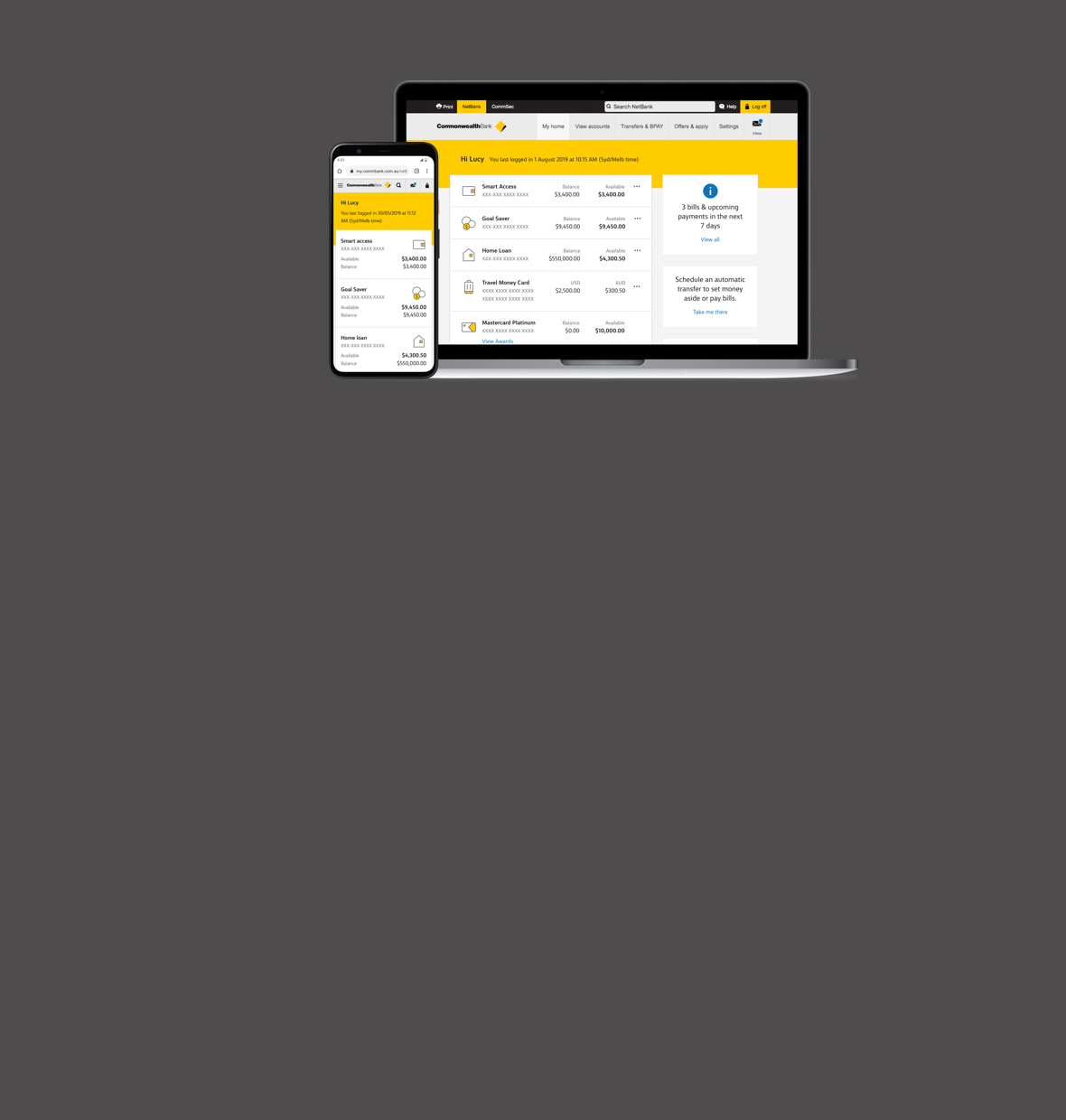
To manage your credit card in NetBank, login to NetBank, go to the ‘accounts’ tab and select the ‘View account information’ page. Here, you’ll see the closing balance on your last credit card statement, and your minimum monthly payment and due date.

Pay anyone

To transfer money to a person or organisation, you’ll need their account name, BSB and account number. Then simply login to NetBank, go to the ‘transfers’ tab and select ‘Transfer money’. Most Australian financial institutions accept fund transfers.

Update your contact details

It’s important to update your contact details, especially your mobile phone number and email address. Why? Because, if we spot any unusual or suspicious activity on your NetBank account, we’ll try calling you. We’ll also notify you by email of transactions on your account such as ‘add a new biller’ or ‘transfer money’.

To update your contact details, go to the ‘my info’ tab and select ‘My contact details’.

Pay your bills

With the multiple bills feature in NetBank, you can pay all your bills in one go as well as schedule bill payments for the future. Login to NetBank, go to the ‘bills’ tab and select ‘Pay multiple bills’.

Nickname your bills

Whenever you add a new biller in NetBank, you can apply a ‘bill nickname’ for quick and easy reference. You’ll find this handy when viewing past bill payments or paying bills in the future. To create a nickname, go to the ‘bills’ tab, select ‘Biller address book’ and enter the required information.

Know your daily limit

You can check and reduce your NetBank daily withdrawal limits online to suit your banking needs. These limits apply to third party payments, BPAY and international money transfers. Login to NetBank, go to the ‘my info’ tab, then select ‘My NetBank limits’.

You can also increase these limits by contacting the NetBank Help Desk on 13 2828, 24 hours a day, 7 days a week.

Check your future payments

Once you login to NetBank you will be able to view a quick summary of your top 5 upcoming scheduled transfers and bill payments you have made.

Be aware of NetBank hoax alerts

Hoax emails claim to be from the Commonwealth Bank and can seem like the real thing – but don’t be fooled. Any email asking for your personal banking details, or providing you with a link to login to NetBank, is a hoax. So do not act on it.  

Look out for the NetBank Guard Dog whenever you visit NetBank, and follow his tips to keep your banking and personal details secure.

Take a look at some examples of the latest hoax emails and find out how to report one.

Use NetBank Help

After logging into NetBank, you can get help for the page you’re on at the time by simply clicking the ‘Help’ tab. You'll also find useful information in our FAQs.

If you prefer, you can speak to a NetBank customer service specialist by calling 13 2828, 24 hours a day, 7 days a week.

NetBank Help Desk 24/7 availability

If you have any banking enquiries, from password resets to transfer enquiries, limit increases and more, simply contact the NetBank Help Desk on 13 2828, 24 hours a day, 7 days a week.

Internet security

We take internet banking security very seriously and are constantly vigilant around fraud and phishing attacks. Other measures we take to protect you online include encrypting all data during an internet banking session, using virus scanning tools to block unauthorised people from accessing our systems, and monitoring any suspicious activity.

NetCode SMS

NetCode SMS is a free service available to all NetBank customers and provides added security when you complete certain NetBank transactions. You’ll be prompted to ‘Get NetCode SMS’ when you:

  • Access ‘my contact details’ on NetBank
  • Pay someone for the first time
  • Add a BPAY biller
  • Transfer money using international money transfers
  • Apply for certain products via NetBank (e.g. CommSec account)

Every time you perform one of these transactions, a new NetCode will be sent to your mobile phone via SMS.

Helpful tax tips

NetBank can help you during the tax year in a number of ways. You can:

  • Put your refund into a term deposit account
  • Export your transactions to other accounts
  • Pay the ATO via BPAY
  • Get a summary of your interest for the last financial year for NetBank
  • Export your transactions to other programs
  • Schedule payments in advance
System cut-offs

To ensure all your transactions are processed overnight on your account, make sure they are completed before 6pm on each working day. ATM/EFTPOS transaction from the weekend will show up on the customer account the following business day.

New search function

The new search function in the NetBank Help Centre lets you find the information you need about NetBank products even faster than before. This can be found on the navigation bar across the topo of the page. You can quickly search by transaction type, date or amount.

NetBank mistakes to avoid

Some common mistakes to avoid when using NetBank are:

  • Clear old NetCode SMS messages from your inbox as these are only valid for 30 seconds
  • Complete your transaction within 30 seconds of receiving your SMS message
  • Confirm the transaction details of all payments you make to third parties before you approve them
  • Never respond to suspicious emails when you don’t know the sender. If in doubt contact the NetBank Help Desk on 13 2828, 24 hours a day, 7 days a week


Did you Know?

Over 1 million NetBank customers are using enhanced security.


Did You Know?
Security & privacy | Site map | Important information | Other sites © Commonwealth Bank of Australia 2008 ABN 48 123 123 124