

Help & support

Everyday banking is simple & secure in NetBank & the CommBank app, and at our ATMs. Instead of calling us, you may want to explore these options first.
Take a look at our step-by-step online banking guides to help you comfortably manage your day-to-day banking.
All of our ATMs have touchscreen technology and are audio-enabled.
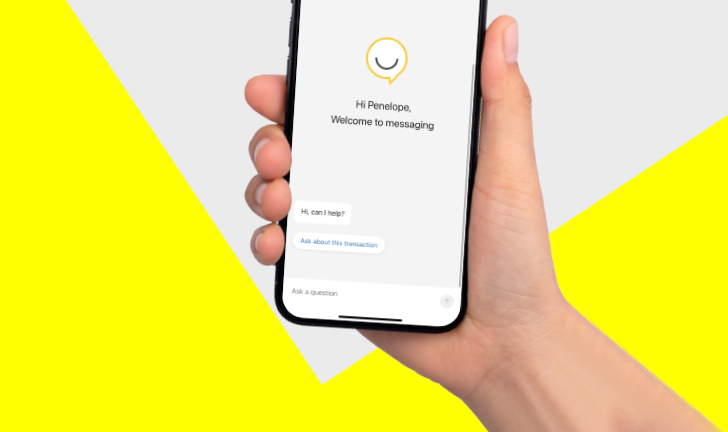
Get instant help from Ceba in the CommBank app or connect with a specialist who can message you back. You’ll need CommBank app notifications turned on so you know when you’ve received a reply.
You can also use your 4-digit CommBank app PIN if you're calling from a phone number that's linked to your account.
If you are deaf or hard of hearing you can message us in the CommBank app or contact us via the National Relay Service.
For more info, visit the National Relay Service
Message us 24/7 or call 13 2221 from 8am to 8pm (+61 2 9999 3283* from overseas).
Otherwise, select from the following options:
Call or message us in the CommBank app 24/7 about:
We have teams who are specialists in business banking, insurance, home loans, CommSec and more who can help with your specific enquiries. Each team has its own dedicated phone number.
We can help you before you travel overseas and if the unexpected happens while you’re away.
2 When calling from overseas using your mobile, standard roaming charges may apply. To avoid roaming charges, call the international operator in the country you’re in from a land line and provide them our number. Not all overseas telephone providers support access to 13 numbers.
* When calling from overseas using your mobile, standard roaming charges may apply. To avoid roaming charges, call the international operator in the country you’re in from a land line and provide them our reverse charges number +61 2 9999 3283.
The advice on this website has been prepared without considering your objectives, financial situation or needs. Because of that, you should, before acting on the advice, consider its appropriateness to your circumstances. Please view our Financial Services Guide (PDF 68KB).
Terms and conditions for Electronic Banking (PDF 244KB) are available here or from any branch of the Commonwealth Bank.
Apple and iPhone are trademarks of Apple Inc., registered in the U.S. and other countries. Android is a trademark of Google Inc. Windows is a registered trademark of Microsoft Corporation in the United States and other countries.


