What you'll need

  • Permissions to view FX Trades

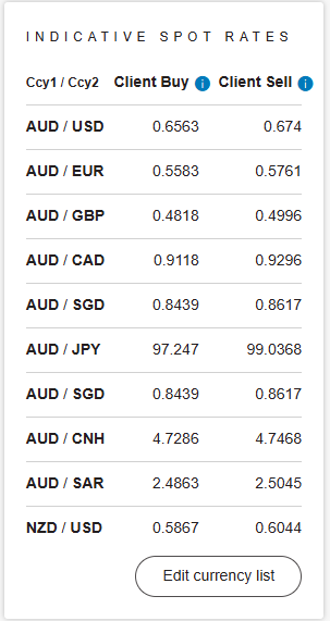
Customise your indicative spot rates

  1. On the dashboard, locate the Indicative Spot Rate panel in the centre of the page. If you are happy with the current currency pairing, there is no action required.

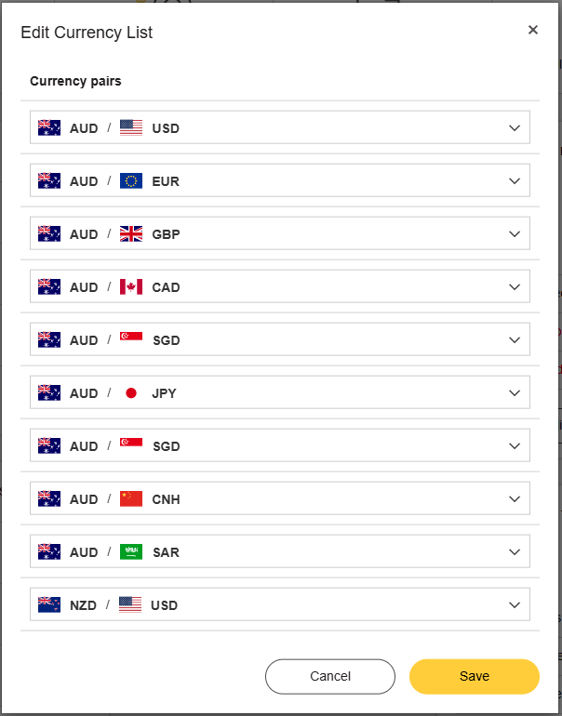
  2. If you would like to view different currency pairings, select the Edit Currency List button.
  3. Select any currency combination available from the dropdown menus.
  4. When you are happy with your selection, click Save.
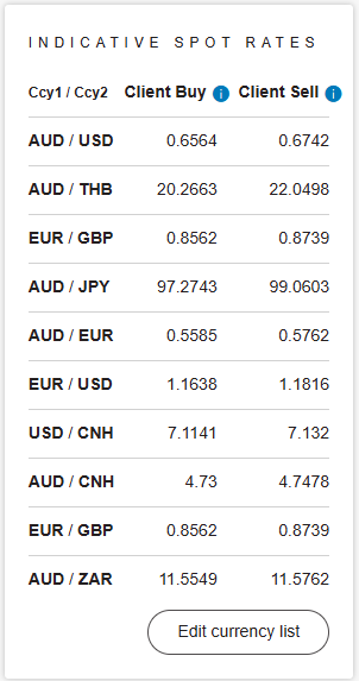
  5. This will now display your currency pairings on the Indicative Spot Rate list.

Things you should know

  • This document is provided to existing users of CommBiz International Payments and Foreign Exchange (IPFX) for information purposes only. It is intended to assist users in understanding certain operational features of IPFX.  This document does not form part of any contract between you and the Commonwealth Bank of Australia (CBA) and does not amend, override or replace any applicable terms and conditions.  Your access to and use of IPFX, and any foreign exchange transactions entered into through IPFX, are governed by the following documents (as amended from time to time):

    In the event of any inconsistency between this document and those terms and conditions, the relevant terms and conditions will prevail.  You should read these relevant terms and conditions as well as any disclosure documentation relating to your foreign exchange transactions with us such as the FX PDS. The availability of features and the steps described in this document may vary depending on user permissions, account authorities, system availability and other operational factors and this document may be updated by CBA from time to time.  CBA does not warrant that the information in this guide is complete, current or error free.  For any assistance, please contact the Foreign Exchange Centre on 1300 222 339 or fxcentre@cba.com.au.