Help & support
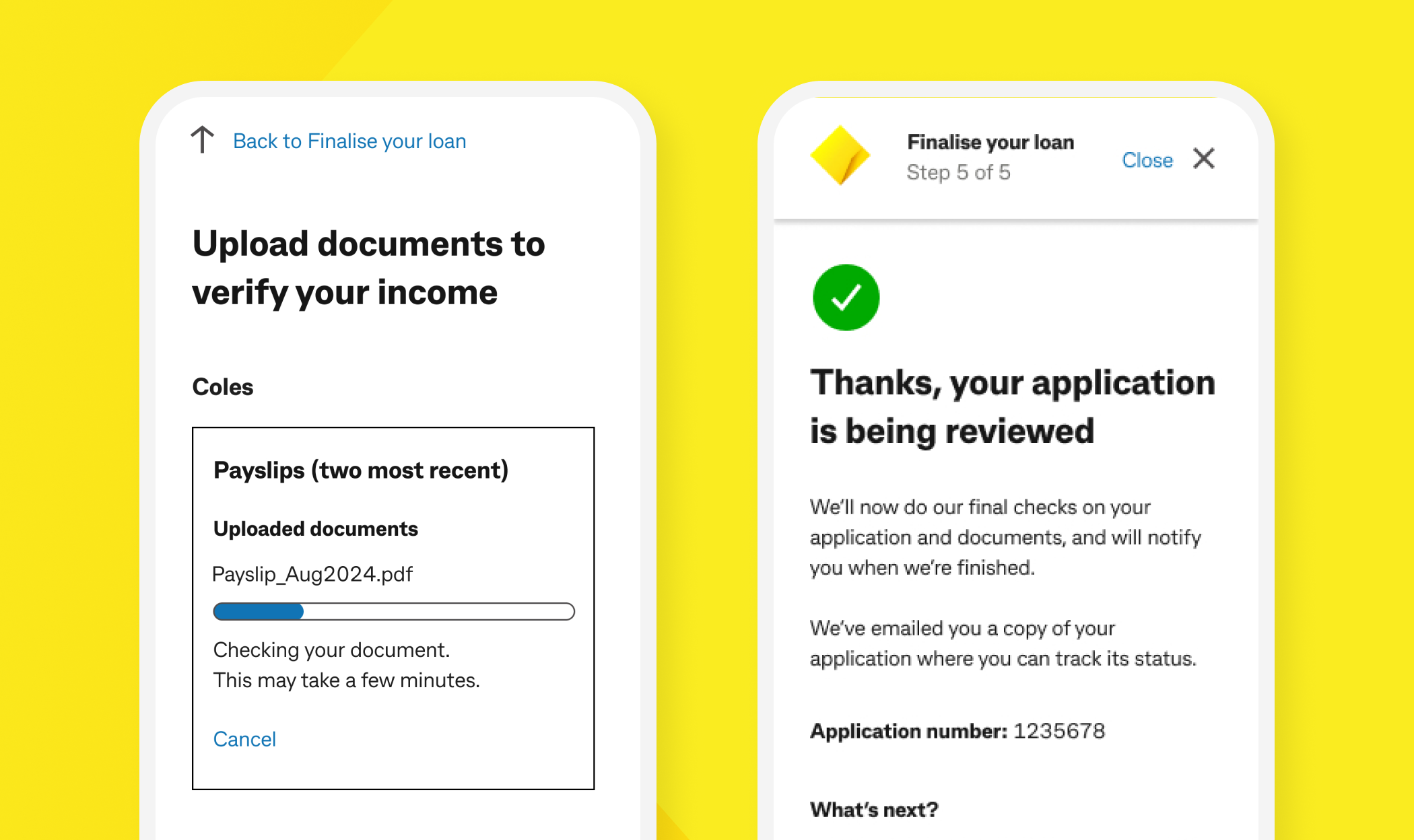
Once you submit your application, we’ll show your outcome or what to do next on screen.
You can check your application status at any time:
Uploading documents
Loan funding
For more detailed information, see What you need to apply for a personal loan.
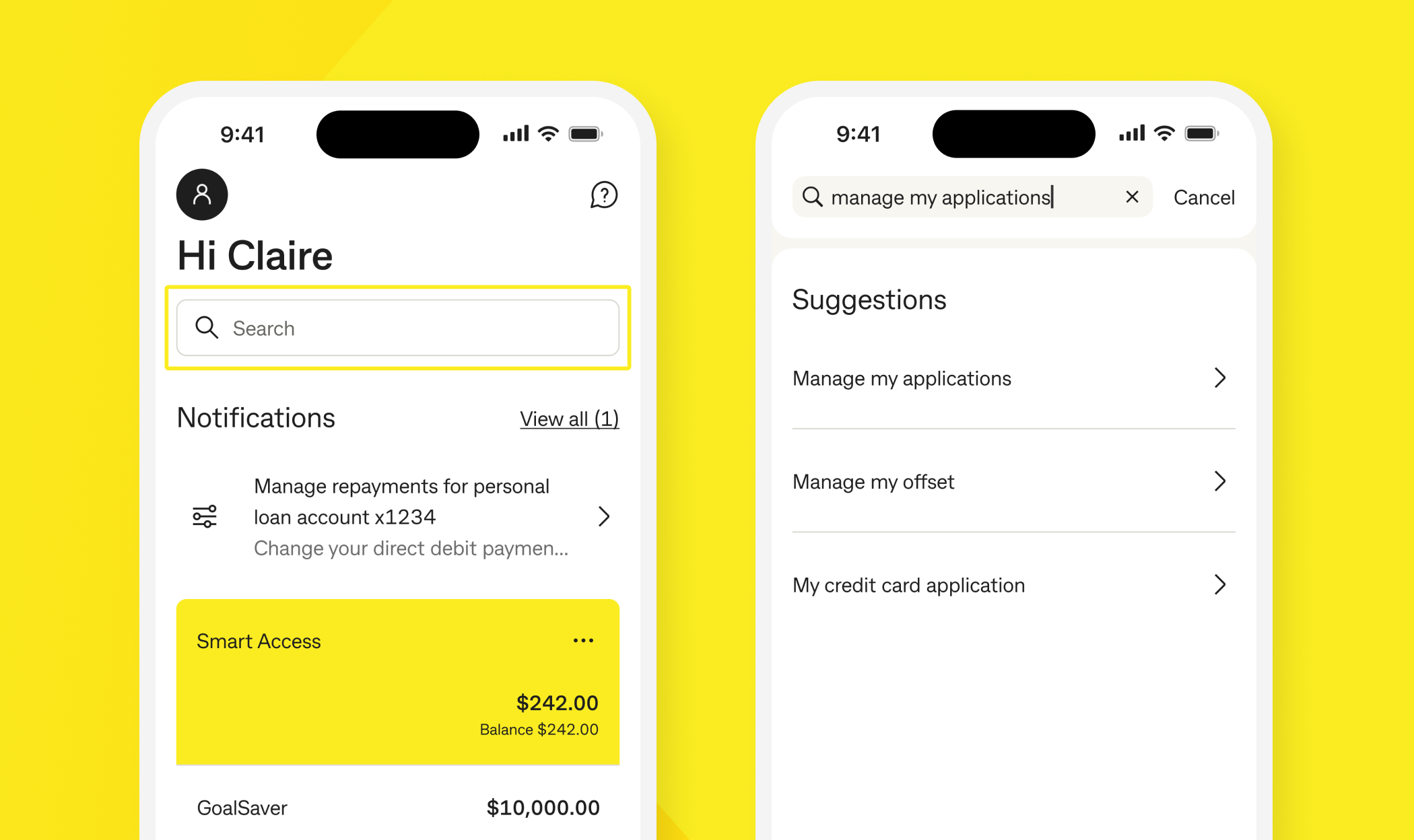
We’ll show your outcome on the decision screen in the CommBank app. To view it, search ‘Manage my applications’. The application status will be displayed as declined or unsuccessful.
In some cases, we may also send you additional information via email and/or a NetBank message. To view your NetBank message, search ‘Inbox’ in the main screen of the CommBank app. This may provide further details about why your application was declined.
Responsible lending practices
We’re obliged to comply with regulatory requirements and are committed to responsible lending. We need to ensure that we don’t give you credit if we determine the loan is not suitable for your needs, or it is likely that you might not be able to keep up with the repayments. We need to balance your goals with what’s right for you at the time you apply.
Some common reasons for a loan decline include:
1. Make sure you meet CommBank Personal Loan eligibility criteria:
2. Maintain a good credit rating
Ensuring you pay everyday bills (for example, phone and electricity) and any existing debts on time helps you maintain a good credit rating. Missed payments, arrears, or debt collection records listed with a credit reporting body may affect your credit rating.
3. Check your credit score and history
A credit report is a detailed record of your credit history, including the types of credit you’ve had and how you’ve repaid those debts. Request a free credit report from a credit reporting body. These reports show your most up-to-date information.
4. Avoid submitting multiple loan applications
5. Consider paying down existing debts
You can set this up during your loan application to make repayments easier. If you’d prefer to set it up later, here’s how:
From a CommBank account:
From another bank:
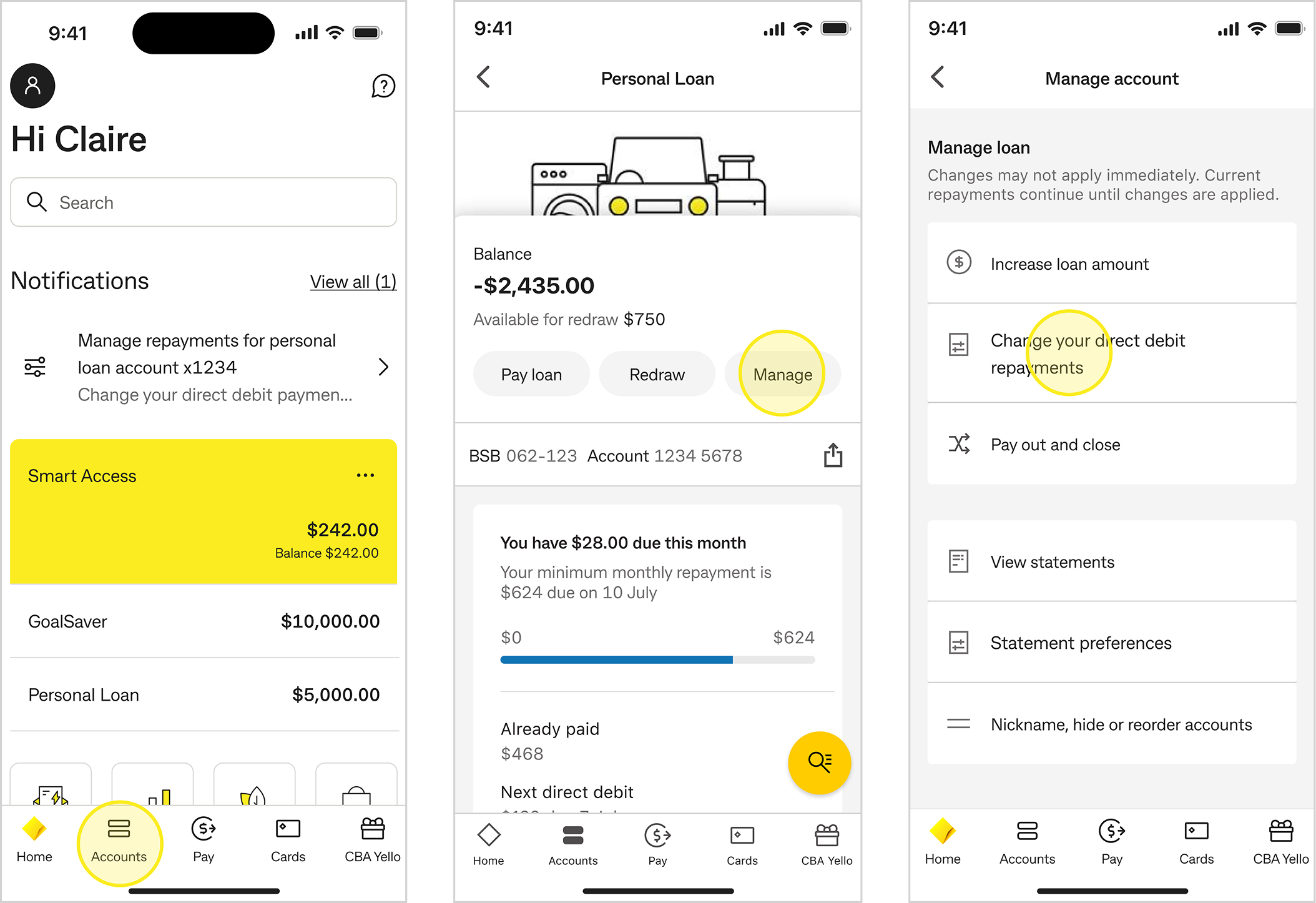
You can make a request to change your existing direct debit amount, frequency or date in the CommBank app or NetBank.
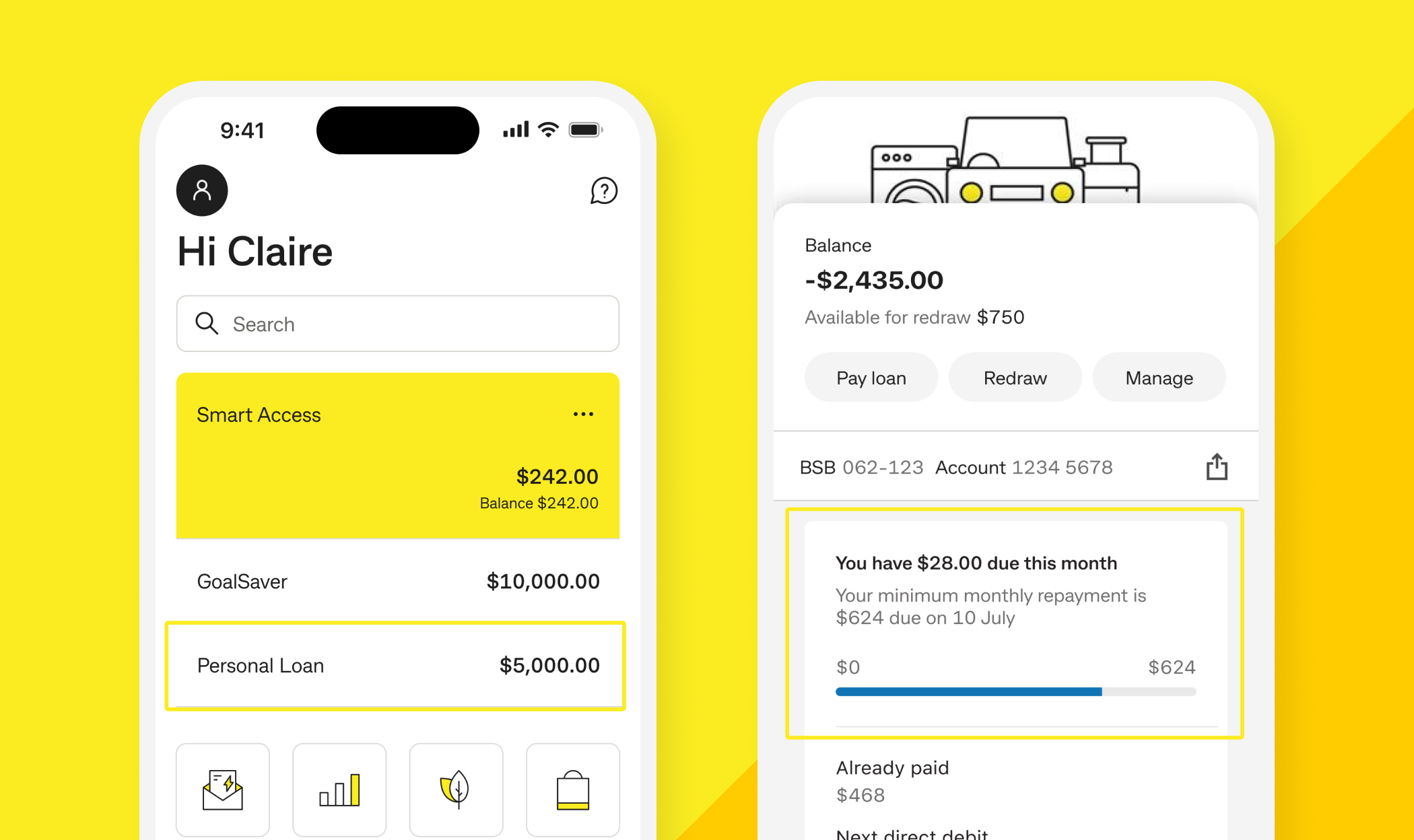
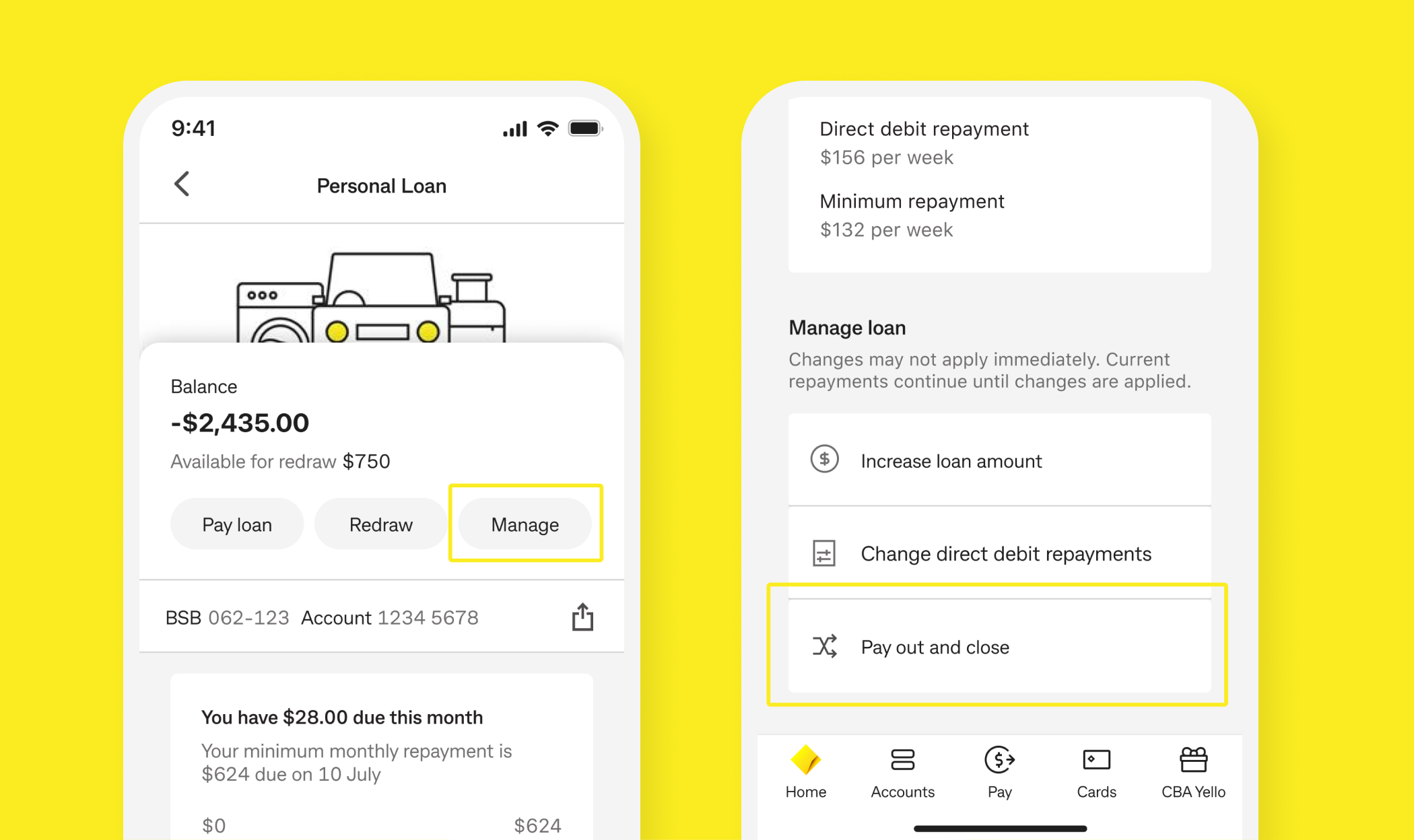
Go to Accounts → Personal Loan
Select Manage
Select Change direct debit repayments
Confirm repayment frequency (weekly, fortnightly, monthly) and start date
Review and submit.
Important things to know
You can update the account details for the direct debit linked to your loan following the steps below:
From a CommBank account
Note: It can take up to 3–7 business days for the new account details to be updated.
From another bank:
If you’re changing your direct debit to an account with another bank, you have two options:
Option 1: Set it up yourself with the other bank - You can arrange repayments directly through the other bank using automatic transfers or BPAY with the details here. If your current direct debit is set up with a CommBank account and you’re switching to an account with another bank, please message us in the CommBank app so we can cancel your existing direct debit and prevent any duplicate debits.
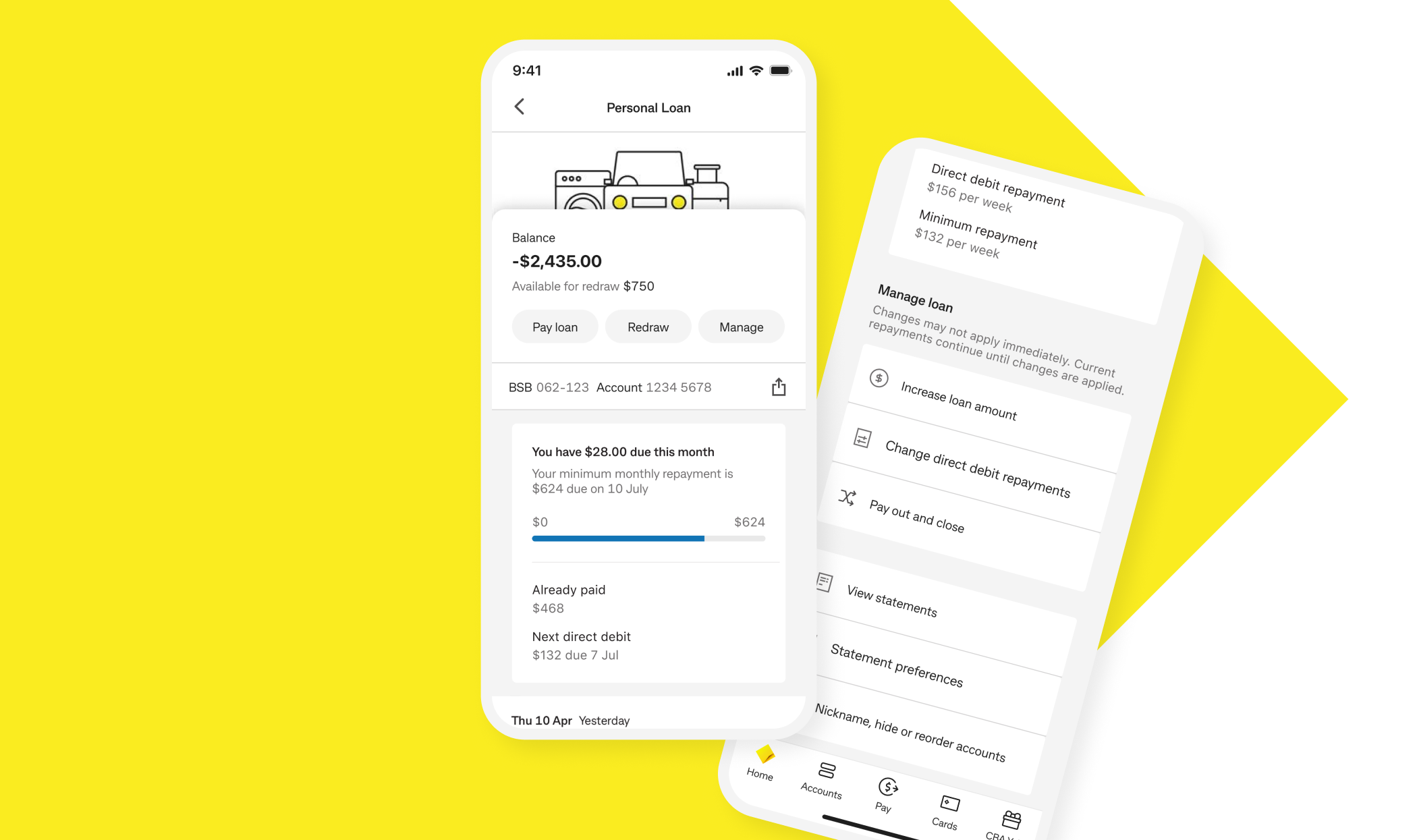
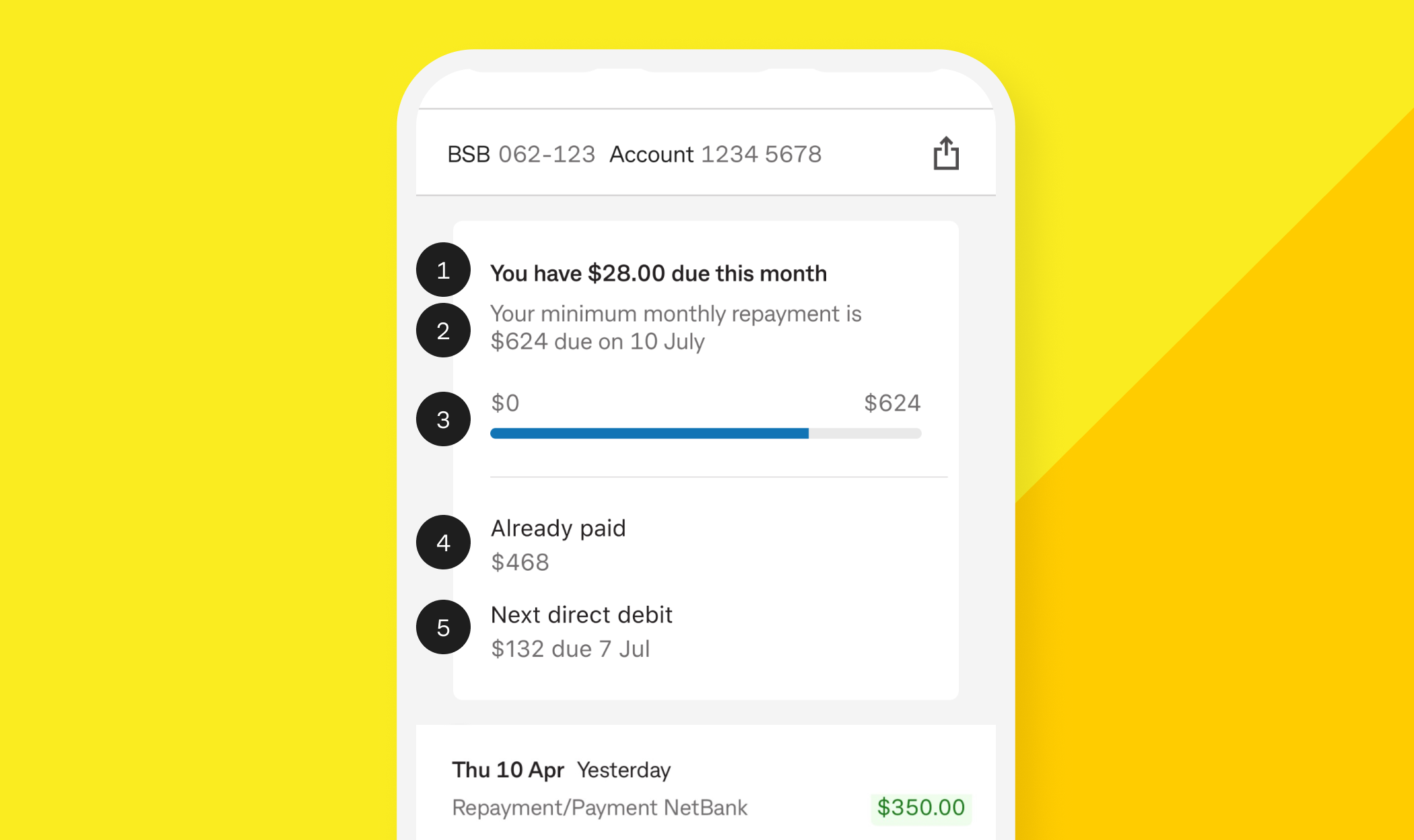
Once your loan is active, you can view upcoming repayments and track your progress. Open the CommBank app, select Personal Loan, and view the Repayment Tracker to see how you’re tracking against your minimum monthly repayment.
Using the image as an example only — view your real repayment progress in the CommBank app.
1. A message showing how much you have left to pay for the month
Note: If you’re behind on payments, this section will also show any missed or overdue payment messages.
2. Your minimum monthly repayment
3. Progress bar
4. Already paid
5. Next direct debit (if set up)
Note: Using redraw will reduce your extra repayments and may increase the time it takes to pay off your loan and the total interest you pay. If applicable, redraw amounts will be considered in the repayments tracker.
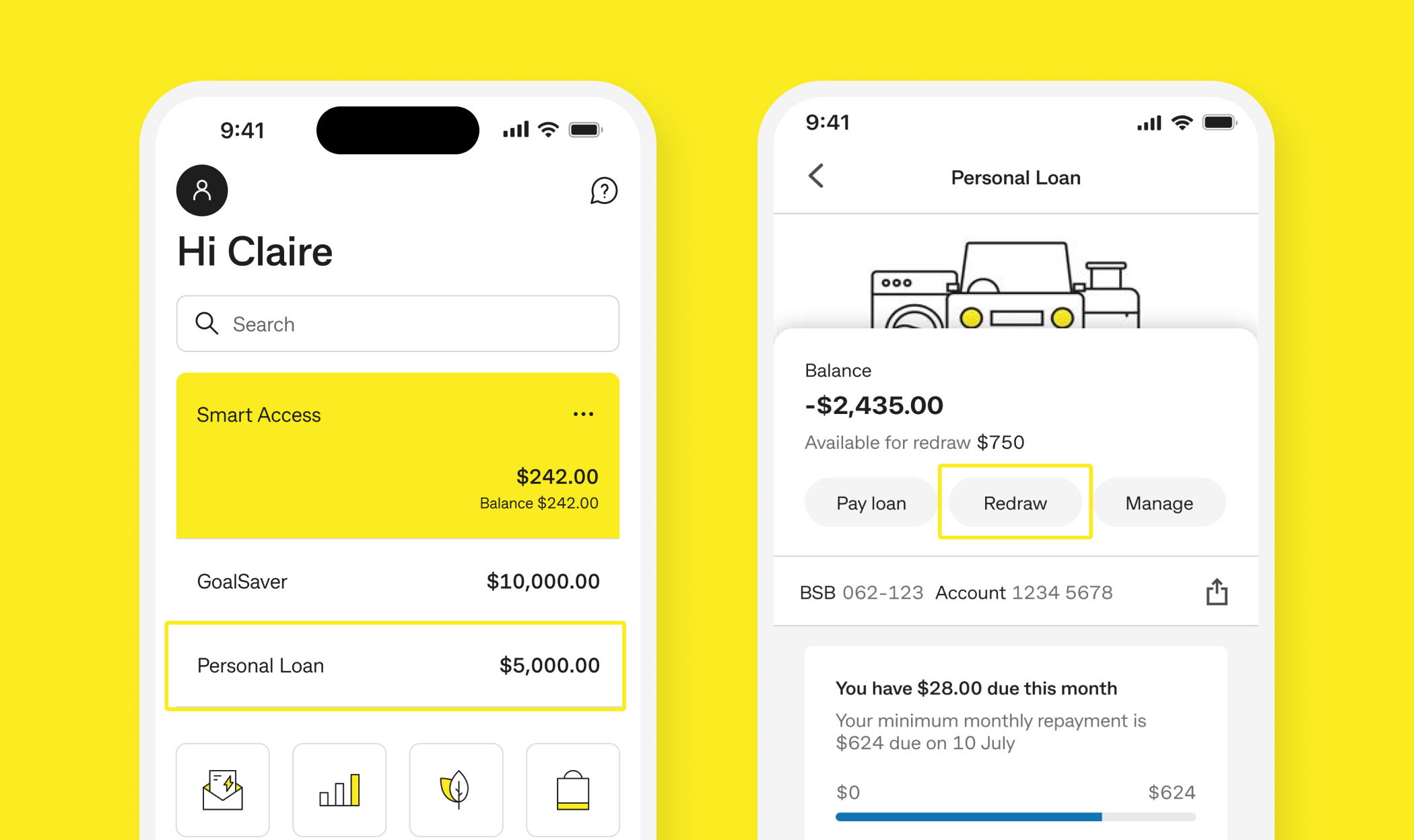
A redraw facility lets you access extra repayments you’ve made on your Variable Rate Personal Loan, with no fees, subject to your loan’s terms.
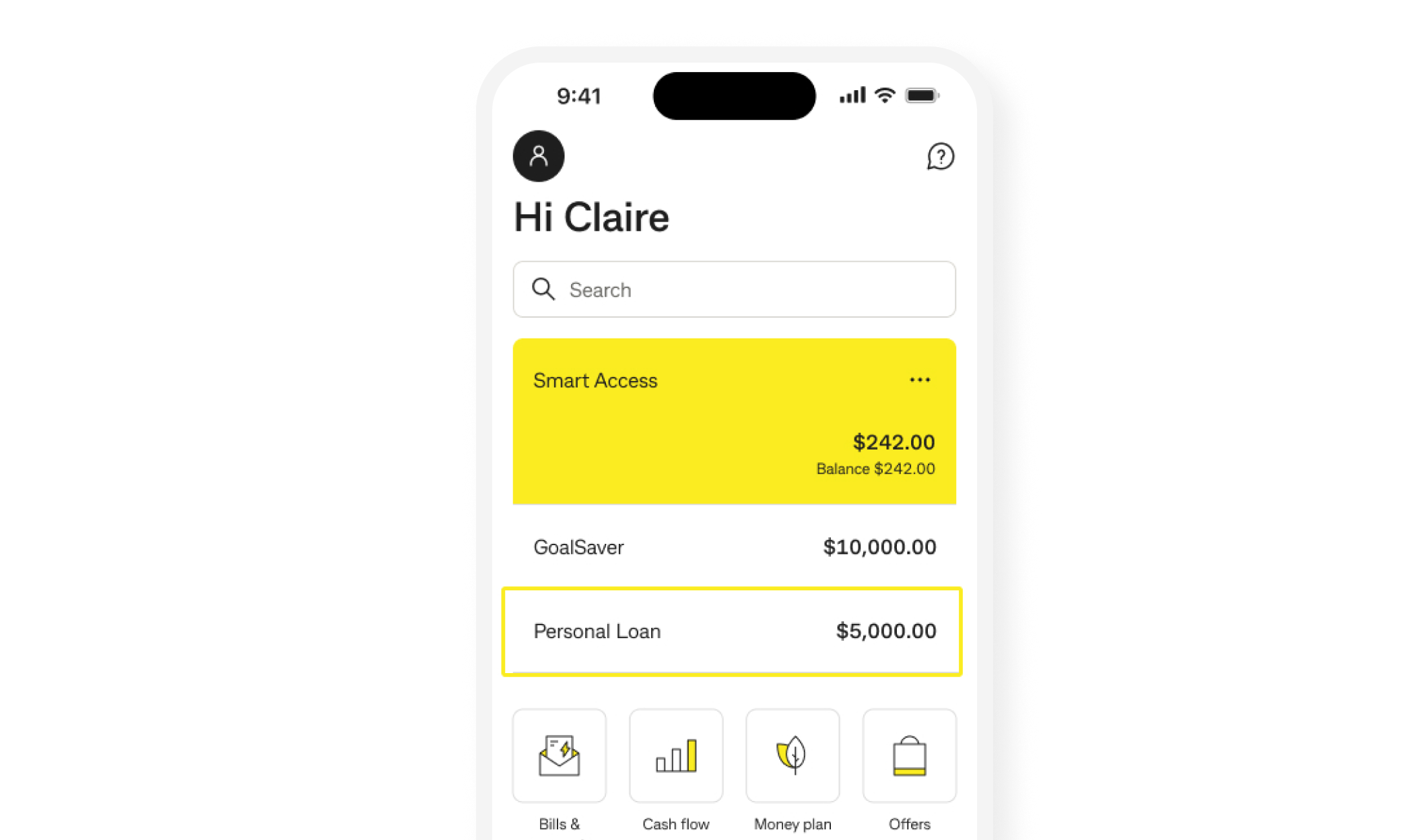
You can check your available redraw balance at any time in the CommBank app or NetBank under your Personal Loan’s ‘Available funds’.
If you’d like to transfer available funds, follow these steps:
Note: Using redraw reduces your extra repayments and may increase the time it takes to pay off your loan and the total interest you pay.
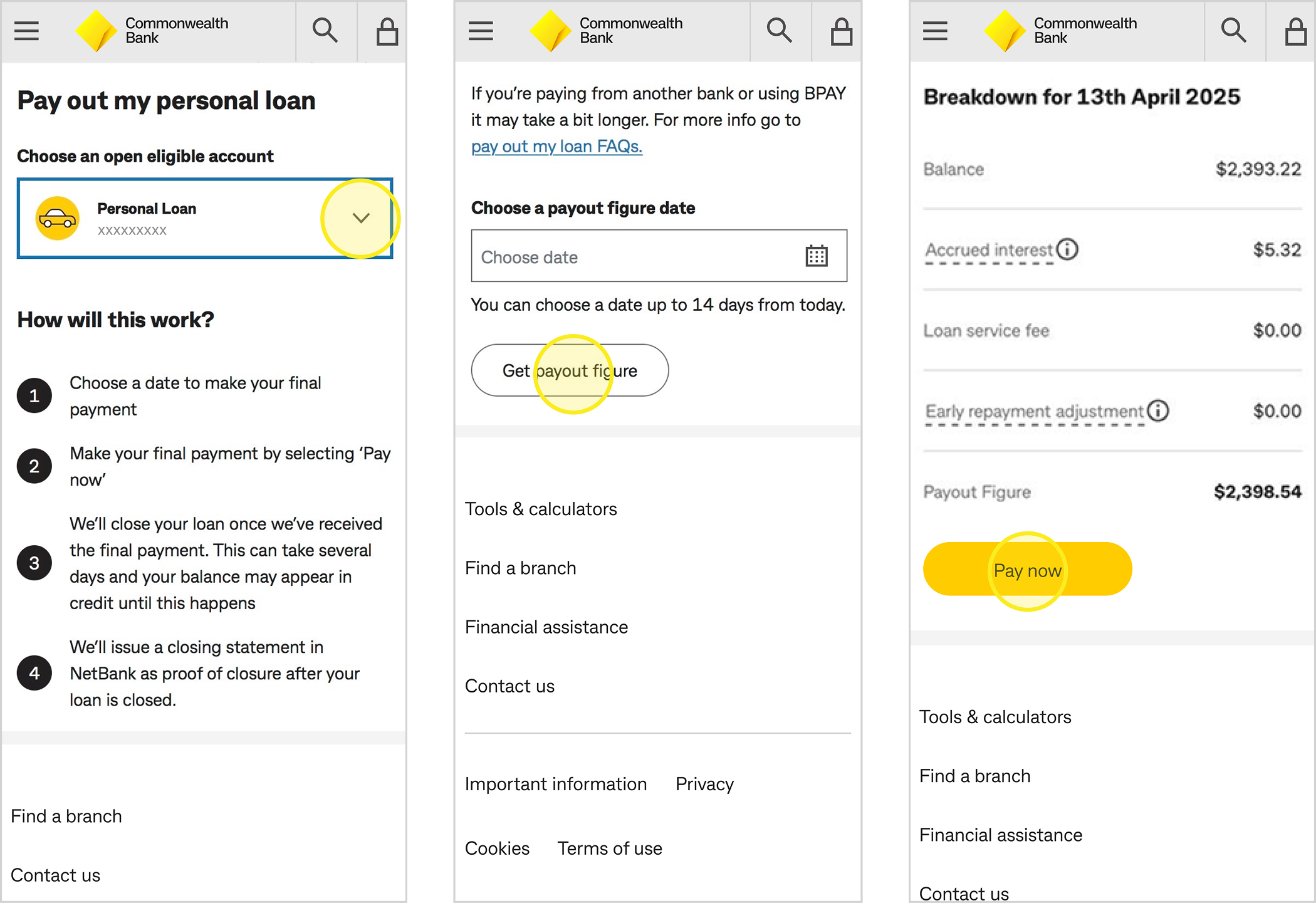
If you're planning to pay off your personal loan, the first step is to get your final payout figure.
What is a payout figure?
A payout figure reflects your total closing balance, which includes any outstanding interest and applicable fees.
You can choose the date you’d like to pay out your loan. Keep in mind that your loan will only be closed if we receive your final payment on or before your selected payout date.
You can access a payout figure and close your loan in your CommBank app with the below steps:
Note: Any upcoming scheduled direct debits or pending transactions will result in an overpayment. We will ensure any overpayment is automatically refunded into your account usually within 10 days from the date we receive your final payment.
Once you've got your payout figure, you can pay out your loan:
From CommBank account
From another bank or BPAY
You will need the following payment details to make payment.
BSB 062 370
Account number: <Your personal loan account number>
BPAY Biller Code 55566
Reference: <Your personal loan account number>
You can find account number if you click on your personal loan in the CommBank app or NetBank.
Note: Payments made from another bank or BPAY may take up to an additional 2 business days to process. Please ensure your payment is made at least 2 business days before your payout figure date and allow up to 10 days for your loan to be closed from the date your final payment is processed.
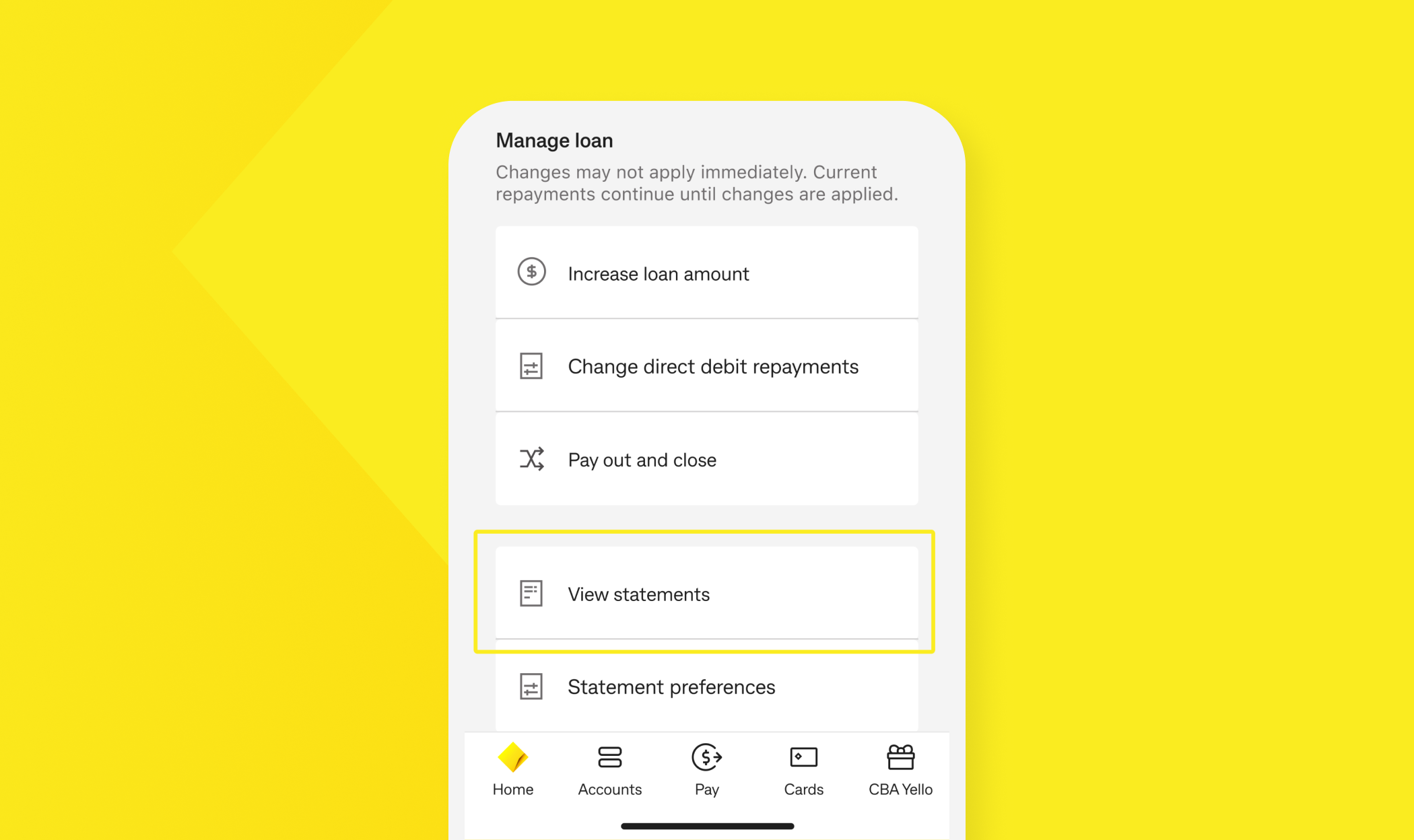
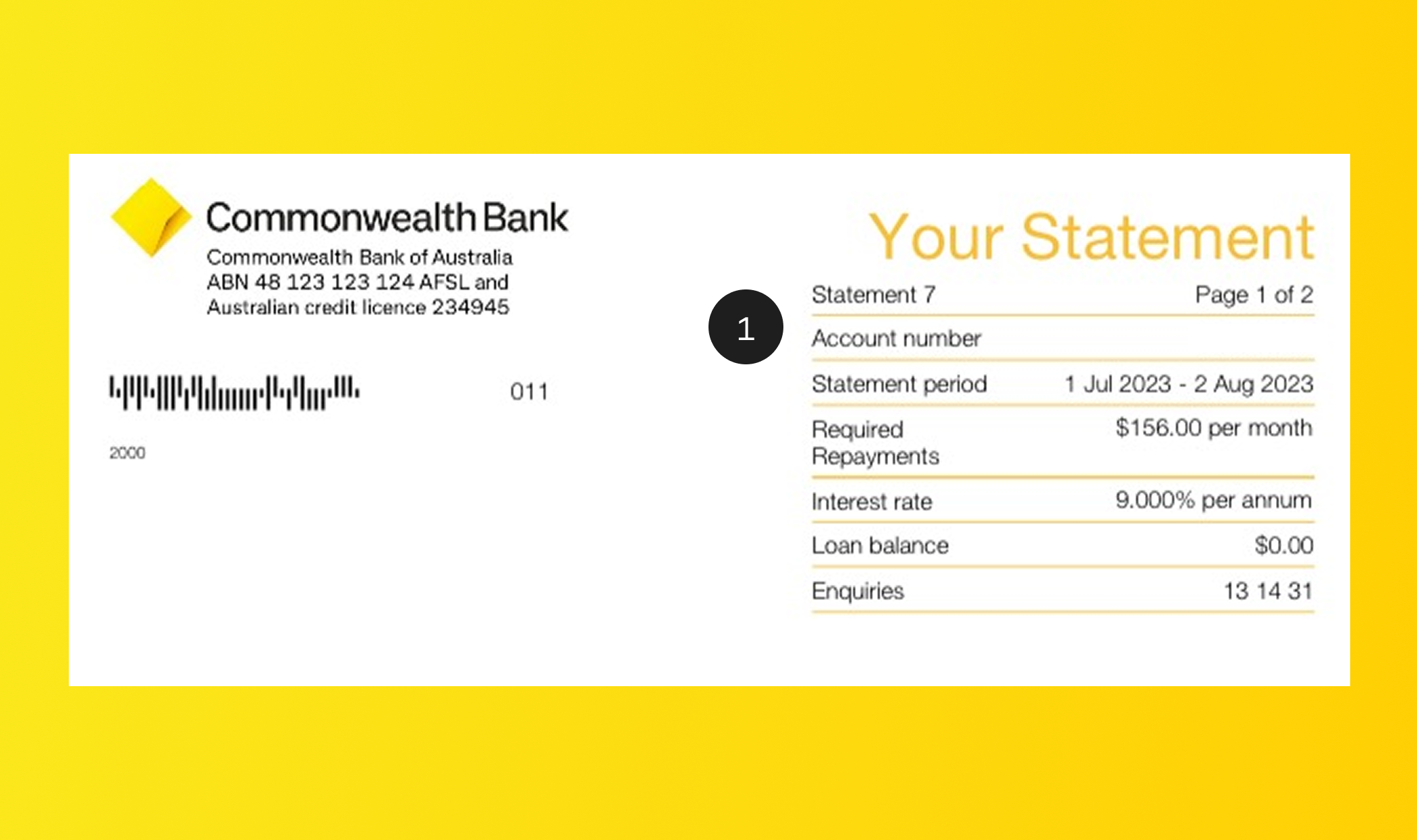
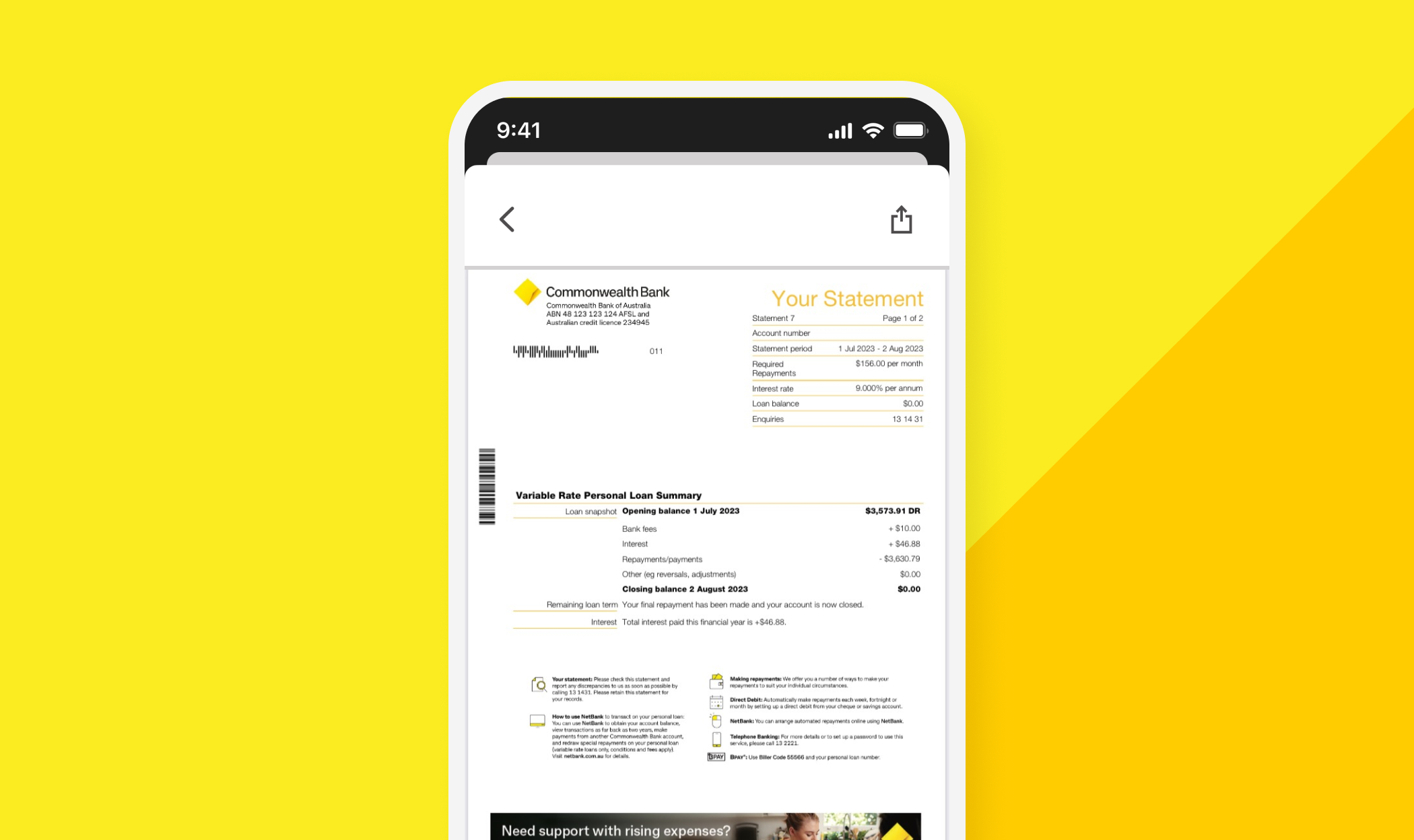
We issue personal loan statements every 6 months, in January and July. You can view your statements at any time in the CommBank App.
Current account
Closed accounts (last 2 years)
1. General loan account details
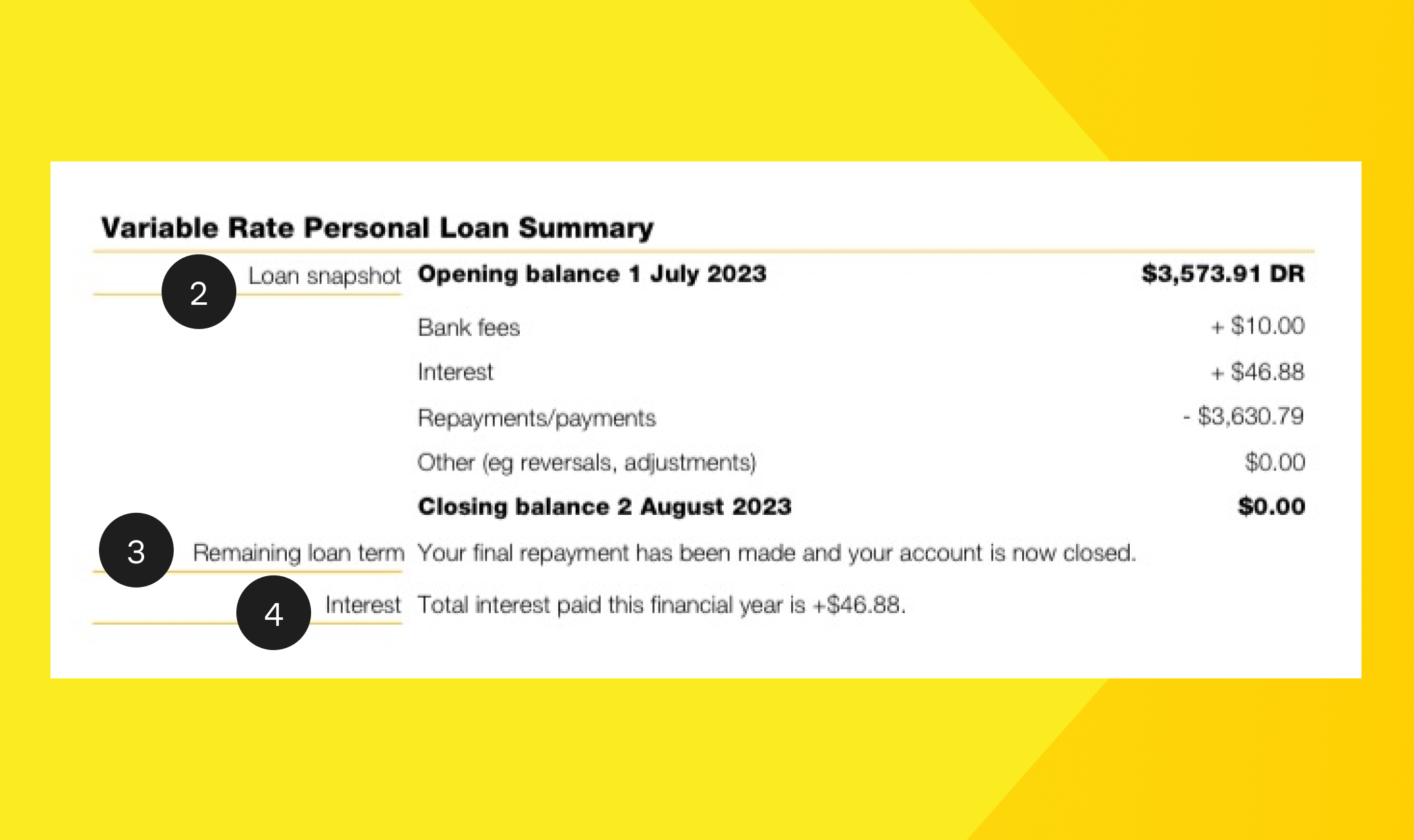
2. Personal Loan summary – A summary of the total debt and credit transactions processed during the statement period.
3. Remaining loan term - Shows how long you have left on your loan based on your current repayment amount and frequency.
4. Interest - The total interest charged for the current financial year.
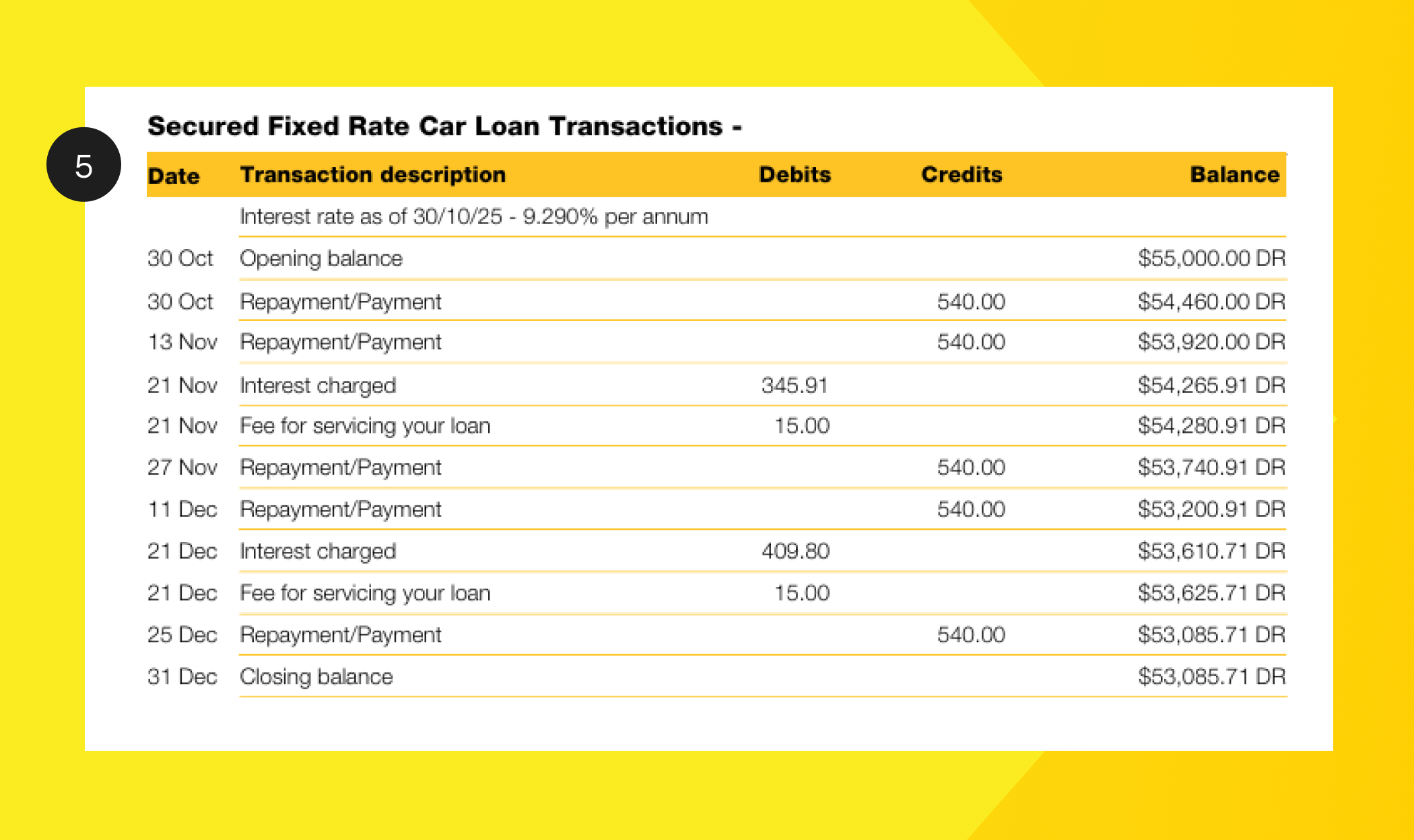
5. Transactions - Shows all transactions on your loan account during the statement period, listed in date order.
After you receive your payout figure and make your final payment in line with that amount, we’ll finalise and close your personal loan once the payment is received.
Your final statement will be available in ‘View statement’ section on NetBank and will serve as confirmation that your account has been closed.
Please allow 10 days from the date of final payment for your personal loan account to be finalised and closed.
Was the information on this page useful?
Get instant help from our virtual assistant, who can answer some queries or send your enquiry to a specialist 24/7.
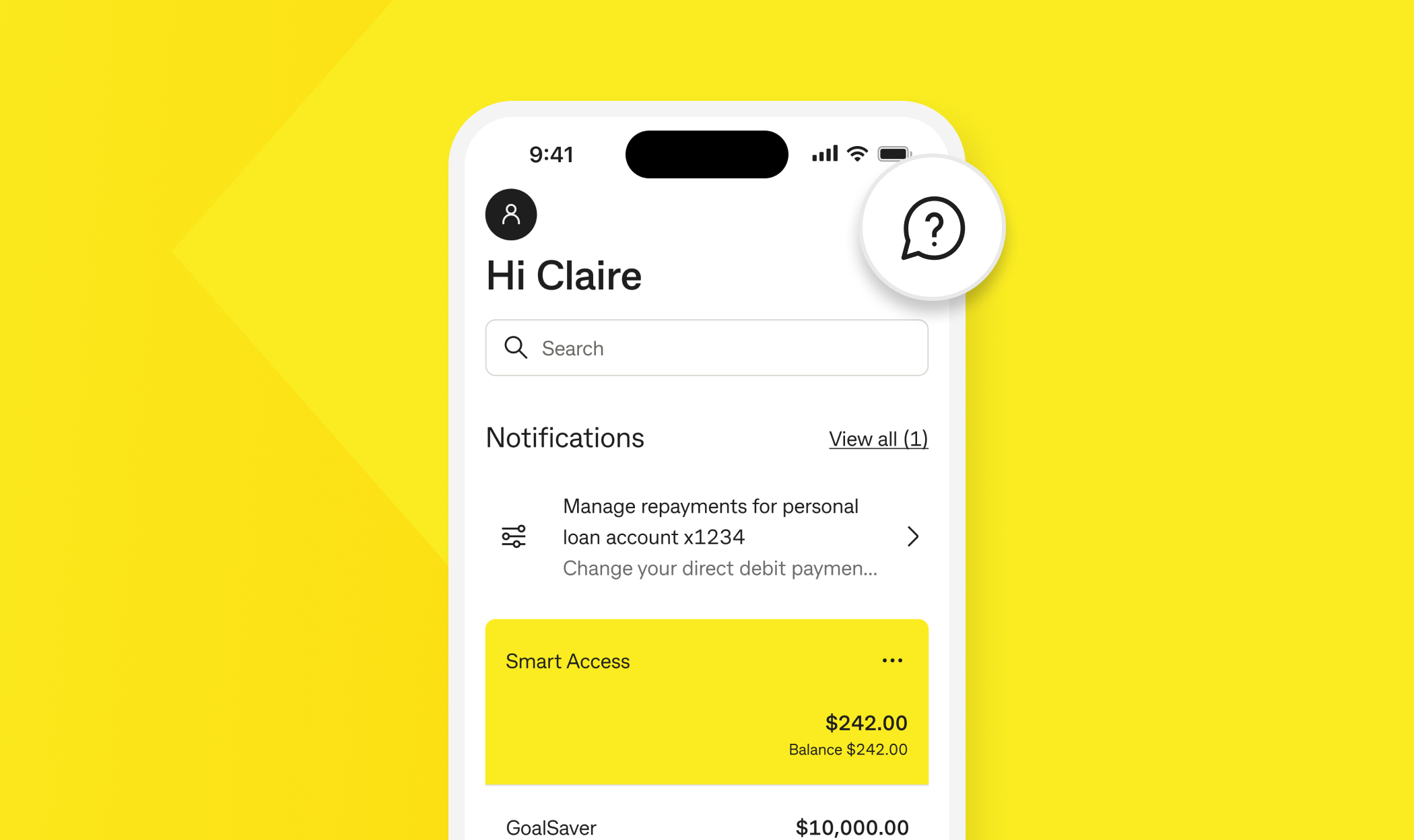
Here's how to message us:
 icon in the top-right corner
Make sure you enable push notifications for the CommBank app. If you need to be connected to a specialist, you’ll receive an app notification when they reply, so you can message back at a time that suits you.
Your personal loan has an agreed minimum monthly repayment amount. You’re required to pay this amount based on the:
You have the flexibility to repay your loan weekly, fortnightly or monthly, on a day that suits you. Choosing a repayment date a few days after you get paid can help you avoid missing repayments
If you miss a repayment:
Financial Hardship support
If you’re struggling to make your loan repayments, or think you may fall behind, please reach out to our Financial hardship team by messaging us in the CommBank app or request financial assistance in NetBank.
Our team can work with you to come up with a solution that’s tailored to your needs if you're going through financial hardship.
Find out about Personal Loans
This guide doesn’t consider your individual objectives, financial situation or needs. Before basing any decisions on this information, please consider:
Applications for finance are subject to the Bank’s normal credit approval. View the Personal Loan Terms and Conditions. Full terms and conditions will be included in our loan offer. Fees and charges are payable.
An excellent credit history is determined by, among other things, paying your bills and making loan repayments on or ahead of time, being disciplined with your credit applications, and not overextending yourself financially.
Actions which can negatively impact your credit history include missing bill or loan repayments, defaulting on your credit facility, or making a large number of credit applications in a short period of time. You can find out more about how your credit score is calculated and tips for improving your credit score at our Credit Score Information Hub.
The CommBank app is free to download however your mobile network provider charges you for accessing data on your phone. You should refer to your mobile phone plan or contact your provider to find out more. Terms and conditions are available on the CommBank app. NetBank access with NetCode SMS required. Find out about the minimum operating requirements on the CommBank app page.