Help & support

Everyday transaction accounts for your day-to-day spending and banking needs.
Savings accounts to give you greater peace of mind and help you reach your savings goals.

Winner of Canstar’s Digital Banking Bank of the Year Award for 17 years in a row.1
The top banking app choice for >9.4 million Australians.
We provide a range of security features to help you stay safe. Access features like Lock, Block and Alert for Debit Mastercard.
Opening a bank account with CommBank is simple, and most accounts can be opened online. Whether you're looking for an everyday account or a savings account, you can get started in a way that suits you.
Start by selecting a bank account that matches how you plan to use it, for everyday spending, saving money, or managing your finances online. Each CommBank bank account comes with digital banking access, including the CommBank app and NetBank.
Most personal bank accounts can be opened online, without visiting a branch. If you prefer face‑to‑face help, you can also open an account at your local CommBank branch.
When applying online, you’ll typically need:
For security reasons, we’ll need to confirm your identity. This can often be done digitally during the application process, or in branch if required.
Once your bank account is open, you can:
You can start managing your money online straight away.
Compare all of our bank accounts and interest rates to help you decide.
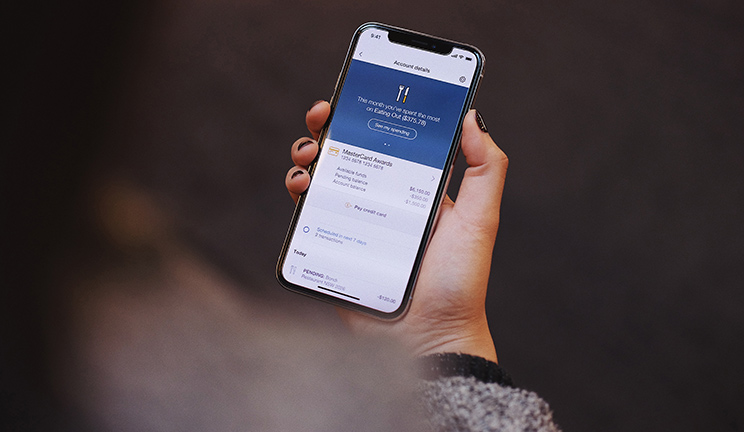
Our award-winning1 digital technology gives you the freedom and flexibility to access, track and manage your money on a range of devices – securely, wherever you are.
Bank on-the-go with the CommBank app, from your desktop with NetBank, or pay conveniently with your wearable or digital wallet.
A bank account is a secure place to store and manage your money. It allows you to deposit funds, make payments, transfer money, set up direct debits, and depending on the account type, earn interest or access everyday banking features.
Yes. Most CommBank bank accounts can be opened online, making it easy to apply at a time that suits you. Once approved, you can start banking digitally straight away.
In most cases, no. Many bank accounts can be opened without visiting a branch. However, if you prefer in‑person assistance or need help verifying your identity, branch support is available.
To open a bank account, you’ll generally need:
Requirements may vary depending on the type of account.
Yes. All CommBank bank accounts can be managed online through NetBank and the CommBank app, allowing you to check balances, view transactions, transfer money and pay bills securely and much more.
Minimum balance requirements depend on the specific bank account. Check the account details to understand any fees, balance requirements or conditions that may apply.
1 Awarded ‘Bank of the Year – Digital Banking’ for 2026 (for the 17th year in a row) by Canstar in May 2026.
2 CommBank Half Year Results Presentation, for the half year ended 31 December 2025, page 10: Leading in Consumer Net Promoter Score (NPS) for 38 consecutive months, page 41: #1 Retail MFI Share.
3 ASX market capitalisation rankings showing CBA as the largest Australian bank by market value in 2026.
The advice on this website has been prepared without considering your objectives, financial situation or needs. Because of that, you should, before acting on the advice, consider its appropriateness to your circumstances. View our Financial Services Guide (PDF 60KB). View the full terms and conditions for the transaction and savings accounts mentioned (PDF 660KB) or contact any branch of the Commonwealth Bank. The target market for this product will be found within the product’s Target Market Determination, available here.
Full terms and conditions of the CommBank app are available on the app. The CommBank app is free to download however your mobile network provider may charge you for accessing data on your phone. NetBank access with NetCode SMS is required. Find out about the minimum operating system requirements on the CommBank app page.