

Help & support
Below are examples of some scams and alerts you should be aware of.
This is not an exhaustive list, as scam tactics change frequently. These examples did not originate from CommBank and are not authorised by us.
Visit CommBank Safe to learn how to better protect yourself.
We’ve recently updated the look and feel of NetBank. Scammers may try to copy this new design to make fake logon pages look more convincing.
They often send links in emails or text messages that take you to these fake sites, encouraging you to enter your details.
If you receive a message with a link to log on, don’t click it and delete the message.
We're aware of social media advertisements where scammers are impersonating CommBank and promoting fake vehicle giveaways.
Scammers are using sponsored advertisements on social media that claim eligible CommBank customers can enter a competition to win a new vehicle.
If customers click the advertisement, they're taken to a fake NetBank page that asks for logon details, personal information or other sensitive information to enter the competition.
Remember, scammers often use trusted brands and social media platforms to make fraudulent promotions appear genuine. If you're ever unsure, verify through official CommBank channels before taking action.
If you think you have entered your details on a fake site, contact us immediately:

Scammers are sending phishing text messages that impersonate CommBank and claim that rewards points are about to expire.
These messages may show a specific rewards points balance and create urgency by claiming the points will expire soon.
The goal is to get you to click a link and visit a fake website, where scammers may try to collect your banking details, card information or personal information.
If you've clicked a suspicious link or shared your banking details or personal information, contact CommBank immediately so we can help secure your account.
Scammers are impersonating CommBank to pressure customers into sharing personal information, moving money, or handing over their cards.
Scammers may contact you by text, email or phone, claiming there's a problem with your account or a transaction that needs urgent action.
They may:
Scammers may use urgency, fear and convincing stories to make their requests seem legitimate.
Stop – Does something feel off? If you're unsure, stop and take a moment before acting.
Check – Contact us using trusted contact details, such as the number on the back of your card or in the CommBank app.
Reject – Hang up, delete the message, block the sender and don't click any links. Change your passwords if you think your information may have been compromised.
Watch CommBank scam intelligence experts Shannon Brown and Zoe Ma break down how a bank impersonation callback scam can work.
Scammers are impersonating overseas telecommunications providers and Chinese law enforcement or government agencies to pressure people into sending money.
Scammers may contact you by phone, claiming to be from a telecommunications provider or a Chinese law enforcement or government agency.
They may say that:
Scammers may use threats, intimidation and official-looking documents to make their claims seem legitimate.
Stop – Does something feel off? If you're unsure, stop and take a moment before acting.
Check – Contact the organisation directly using official contact details, or speak with someone you trust.
Reject – Hang up, delete the message, block the sender and don't click any links. Change your passwords if you think your information may have been compromised.
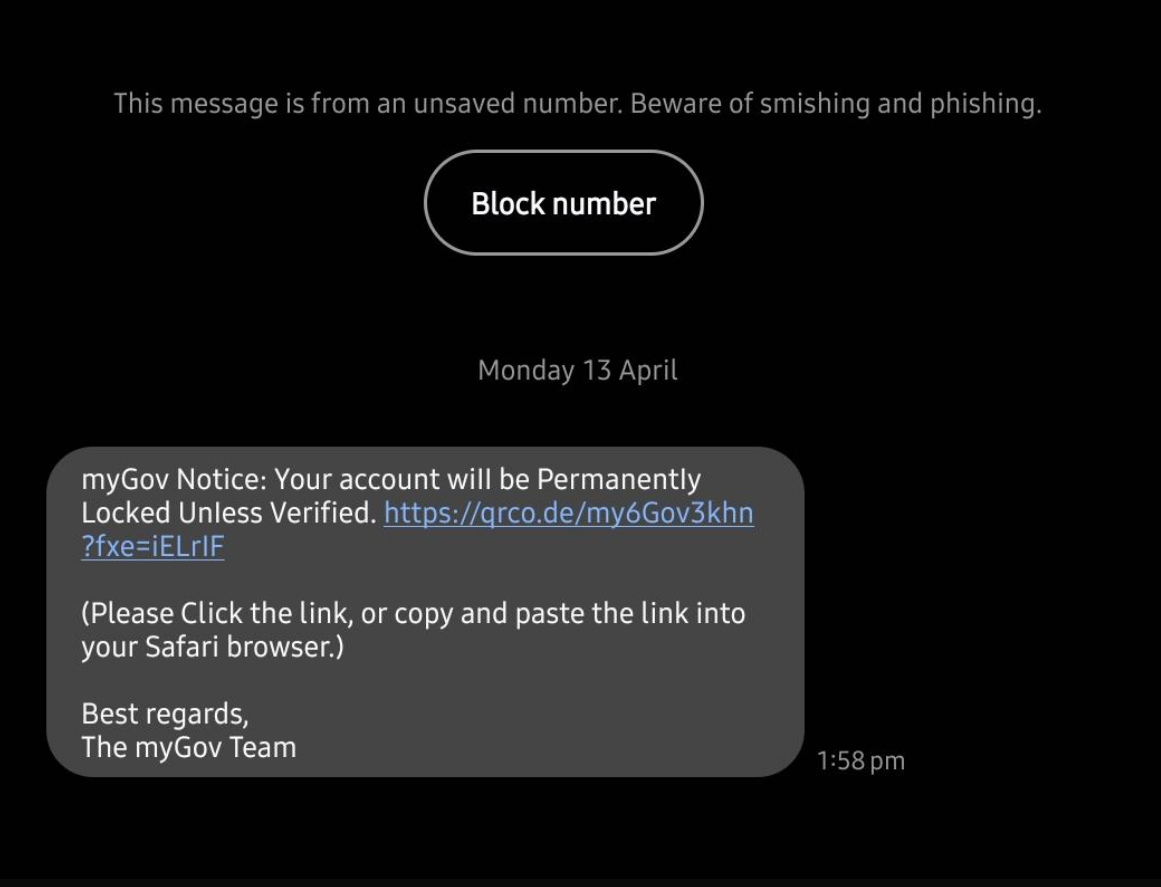
Scammers are sending fake ‘tax refund’ and ‘urgent payment’ messages by text and email. These may look like they’re from the ATO and can include links, QR codes, threats, or refund offers.
If something feels off, don’t click links or reply. Always check by logging on to myGov or the official ATO website. Never share passwords, PINs, one-time passcodes or sensitive information.
Remember to Stop. Check. Reject.
Stop: Could this be a scam? If a call, email, text or social media post seem off, stop and take a breath so you can think clearly. Scammers often pressure you to act immediately.
Check: Verify before you act, get a second opinion from a trusted provider to verify any claims.
Reject: If you're unsure, hang up on the caller and block the number, or delete the email or message. If your account has been compromised, change your passwords.
✘ Share your NetBank Client ID, NetCode or passwords
✘ Share your card details including your PIN, expiry date or CVC
✘ Withdraw cash, transfer money or buy gift cards
✘ Login directly to your account via a link from an email or SMS
✘ Move money to a “safe” account
✘ Help us catch cyber criminals
✘ Share your screen or download remote access software
What to do:
If you received a suspicious message and haven’t clicked on it, you can report it by sending a screenshot or copy to hoax@cba.com.au
By reporting suspicious messages, you help protect CommBank customers and the wider Australian community.
If you receive a suspicious email or SMS but didn’t click any links, email a screenshot or copy to hoax@cba.com.au
Forward it to us including any attachments then report it as spam, block the sender and delete it.
Ceba can help you lock your card or securely connect you to a specialist in the CommBank app.
Fast-track your call, see expected wait times and connect with a specialist in the CommBank app.
Send us a copy or screenshot if you receive a hoax email or SMS.


