Help & support
Get real-time alerts for suspicious activity and transactions.2
Instantly know who you're speaking to with CallerCheck.3
We'll let you know if payment details don't look right with NameCheck.
Get started with a Business Transaction Account
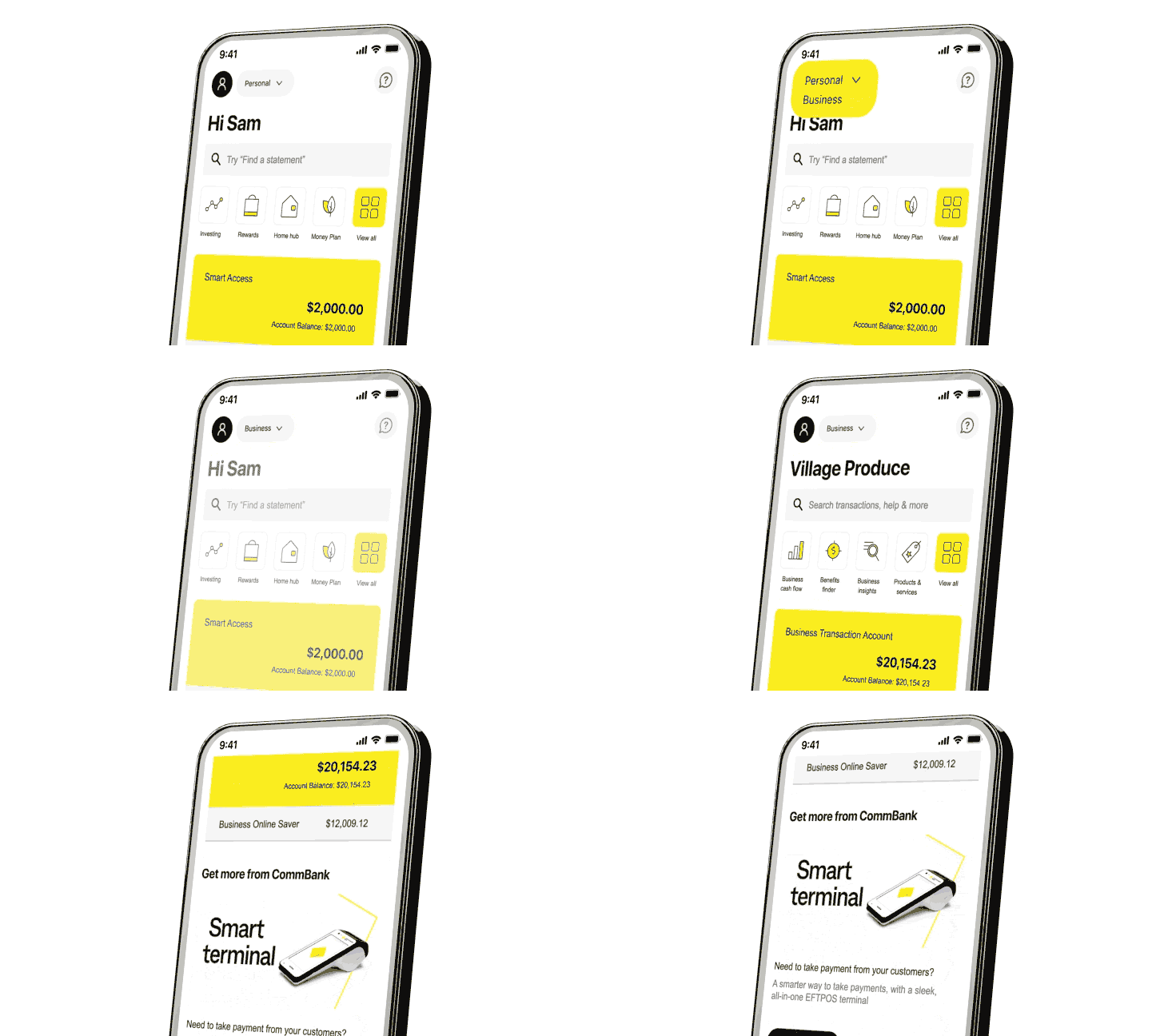
Once your business profile is set up, you'll see an arrow next to your profile picture which says 'Business' or 'Personal', this is a toggle that lets you switch between business and personal profiles with a simple tap.
You can change the accounts shown in your business and personal profiles anytime.
Note: Deselecting an account in your business profile will make it appear in your personal profile.
Currently, when you make a payment from a business account in NetBank, your name is displayed on the receipt. Only transfers or PayID payments made from a Business Transaction Account in the CommBank app display your registered business name.
We're gradually changing this to include payments from other business accounts made in NetBank and the CommBank app.
When you make a payment from a Business Transaction Account, the recipient will see your registered business name in their transaction list. We must display the ASIC-registered business name that was verified when you open the account.
As this advice has been prepared without considering your objectives, financial situation or needs, you should, before acting on this advice, consider its appropriateness to your circumstances. Full terms and conditions for the CommBank app are available on the app.
You can view the Terms and Conditions for Business Transaction and Savings Accounts (PDF), our Financial Services Guide (PDF) and the Electronic Banking Terms and Conditions (PDF) and should consider them before making any decision about these products and services. Bank fees and charges may apply.
The target market for these products will be found within the product's Target Market Determination.
^ Awarded ‘Bank of the Year – Digital Banking’ for 2026 (for the 17th year in a row) by Canstar in May 2026.
1 QR Cardless deposits and QR Cardless withdrawals can only be completed with the CommBank app on CommBank app registered devices at a CommBank ATM (only available to QR Cardless eligible CommBank accounts). Daily deposits and withdrawals limits apply. Full terms and conditions in the CommBank app.
2 You must enable push notifications on your registered device in the CommBank app to receive alert notifications.
3 CallerCheck allows you to verify whether a caller claiming to be from CommBank is legitimate, by sending a secure notification to the CommBank app. Simply ask the caller to use CallerCheck and follow the prompts.
4 CommBank Yello for Business is available to business customers who meet certain eligibility criteria. Exclusions apply, and both the exclusion and eligibility criteria are subject to change. CommBank may review eligibility and participation based on factors it considers relevant and may update its criteria from time to time. For information on eligibility visit https://www.commbank.com.au/yelloforbusinesstandc
5 We predict your bills based on patterns in your transactions, how much you pay and when. We may not predict all of your bills. Our prediction date and amounts may be different from your actual bill. Check your bills and due dates to avoid late fees or paying an incorrect amount. See Bills and payments in the CommBank app Terms and Conditions for full details.
6 CommBank does not charge for the alerts service, but you may incur message and data charges from your telecommunications service provider. Alerts are sent in real-time 24/7. Delivery of alerts may be delayed for various reasons, including service outages affecting your phone, wireless or internet provider; technology failures and system capacity limitations. Please check your available funds before entering into any transactions. Alerts may be suspended by CommBank at any time without notice.
Apple, the Apple logo & iPhone are trademarks of Apple Inc, registered in the U.S. and other countries. App Store is a service mark of Apple Inc. Google Play and Android are trademarks of Google Inc. PayID is a trademark of NPP Australia Limited. Mastercard and the circles design are registered trademarks of Mastercard International Incorporated.