Help & support
An all-in-one app on your compatible Smart terminal that helps you view live transaction data.

With Smart Sync, you’ll get real-time transaction data in your custom dashboard, Smart Dash.

Seamlessly integrate your point of sale with a host of compatible vendors using the Smart Sync app on your terminal. Smart Sync is compatible with 150+ POS reporting systems.
Customise your terminal to suit your business.
You'll need a Smart terminal.
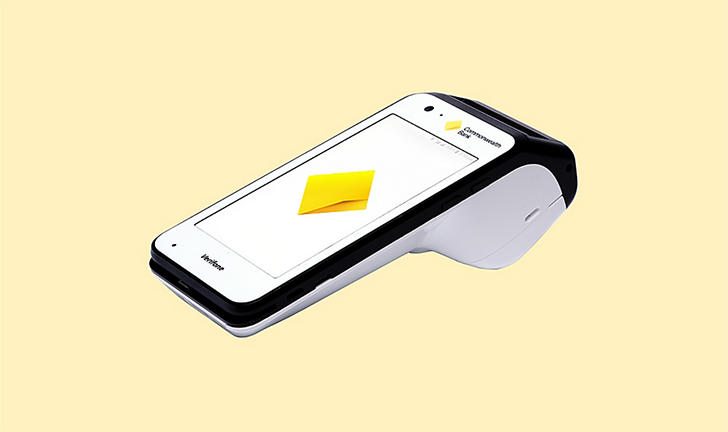
A smarter way to take payments, with a sleek, all-in-one EFTPOS terminal.
The Smart Sync app and Smart Dash portal are included with your existing Smart terminal package. It's not currently available on any other EFTPOS terminals, including Smart Mini, Smart Integrated and Essentials Plus.
Yes, the Smart Dash portal shows card schemes and daily volumes. You can filter which card schemes you'd like to present to customers on the terminal, however you won't be able to change the card scheme on the portal.
Yes, you'll see all transactions in the Smart Dash portal. You can also filter between terminal IDs.
Your temporary password will expire 24 hours after you receive the welcome email. Once expired, you can reset it by selecting Forgot password. Otherwise, call our Merchant helpdesk on 1800 230 177.
The terminal should arrive with the Smart Sync app enabled. If you can't see the Smart Sync app, call our Merchant helpdesk on 1800 230 177 and have the Terminal ID ready.
As long as Smart Sync is set as the terminal's default app, all transactions will display in the Smart Dash portal, regardless of whether the terminal is used in integrated or standalone mode.
We can provide access to Smart Dash for key personnel who are responsible for reporting on your sales. This ensure that the most relevant team members have the tools they need to effectively monitor and analyse sales data.
This app is only available for merchants who have an existing Smart terminal.
By using the Smart Sync app and the Smart Dash Portal, you acknowledge and confirm your agreement to the Smart Sync app End User Licence Agreement (PDF 43KB) and Smart Dash End User Licence Agreement (71KB) (together the Smart Sync Terms), available via the merchant support hub at commbank.com.au/business/payments/help.
This page contains links that will bring you to a third party website, owned and operated by an independent party over which CBA has no control ("3rd Party Website"). Any link you make to or from the 3rd Party Website will be at your own risk. Any use of the 3rd Party Website will be subject to and any information you provide will be governed by the terms of the 3rd Party Website, including those relating to confidentiality, data privacy and security.
The Smart Sync Terms supplement your existing Merchant Agreement and will continue to apply to you with respect to your merchant facility.
As this advice has been prepared without considering your objectives, financial situation or needs, you should, before acting on the information, consider its appropriateness to your circumstances. Please view our Merchant Agreement (PDF 421KB), Financial Services Guide (PDF 71KB) and Operator and User Guides at our merchant support hub.
1 0.99% covers Mastercard, Visa, AMEX, JCB, eftpos, and UnionPay transactions (additional costs may apply for all other cards). AMEX/JCB is subject to approval, available to eligible customers only. Eligibility criteria, terms and conditions apply. Please contact AMEX for more information on 1300 363 614, available weekdays 8am to 6pm Sydney time.
2 No lock-in contracts: Cancel anytime, no fixed-term commitment. 30 days’ written notice for termination applies as per Terms and Conditions.