Help & support
Manage and monitor eligible SMSF cash and investment options1 - right alongside your everyday banking.
Browse a range of options for your SMSF, from cash to shares and ETFs, all within the app.
Access SMSF educational content to support your learning wherever you are on your SMSF journey.
You can now:
You can also:
Before opening an account with us, you'll need your SMSF and trustee details (as reflected in your SMSF trust deed), and a valid TFN and ABN for your SMSF.
Once you have your SMSF details, you can explore cash and investment options, and depending on the account, open online or in branch.
No, you can access SMSF learning content and explore a range of SMSF cash and investment options without an SMSF account with CommBank.
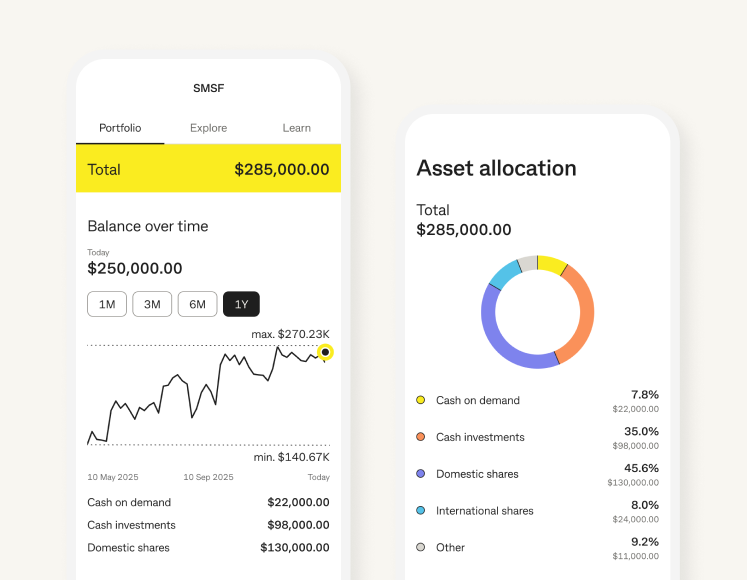
Once you've set up an eligible SMSF account, you can access SMSF management tools and features under the 'Portfolio' tab in the app’s SMSF Portfolio section.
You can see cash on demand, cash investments, domestic shares, international shares, loans and foreign currency accounts on the app's SMSF Portfolio.1
1 Some accounts and products held by SMSFs may not appear on the SMSF Portfolio section in the app.
SMSFs are complex and involve legal, administrative and compliance responsibilities. SMSF trustees (or directors of a corporate trustee) are responsible for managing the fund and ensuring it complies with all applicable requirements such as superannuation, tax and trustee obligations.
This information may include general advice but does not take into account your individual objectives, financial situation, needs or tax circumstances, and so you should consider the appropriateness of the advice having regard to your circumstances before acting on it. You should consider seeking independent professional financial, tax and/or legal advice before making any decision based on this information.
The CommBank app is free to download however your mobile network provider may charge you for accessing data on your phone. Find out about the minimum operating system requirements on the CommBank app page.
Apple, the Apple logo & iPhone are trademarks of Apple Inc, registered in the U.S. and other countries. App Store is a service mark of Apple Inc. Google Play and Android are trademarks of Google Inc. Windows is a registered trademark of Microsoft Corporation in the United States and other countries.