Help & support
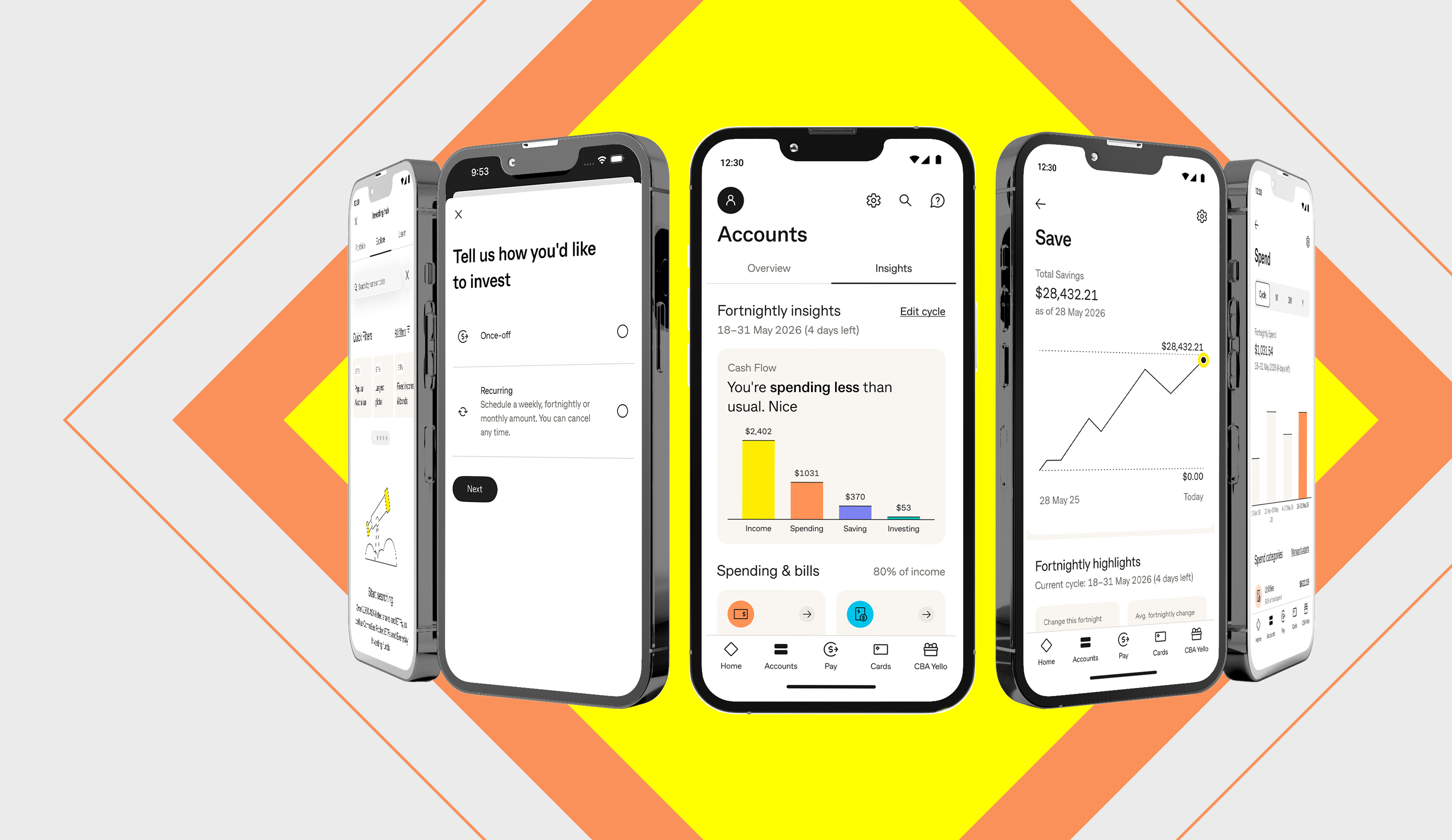
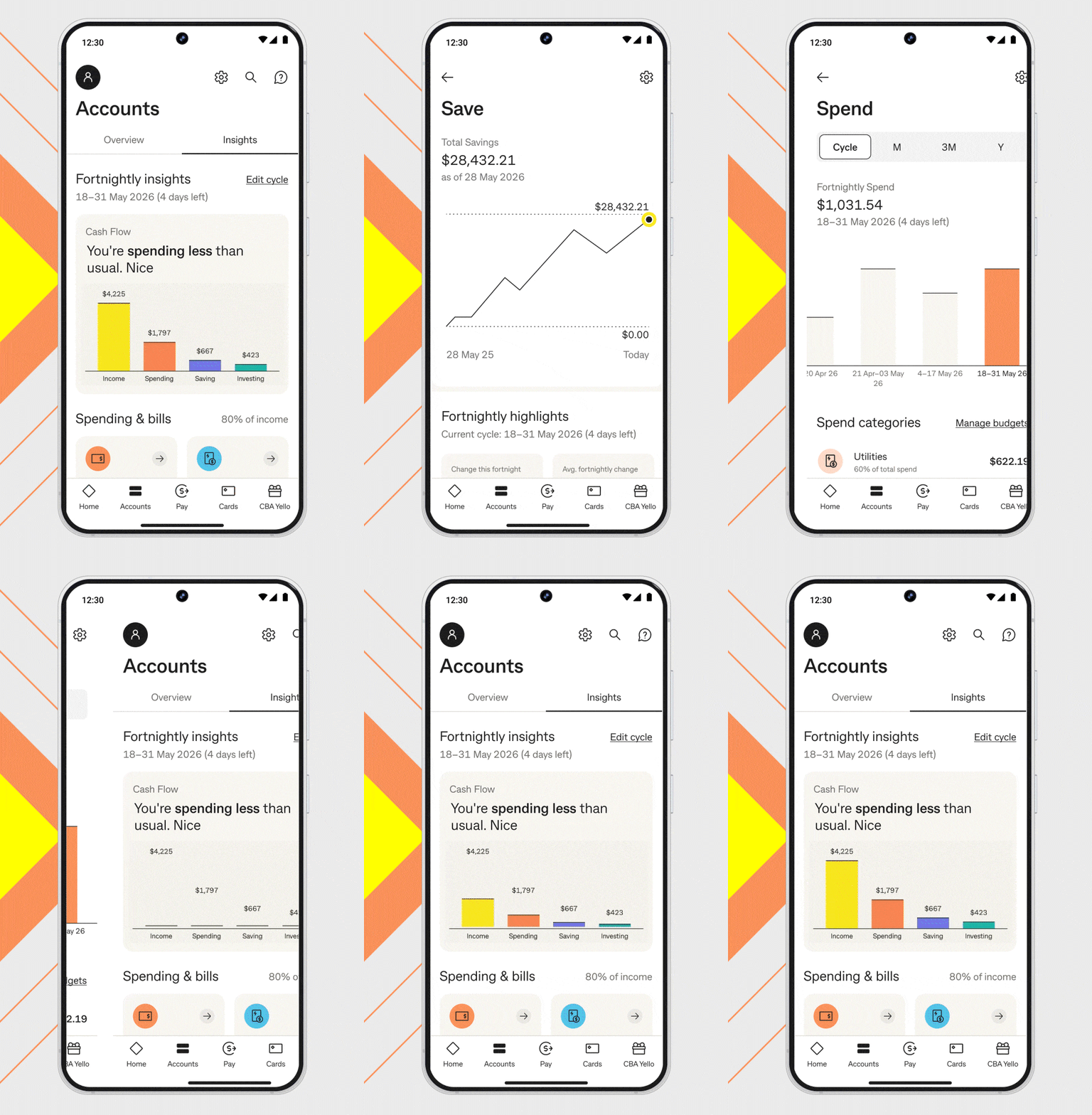
We’ve made it even easier to see where your money is going and how it’s growing, all from one place in the CommBank app.
You’ll be able to:
Search Insights in the CommBank app or click the button below to explore more.
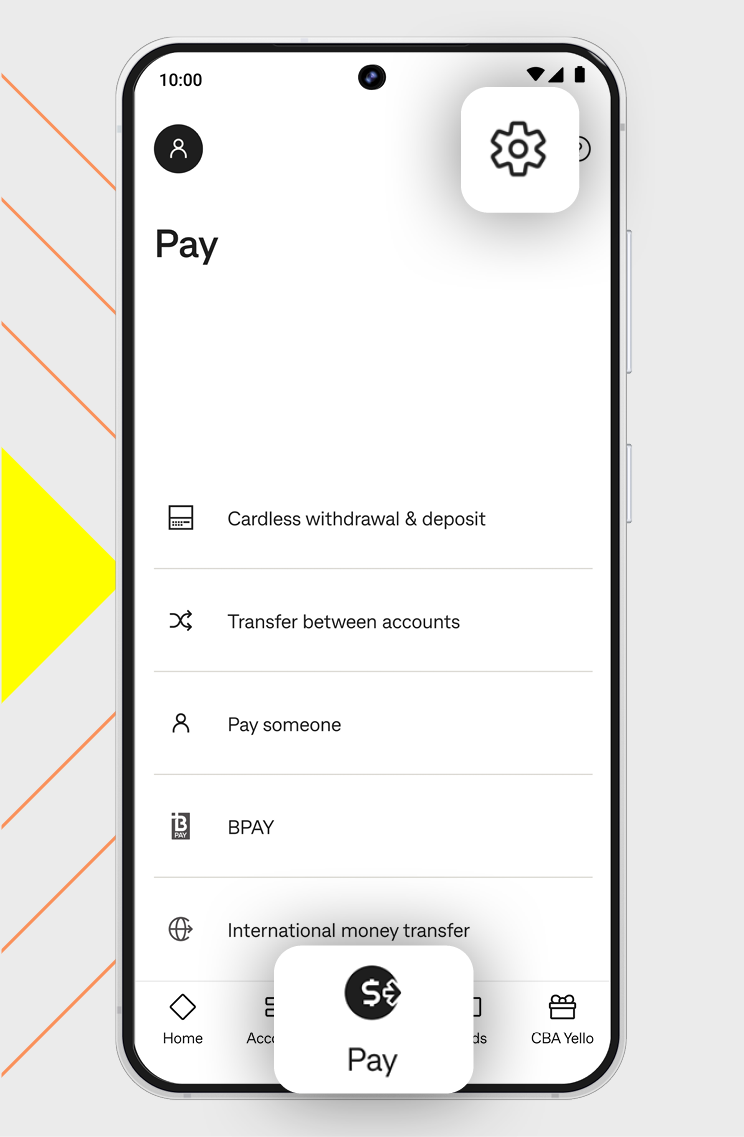
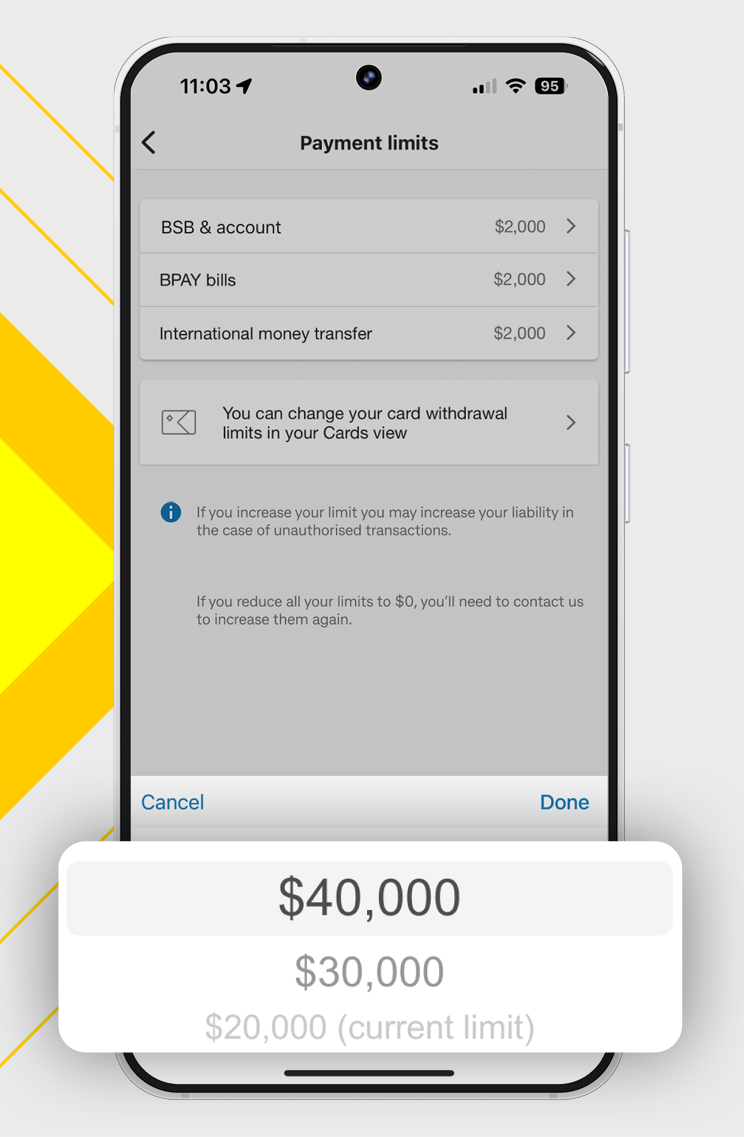
We've introduced a shortcut to payment settings, making it quicker to access and manage your payment limits, preferences and controls from one place.
You can quickly access:
Easily access payment settings from the Pay tab in the bottom navigation of your CommBank app (look for the little settings cog in the top right corner).
Ceba can help you lock your card or securely connect you to a specialist in the CommBank app.
Fast-track your call, see expected wait times and connect with a specialist in the CommBank app.
Send us a copy or screenshot if you receive a hoax email or SMS.
As this information has been prepared without considering your objectives, financial situation or needs, you should consider its appropriateness to your circumstances.
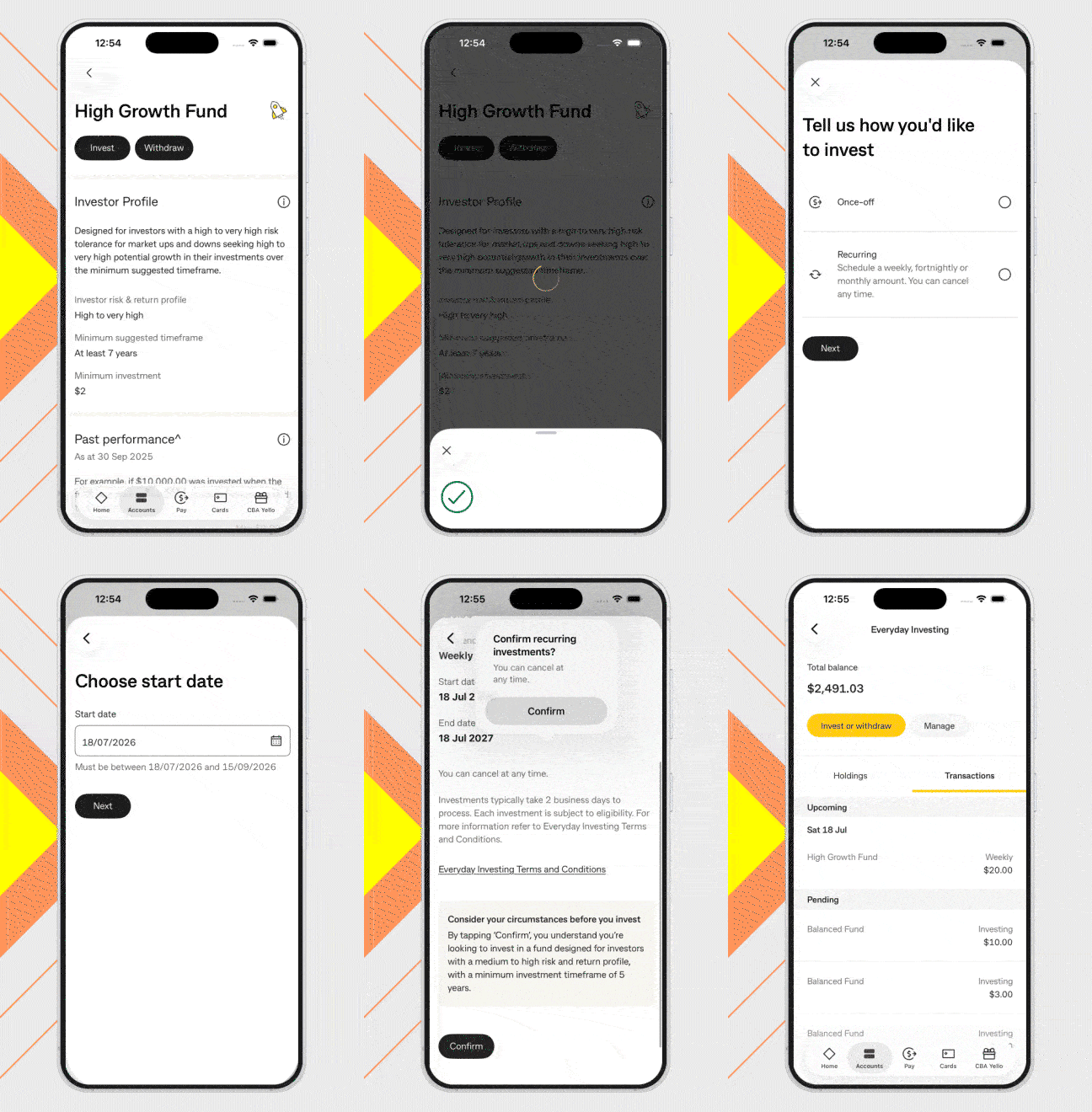
^ Investments are subject to risk, including potential loss of income and capital invested. We have not considered your objectives, financial situation or needs. Check whether Everyday Investing is right for you before investing.
Colonial First State Investments Limited (CFS) ABN 98 002 348 352, AFSL 232468 is the responsible entity of the managed funds and issuer of the financial products offered under Everyday Investing. The Everyday Investing suite of financial products are distributed by the Commonwealth Bank of Australia ABN 48 123 123 124, AFSL 234945 (CommBank). Where we mention ‘we’, ‘us’ or ‘our’, we mean CommBank. Commonwealth Private Limited (CPL) ABN 30 125 238 039, AFSL 314018, a wholly owned non-guaranteed subsidiary of CommBank has been appointed as the Investment Manager by CFS for the managed funds. The CFS Group consists of Superannuation and Investments HoldCo Pty Limited ABN 64 644 660 882 (HoldCo) and its subsidiaries, which includes CFS. CommBank holds an interest in the CFS Group through its significant minority interest in HoldCo.
You should consider the Product Disclosure Statement before making any decision about whether to acquire or continue to hold the products. You can view or download the Everyday Investing Terms & Conditions, Product Disclosure Statement, Retail Banking Financial Services Guide and CFS Financial Services Guide at commbank.com.au/everydayinvesting-documents.
The CommBank app is free to download however your mobile network provider charges you for accessing data on your phone. The CommBank app is available on Android operating systems 8.0+ and iOS operating system 15.0+.
As this information has been prepared without considering your financial situation, objectives or needs, you should, before acting on the information, consider its appropriateness to your circumstances.
Commonwealth Bank of Australia ABN 48 123 123 124 Australian credit licence 234945.