Stay aware of the latest scams and alerts

Below are examples of some scams and alerts you should be aware of.

This is not an exhaustive list, as scam tactics change frequently. These examples did not originate from CommBank and are not authorised by us.

Visit CommBank Safe to learn how to better protect yourself.

March 2026 - Scammers impersonating CommBank

Scammers are calling customers and pretending to be from CommBank. They often have some personal details, usually stolen through phishing or data breaches, which helps them sound convincing and build trust.

Warning signs to look out for:

  • Requests for NetCodes, card details, passwords, PINs, or one-time passcodes
  • Suspicious call behaviour, such as hearing someone else coach or repeat the caller, or unusually long phone calls, pauses or delays in the conversation 
  • Being told to click to confirm a payment in the app you did NOT make. We will never ask you to do this
  • Being told to approve payments or registrations “for a refund”

 CommBank will never:

  • Ask for your passwords, PINs, NetCodes, card details or one-time passcodes
  • Ask you to click to confirm a payment in the app you did NOT make

Remember to Stop. Check. Reject. 

  • Stop: Take a breath. If something feels a bit off or suspicious, hang up
  • Check: Call 13 22 21 or 13 2339 (CommBiz), or message us securely in the CommBank app. Do NOT call back the number that contacted you or any number from a suspicious SMS or email
  • Reject: Never approve payments without understanding exactly what the CommBank app is asking you to authorise

February 2026 – “CommBank Awards Expiring” Phishing Campaign

A recent mass of phishing campaigns has been identified, targeting CommBank users with deceptive notifications regarding the expiry of their CommBank Awards points. These campaigns are primarily delivered via SMS messages, which, despite presenting in various formats, all share a consistent underlying message and language. The messages urge recipients to click a link to redeem their allegedly expiring rewards points.

Reminder: As long as you maintain an eligible CommBank account, CommBank Award points will NOT expire.

The phishing attempts are crafted to appear authentic and exploit the sense of urgency associated with the potential loss of CommBank Awards. When a recipient clicks on the malicious link, they are redirected to a fraudulent CommBank NetBank login page hosted at commbankchecks[dot]top and other domains that look similar. If the user proceeds to login, the site displays a “Points Balance” and prompts them to select “Redeem Now.” This action leads to another page showcasing a selection of products.

Upon choosing a product, users are prompted to “Confirm Exchange” and asked to provide their delivery details, which may include email addresses, phone numbers, and physical addresses. Furthermore, users are required to submit payment information, purportedly to cover shipping costs. Any credentials, card details, or personal information entered during this process are at risk of being compromised and may be used for unauthorised access to accounts in the future.

CommBank will not ask you to redeem points via a link in an email or SMS message. CommBank Awards can be redeemed through the CommBankapp or NetBank.

To protect yourself, please remember:

  • Verify. Only access your digital banking from the CommBank app or by navigating directly to the CBA website. Never access the CommBank website via a link in a message.
  • Never Click Unknown Links. CommBank will never ask for sensitive information or login credentials via email or unknown links.
  • Contact CommBank Directly. Visit https://www.commbank.com.au/support/contact-us.html to confirm best methods of communication.
  • Signs of Phishing can include:
    • Urgent messaging;
    • Providing unknown links;
    • Unknown or unusual sender address;
    • Poor grammar;
    • Unexpected requests for personal information; or/and
    • Too good to be true.

If you believe you may have entered your details on a suspicious site, please contact CommBank immediately to secure your account and report the incident.

Regularly updating passwords and enabling two-factor authentication can further enhance your account security. For further information, please visit CommBank Safe - CommBank.

How to report a scam

If you think you’ve been scammed, follow these steps immediately:​
 
  1. Stop all communications with the suspected scammer​
  2. Change your password in NetBank or CommBiz and change your card PIN
  3. Lock your card ​and check your digital wallets. Go to card settings in the CommBank app to check and deregister any devices in the list that you don’t recognise
  4. Message us in the CommBank app 24/7 or call us on 13 2221, or CommBiz 13 2339

Received an unexpected call or message from us?

We'll never ask you to

✘ Share your NetBank Client ID, NetCode or passwords

✘ Share your card details including your PIN, expiry date or CVC

✘ Withdraw cash, transfer money or buy gift cards

✘ Login directly to your account via a link from an email or SMS

✘ Move money to a “safe” account

✘ Help us catch cyber criminals

✘ Share your screen or download remote access software


What to do:

  • Ask the caller to verify it's us by sending a CallerCheck security code to your CommBank app. 
  • Hang up and then contact us directly. Message us in the CommBank app or by calling 13 2221 or CommBiz 13 2339.

Spotted someone impersonating CommBank? Let us know

By reporting suspicious messages, you help protect CommBank customers and the wider Australian community.

If you receive a suspicious email or SMS but didn’t click on any links

Email:[email protected]

Forward it to us including any attachments then report it as spam, block the sender and delete it.

Browse past scam alerts we've issued

2025

We’re aware of a scam targeting seasonal workers, particularly those in the Pacific Australia Labour Mobility (PALM) scheme, involving individuals who claim to help with personal loan applications. These scams can potentially lead to serious financial loss.

Victims are often introduced to the scam by someone they know, like a co-worker or community member, who may have unknowingly been scammed themselves.

Scammers typically offer to assist with loan applications in exchange for a “fee”. As part of the process, they gain access to the victim’s banking details. Once the loan is approved, the scammer uses the victim’s phone to transfer the supposed  “fee”, but instead, they transfer large sums of money out of the victim’s account, often far more than the original loan amount.

Remember:

  • Never share your banking login, One-Time Passwords, or device with anyone, as this can give scammers full access to your accounts.
  • Be wary of unsolicited offers, as these can be an indicator of a scam, especially ones that pressure you to act quickly or share personal information.
  • If something doesn’t feel right, stop and speak to your bank or a trusted support service.
  • Be sceptical of any opportunity that seems too good to be true,
  • Always Stop, Check and Reject. If you’re ever unsure, please contact us.

We are aware of widespread social media campaigns impersonating CommSec and its employees, including well known investment and economic personalities. These campaigns involve fake social media profiles that promote fraudulent investment schemes through sponsored ads on platforms such as Facebook, Instagram and TikTok.

Individuals are being targeted through social media ads that encourage them to join messaging groups, such as WhatsApp, where they are subsequently pressured into engaging with fraudulent investment schemes. Some scams even have manipulated or deepfake videos featuring well-known figures to falsely endorse these groups and add credibility to the scam.

For more information around AI scams and deepfakes, please visit: Stay safe from AI scams with CommBank scams and fraud expert James Roberts (YouTube, opens in new window)

Please Remember:

  • CommBank and CommSec will never promote investment advice of stock tips through social media platforms or messaging apps like WhatsApp. We will never ask for your Client ID, password, or send links via direct messages.

  • Be cautious of advertised investments. If it sounds too good to be true, it probably is. Promises of high returns with no costs are common signs of a scam.

  • Only trust verified sources. Scammers often impersonate high-profile individuals and organisations. Always verify information through official channels such as the CommSec website.

  • Always Stop, Check, and Reject. Adopt a zero-trust mindset. Stop before engaging with any offer check with a trusted source such as your financial advisor and reject anything that pressures you or asks for personal information.

We are aware of scams involving third-party immigration services that claim to offer assistance with obtaining visas or permanent residency. These scams often target younger individuals, including international students, and can result in significant financial loss.

Victims are typically referred by someone they know personally who claims to have used the service successfully — though they too may have been misled. In some cases, the service is discovered through social media platforms or messaging apps.

Once payment is made, the so-called consultants often disappear, leaving victims without the promised visa. In more serious cases, scammers may threaten to release personal information unless additional payments are made.

Remember:

  • Unverified immigration services may not deliver the visa support they advertise, and often charge significantly more than official channels.

  • Sharing personal documents with untrusted agents can lead to extortion, where scammers demand further payments to avoid releasing sensitive information.

  • Always use official government websites and services to verify visa pricing, processes, and legitimacy.

  • If you believe you’ve been scammed or threatened, contact authorities immediately.

Stop, Check, Reject —
Stop and be cautious.
Check the legitimacy of the service through government sources.
Reject any offer that pressures you to act quickly or share personal information.

We are aware that scammers are sending text messages pretending to be from CommSec, often claiming to have an exclusive stock tip or investment opportunity with promises of high returns. These messages will try to get you to engage — whether it’s by replying, clicking a link, or showing interest in the offer. Once you respond, the scammer will quickly move the conversation to another messaging platform, posing as a so-called “advisor” or “analyst”.

Remember: 

  • Unexpected messages about investing should always raise suspicion, especially if they promise high returns with little or no risk.

  • Scammers may start by offering genuine-sounding advice to build trust, before encouraging you to invest in the scam.

  • CommBank and CommSec will never send investment advice or stock tips via SMS or email, and we’ll never ask for your Client ID, password, or include a link to log in directly from a message.

  • Always Stop, Check, and Reject — stop and be cautious, check reviews and sources before committing to anything, and reject any offer that pressures you to act quickly or share personal details.

How does the scam work?

  • A fake ad is promoting a “social and active group for seniors.” via social media platforms such as Facebook.

  • After clicking the ad, people are contacted asking them to sign up to the group for $10.

  • They’re then sent a link to download an app—but the app contains malware.

  • This malware can steal personal information or give scammers access to your phone.

What you should do:

  • Don’t click on suspicious ads or download apps from unknown sources.

  • Warn your loved ones, especially older family members, about this scam.

  • Report the ad if you see it.

  • If you think you’ve been affected:

    • Call CommBank immediately on 13 22 21.

    • Or visit your nearest branch for help.

If you receive a suspicious message or call, remember to Stop, Check, and Reject. It's important to Report suspected scams to your financial institution immediately.

We’re aware of scam emails currently circulating that falsely claim to help you enable Multi-Factor Authentication (MFA). These emails attempt to trick you into providing personal or sensitive banking information.

CommBank will never ask you to confirm your identity or account details by clicking a link in an email.

These messages are not legitimate CommBank communications. Do not click on any links or respond to the sender.

Always navigate directly to NetBank yourself and log on from the site you know to be genuine, rather than using any links in communications.

Scammers are impersonating CommBank using fake websites, phone calls and malicious software.

They may ask you to download apps like Control, visit sites like Screenconnect.windowsclient, or install remote desktop tools like AnyDesk or TeamViewer on your computer or mobile device - all designed to steal your CommBiz login, token codes or passwords.

CommBank will never:

  • Ask for remote access to your device
  • Ask you to install software or apps
  • Ask for your token codes or passwords

If you share any of these details, a scammer may fraudulently access your CommBiz account to create and authorise transactions, resulting in a loss to your business.

Stay safe:

  • Never download unfamiliar software or apps - even if told it’s for security
  • Never visit websites sent by someone over the phone
  • Never share login credentials or token codes

Some scam downloads are malicious and may install unremovable spyware.

If in doubt, hang up immediately and call the CommBiz Help Desk on 132 339 (24/7).

Stop. Check. Reject.

There are emails currently circulating that attempt to solicit personal and sensitive banking information under the guise of processes such as updating your details; verifying your account; or updating your security.

These fraudulent emails prompt recipients to click on malicious links in the message and enter details into a webpage, including Netbank ID’s, Passwords, Netcodes and PINs.

We will never ask you to click through a link on an email and enter personal or banking details.

These are not legitimate CommBank communications. Do not click on the link or reply to the sender.

To be safe, always navigate directly to NetBank yourself and log on from the site you know to be genuine, rather than using any links in communications.

A fraudulent SMS message campaign is currently in circulation, designed to trick customers by telling them to redeem CommBank Awards points by clicking links, calling phone numbers, or disclosing sensitive information including their banking credentials.

These messages might seem legitimate, and may even show up in the same thread as real messages from us, however, they are not from CommBank. We will not ask you to redeem points via a link in an email or SMS message.

Always check the best method to contact us by visiting commbank.com.au/support/contact-us.html and only access your digital banking from the CommBank app or by navigating directly to the CBA website, never via a link in a message.

Be suspicious of any message that asks you for sensitive information, or to complete tasks like updating software, or giving remote access via email or text.

CommBank Awards points do not expire.

Scam example: "rewards points will be expired.."

A fraudulent SMS is currently circulating, attempting to deceive customers into redeeming CommBank Rewards points. These messages may prompt recipients to click on suspicious links, replying to a message to activate a link, or share sensitive details—including banking credentials.

These texts may appear genuine and could even show up in the same message thread as legitimate communications from CommBank. However, they are not from CommBank.

Important Reminder: CommBank will never ask you to redeem rewards points via a link in an SMS or email.

To stay safe:

  • Always verify how to contact us by visiting commbank.com.au/contactus

  • Only access your digital banking through the official CommBank app or by typing the CBA website address directly into your browser.

  • Never click on links in unsolicited messages. or reply to activate the link. 

We’ve been made aware of the recent cyber incident involving Qantas. Scammers often take advantage of such events to distribute fraudulent messages. Please stay aware and report any suspicious messages that reference the incident.

These messages can include links to fake websites that mimic legitimate sites and ask you to enter information such as your NetBank ID, password, card details, and NetCodes. If you receive such a message, do not click the link or share your personal information. Always verify these requests on an authenticated platform, like the company’s genuine website you search yourself or an authenticated application.

Remember 3 simple steps: Stop. Check. Reject:  

  1. Stop – Does a call, email or text seem off? The best thing to do is stop. Take a breath. Real organisations won’t put you under pressure to act instantly.

  2. Check – contact the organisation the message claims to be from on a trusted number, not one in the communication.

  3. Reject – If you’re unsure, send a screenshot to [email protected], delete the email or SMS, block the phone number. Change your passwords if you feel you may be compromised.

There are emails currently circulating that attempt to solicit personal and sensitive banking information under the guise of processes such as updating your details; verifying your account; or updating your security.

They contain malicious links that lead to fake websites designed to steal sensitive information — including your NetBank ID, password, NetCode, card details and PIN. Do not respond to or click on links in unexpected messages claiming to be from CommBank.  CommBank will never ask you to enter personal or banking details via a link in an email.

Remember to Stop, Check and Reject and if you are ever unsure as to a communication’s authenticity, you can use one of the methods shown on commbank.com.au/support/contact-us.html to verify.

Messages are currently in circulation designed to trick customers to open links, reply to messages and prompting customers to disclose sensitive information including: 

  • Credentials such as CommSec Client IDs, NetBank IDs and passwords 
  • Account information such as account name and/or account numbers  

Do not respond to or click on links in unexpected messages claiming to be from CommSec. Remember we'll never send you an email or SMS asking for personal information like your CommSec Client ID or password; or include a link to login directly from an SMS. 

There are emails currently circulating that urge customers to call a number included in the email.  These criminals may arrange for a courier to visit your home to collect cards, PINs and/or passwords for “investigation" purposes.  CommBank will never ask for your physical card, cash or any passwords/credentials.

These are not legitimate CommBank communications. Do not click the links, call any number in a message, or reply to the sender. If anyone from CommBank does call you, ask them to identify themselves via the CommBank app using CallerCheck.

To ensure you're contacting us through a secure channel, always visit commbank.com.au/support/contact-us.html to determine how to best get in touch with us. Only access NetBank from a trusted source—never via a link in a message or email. 

We are aware of several phishing scams reporting to be from ‘AusPost’ requesting you click on a link for an undelivered package or to rearrange delivery.

These messages include links to fake websites that mimic legitimate postal services and ask you to enter information such as your NetBank ID, password, card details, and NetCodes to pay a fee. If you receive such a message, do not click the link or share your personal information. Always verify these requests on an authenticated platform, like the company’s genuine website you search yourself or an authenticated application.

If you encounter a suspicious message or email with an urgent call to action, remember to Stop, Check, and Reject.

Beware of scammers targeting people through messaging platforms such as WhatsApp and Telegram. They may claim you can earn money by completing simple tasks such as liking or following Instagram accounts or transferring funds in exchange for a commission. Sometimes, the money you are asked to move is stolen, and by doing so, you might be helping criminals.

These scams may start with small tasks but can quickly escalate. Once you complete a task, scammers may ask for your personal information to “process” your earnings. While they promise a commission, it’s often minimal or it never arrives at all. What’s certain is you won’t receive what was promised. 

Remember: If it sounds too good to be true, it probably is. Stop. Check. Reject. If you’re unsure, speak to someone you trust—and never send money to someone you haven’t met in person.

A fraudulent SMS message campaign is currently in circulation, designed to trick customers by telling them to redeem CommBank Rewards points by clicking links, calling phone numbers, or disclosing sensitive information including their banking credentials.

These messages might seem legitimate, and may even show up in the same thread as real messages from us, however, they are not from CommBank. We will not ask you to redeem points via a link in an email or SMS message.

Always check the best method to contact us by visiting commbank.com.au/support/contact-us.html and only access your digital banking from the CommBank app or by navigating directly to the CBA website, never via a link in a message.

Be suspicious of any message that asks you for sensitive information, or to complete tasks like updating software, or giving remote access via email or text.

There are emails currently circulating that attempt to solicit personal and sensitive banking information under the guise of processes such as updating your details; verifying your account; or updating your security.

These fraudulent emails prompt recipients to click on malicious links in the message and enter details into a webpage, including Netbank ID’s, Passwords, Netcodes and PINs.

We will never ask you to click through a link on an email and enter personal or banking details.

These are not legitimate CommBank communications. Do not click on the link or reply to the sender.

To be safe, always navigate directly to NetBank yourself and log on from the site you know to be genuine, rather than using any links in communications.

A range of fraudulent SMS messages are currently in circulation designed to trick customers into clicking links or calling phone numbers and prompting them to disclose sensitive information including:

  • credentials, such as Netbank IDs, CommBiz IDs, passwords and token codes; or,

  • personal identifiers, such as ID details, addresses, phone numbers, date of birth, etc; or,

  • account details, such as account and/or card numbers

These messages might seem legitimate, and may even show up in the same thread as real messages from us, however, they are not from CommBank. We will not ask you to verify transactions via a link in an email or SMS message.

Always check the best method to contact us by visiting commbank.com.au/support/contact-us.html and only access your banking from the CommBank app; or, CommSec, CommBiz and NetBank from a trusted location, never via a link in a message.

Be suspicious of any message that asks you for sensitive information, or to complete tasks like updating software, or giving remote access via email or text.

We’re aware of scam text messages impersonating CommSec and CommSec stockbrokers, offering investment opportunities and directing recipients to contact them via WhatsApp.

What to look out for:

  • Unsolicited investment offers via text message, email, or social media.

  • Requests to communicate via WhatsApp or other messaging apps instead of official CommSec channels.

  • Promises of guaranteed high returns with little to no risk.

  • Pressure to act quickly to secure an exclusive deal.

  • Requests for personal details or payments to set up an investment account

How to protect yourself:

  • Do not respond to or click on links in unexpected messages claiming to be from CommSec.

  • Verify directly by logging into your official CommSec account or contacting CommSec  through official contact details on the CommBank or CommSec website.

  • Be cautious of anyone requesting to communicate via messaging apps instead of official channels.

  • Report scams to Scamwatch and forward suspicious messages to CommBank via [email protected].

  • CommSec will never contact you via text message to offer investment opportunities or ask you to communicate via WhatsApp. Always verify and do your research before taking action.

Scammers often exploit natural disasters, such as Cyclone Alfred, targeting those seeking support. Common scams include fake donation sites exploiting the generosity of people wanting to make a donation, and fraudulent offers of support from individuals impersonating banks, insurance companies, government organisations, and charities.

Be wary of unsolicited contact, avoid clicking on links and always verify the legitimacy of the organisation offering assistance or requesting donations. Always do your research and contact organisations directly using details from their official platform.

If you receive a suspicious message or email with an urgent call to action, remember to Stop, Check, and Reject. Report suspected scams to your financial institution immediately.

For more information on the support we're providing to impacted communities, visit: commbank.com.au/support/emergency-assistance.

We have been alerted to a scam involving fraudulent letters that appear to be from the Australian Securities and Investments Commission (ASIC). These letters use ASIC branding and formatting to appear legitimate and claim that bank staff are under investigation. The letters instruct recipients to transfer funds to a “secure account” to protect their assets. These are not legitimate notifications. Please do not engage with these letters.

Remember:

  • ASIC does not request payments to release funds or assets. They will never ask you to transfer money to protect your account.
  • If you receive such a letter, do not act on it immediately. Instead, contact CommBank directly using official channels to verify the authenticity of the correspondence or alternatively, contact ASIC on 1300 935 075 and ask for the communication to be verified.
  • Never provide your personal or financial details to unsolicited contacts.

If you receive a suspicious letter or email with an urgent call to action, remember to always Stop, Check, and Reject. Always report suspected scams to your financial institution immediately.

We are aware that scammers may be impersonating CommBank by spoofing legitimate phone numbers, including our international contact number (02 9999 3283). This means that when they call, it may appear as if the call is coming from CommBank, but it is actually a scam.

How the Scam Works:

  • You receive a call from what appears to be CommBank’s international contact number.

  • The scammer claims to be from CommBank’s fraud team, warning of an urgent fraudulent transaction on your account.

  • They may instruct you to provide a Netcode or one-time passcode to “cancel” or “reverse” the transaction.

  • In reality, they are using this information to authorise transactions in your name.

How to Protect Yourself:

  • CommBank will never call and ask you for a Netcode or one-time passcode. Always read the Netcode to confirm what you are authorising. 

  • If you receive a call about fraud from CommBank and cannot be identified via CallerCheck, hang up and call us directly on 13 22 21 (do not redial the number you received the call from).

  • Be cautious of any urgent requests to provide codes or transfer money.

Scammers are becoming increasingly sophisticated in their tactics. Always verify who you are speaking with before providing any personal or banking details. For more scam awareness and protection tips, visit CommBank Safe

There have been reports of a phishing scam targeting users of accommodation sites, such as Booking.com. Reports claim users receive a message from official website email addresses such as ‘[email protected]’ or from the messaging function within the booking app.

The message claims that a booking will be cancelled if customers do not input credit card details through a provided link. The message or email is typically received when a customer has recently booked accommodation, is due to check-in, or has already checked in.

If you have received a message or email that does not seem genuine or includes an urgent call to action, remember to Stop, Check and Reject. Don’t click the link or share personal information if you are unsure. Ask someone you trust or contact the organisation directly through a contact number provided on their official website. 

We have seen an uptick in scammers contacting customers claiming to be from CommBank, advising that their accounts have been compromised. Scammers may claim they are calling to confirm 'unauthorised' transactions before transferring to a fake “CommBank Security Department.” Throughout the call they will prompt you to download remote access software. This gives the scammer full access to your computer – and personal information – from a remote location.

Important points to note, we will never: 

  • Request remote access to a customer’s computer 

  • Ask customers to provide us with a Netcode or code from a CommBiz token. Always read the NetCode to ensure you are aware of what is being authorised.

These criminals will then go on to advise that police are involved and arrange for a courier to visit your home to collect cards, PINs and/or passwords for “investigation" purposes.  Please be aware that no legitimate organisation will ever request your card, cash or passwords in this manner. Always verify the identity of anyone who contacts you by reaching out to the organisation directly using a trusted number.

If you get an unexpected call from CommBank you can ask us to use CallerCheck to verify it’s us.

There has been an increase in scammers calling customers out of the blue, claiming that their sensitive information has been compromised. They'll ask for a Netcode to 'secure your account', but it's actually a trick to authorise large transactions.

Whilst our fraud team may contact you to verify a transaction, we will never ask you for sensitive banking details such as NetBank or CommBiz token/passwords, PINs or NetCodes. When you receive a Netcode, always read it carefully to understand what you are authorising. Never share your Netcode with anyone, including The Bank. 

If you get an unexpected call from CommBank you can ask us to use CallerCheck to verify it’s us.

We’ve been alerted to scammers operating on WhatsApp, targeting individuals with investment or romance scams. Never send money to someone you haven’t met in person or to any investment platform they introduce you to.

There is the chance that some customers may receive an SMS from the National Anti-Scams Centre advising those they believe may have been targeted by this scam to contact their financial institution immediately. While this is a legitimate message, always remain cautious when receiving any SMS with a link.

Protect Yourself:

  • Avoid clicking on links in SMS messages.

  • If an SMS requests payment or personal details, verify it independently—visit the official website by searching for it yourself or use an authenticated app.

If you suspect a scam, report it immediately and visit CommBank Safe for more tips on staying secure. 

We are aware of a phishing email scam where criminals are impersonating AIA Australia to trick recipients into sharing personal information, including credit card details. Always question any SMS or email that has a link as scammers use clever tactics to trick you into clicking on links and providing personal details, so take your time to review the message. If the message is asking for payment or personal details, verify the request on an authenticated platform, like the company’s genuine website you search yourself or an authenticated application

 If you (or someone you know) is a CommBank customer and has been targeted or lost money as a result of being scammed, contact us.

With the Australian Open finals approaching, scammers are taking advantage of the high demand for tickets by promoting fake offers, often on social media. To protect yourself only purchase tickets from official sources, avoid deals that seem too good to be true, and never share personal or financial information with unknown sellers.

If you suspect a scam, report it immediately and visit CommBank Safe for more tips on staying secure. 

We have been made aware of South Australian Seniors being targeted by a scam website, www. Theseniorsassistant .com, which falsely claims to assist with Seniors Card applications for a fee.

The official SA Seniors card is always free, and applicants are never required to provide financial details such as your bank or PayPal information. The official SA Seniors Card website is www.seniorscard.sa.gov.au. Applicants should look for the official Government of South Australia and Seniors Card logos to ensure they are accessing the correct website before applying for membership.

If you (or someone you know)  has been targeted or lost money as a result of being scammed contact your financial institution immediately, and report it

2024

Be cautious of fraudulent investment offers impersonating Commonwealth Bank (CommBank). Scammers are promoting an exclusive rate with claims of full financial protection under the Australian Government’s Financial Claims Scheme (FCS) and exceptional returns. These communications may feature professional branding and language designed to mimic official CommBank messages, encouraging you to provide personal details or request more information.

CommBank will never offer exclusive investment opportunities via unsolicited emails, messages, or calls. Always verify offers by visiting official CommBank channels or contacting us directly. Remember to Stop, Check, and Reject if you come across an investment opportunity that appears too good to be true.
If you’re ever unsure, please contact us.

Since August 2024, there has been a significant increase in reports of stolen shares.

Criminals are impersonating individuals and stealing their shares, with many victims unaware their shares have been transferred or sold until they receive a confirmation letter in the mail from a share registry or the Clearing House Electronic Subregister System (CHESS).

Fraudulent activity using stolen identities is increasingly sophisticated, so it’s important to be vigilant. Remember to Stop, Check and Reject calls, emails and messages that appear suspicious.

Here are 4 ways you can increase the security of your CommSec account.

  1. SMS security: SMS-based two-factor authentication (2FA) and SMS one-time password (OTP) allows you to verify your identity with a code, sent to you via text message.
  2. Security Q&A: These questions will be used to identify you if you forget your password, or whenever we need extra verification.
  3. Trading Password: A trading password, which is different to your login password, can add an extra level of security to your account. It can be used to authenticate a user as an authorised operator on the account when placing orders via the CommSec website, CommSec mobile app or CommSec IRESS.
  4. Phone Pin: A 6–16-digit numerical password that can be used to identify you when you call us.

We have observed CommBank themed phishing emails targeting customers and asking them to activate their card or account, or to verify their identity.

Customers are directed to a webpage that asks them to provide their NetBank login, password, card and personal details such as phone number and address.

These are not legitimate CommBank notifications. Please do not engage with these emails. If you have accidentally input your details into a phishing site, please message us in the CommBank app or call 13 2221 or +61 2 9999 3283 from overseas. 

Example phishing emails

We’re aware of a surge in fraudulent SMS messages designed to trick customers into clicking links or calling phone numbers prompting them to disclose sensitive information like:

  • credentials, such as Netbank IDs, CommBiz IDs, passwords and token codes; or,

  • personal identifiers, such as  ID details, addresses, phone numbers, date of birth, etc; or,

  • account details, such as account and/or card numbers

These messages may seem legitimate, and might even show up in the same thread as real messages from us. However, they are not from CommBank. We will never ask you for your details through a link in an email or SMS message.

Always check the best method to contact us by visiting commbank.com.au/support/contact-us.html and only access your banking from the CommBank app; or, CommSec, CommBiz and NetBank from a trusted location, never via a link in a message.

Be suspicious of any message that asks you for sensitive information, or to complete tasks like updating software, or giving remote access via email or text.

We are aware of widespread social media campaigns impersonating CommSec and its employees, including well known investment and economic personalities. These campaigns involve fake social media profiles that promote fraudulent investment schemes through sponsored ads on platforms such as Facebook, Instagram and TikTok.

Individuals are being targeted through social media ads that encourage them to join messaging groups, such as WhatsApp, where they are subsequently pressured into engaging with fraudulent investment schemes. Some scams even have manipulated or deepfake videos featuring well-known figures to falsely endorse these groups and add credibility to the scam.

For more information around AI scams and deepfakes, please visit: Stay safe from AI scams with CommBank scams and fraud expert James Roberts (Youtube, new tab)

Please Remember:

  • CommBank and CommSec will never promote investment advice of stock tips through social media platforms or messaging apps like WhatsApp. We will never ask for your Client ID, password, or send links via direct messages.

  • Be cautious of advertised investments. If it sounds too good to be true, it probably is. Promises of high returns with no costs are common signs of a scam.

  • Only trust verified sources. Scammers often impersonate high-profile individuals and organisations. Always verify information through official channels such as the CommSec website.

  • Always Stop, Check, and Reject. Adopt a zero-trust mindset. Stop before engaging with any offer check with a trusted source such as your financial advisor and reject anything that pressures you or asks for personal information.

There are emails currently circulating that attempt to solicit personal information under the guise of updating your details.

These fraudulent emails prompt recipients to click on malicious links in the message and enter details into a webpage.

We will never ask you to click through a link on an email and enter personal details.

These are not legitimate CommBank communications. Do not click on the link or reply to the sender.

To be safe, always navigate directly to NetBank yourself and log on from the site you know to be genuine, rather than using any links in communications. For more details about our KYC processes, visit https://www.commbank.com.au/latest/know-your-customer.html

We're aware of fake CommSec advertisements appearing on social media, particularly on Instagram, that attempt to deceive people into engaging with investment scams.

Fake social media accounts are posting about a “stock investing course” that will supposedly help people become successful investors. The scammers misuse the CommBank brand and logo to legitimise their scam.

CommBank urges you to be sceptical of any opportunity that seems too good to be true, even if the information appears on a paid advertisement on social media.

Always Stop, Check and Reject if you have any doubt. You can also review our investment scams information to learn more about recognising these scams.

We are aware that scammers are sending text messages pretending to be from CommSec, often claiming to have an exclusive stock tip or investment opportunity with promises of high returns. These messages will try to get you to engage — whether it’s by replying, clicking a link, or showing interest in the offer. Once you respond, the scammer will quickly move the conversation to another messaging platform, posing as a so-called “advisor” or “analyst”.

Remember: 

  • Unexpected messages about investing should always raise suspicion, especially if they promise high returns with little or no risk.

  • Scammers may start by offering genuine-sounding advice to build trust, before encouraging you to invest in the scam.

  • CommBank and CommSec will never send investment advice or stock tips via SMS or email, and we’ll never ask for your Client ID, password, or include a link to log in directly from a message.

  • Always Stop, Check, and Reject — stop and be cautious, check reviews and sources before committing to anything, and reject any offer that pressures you to act quickly or share personal details.

We are aware of scammers posing as representatives from the National Anti-Scam Centre (NASC), calling victims and claiming their phone number is being used in a scam in China.

They offer to help 'clear your record' and work hard to earn your trust, only to steal your money and personal information. These scams can be difficult to detect as the calls often appear to come from legitimate numbers. Remember, the National Anti-Scam Centre will never ask for money, financial, or personal information, nor will they threaten you.

If you think a call claiming to be from NASC or any other organisation is not genuine, remember to StopCheck, and Reject and if you are ever unsure, please ask someone you trust or contact the organisation the call claims to be from on a trusted number - do not engage with the scammer.

We are aware of an increase of investment scams posing as legitimate Term Deposit offerings being promoted through fake Term Deposit comparison sites.

Victims will be asked to provide their contact details and are then offered Term Deposit or bond rates from a range of financial institutions and banks. These Term Deposits and bonds are fake.

CommBank urges potential investors to contact any financial institution directly if they are offered any investment product to check whether it is genuine.

Remember to Stop, Check, and Reject if you come across an investment opportunity that appears to be an investment scam. If you’re ever unsure, please contact us.

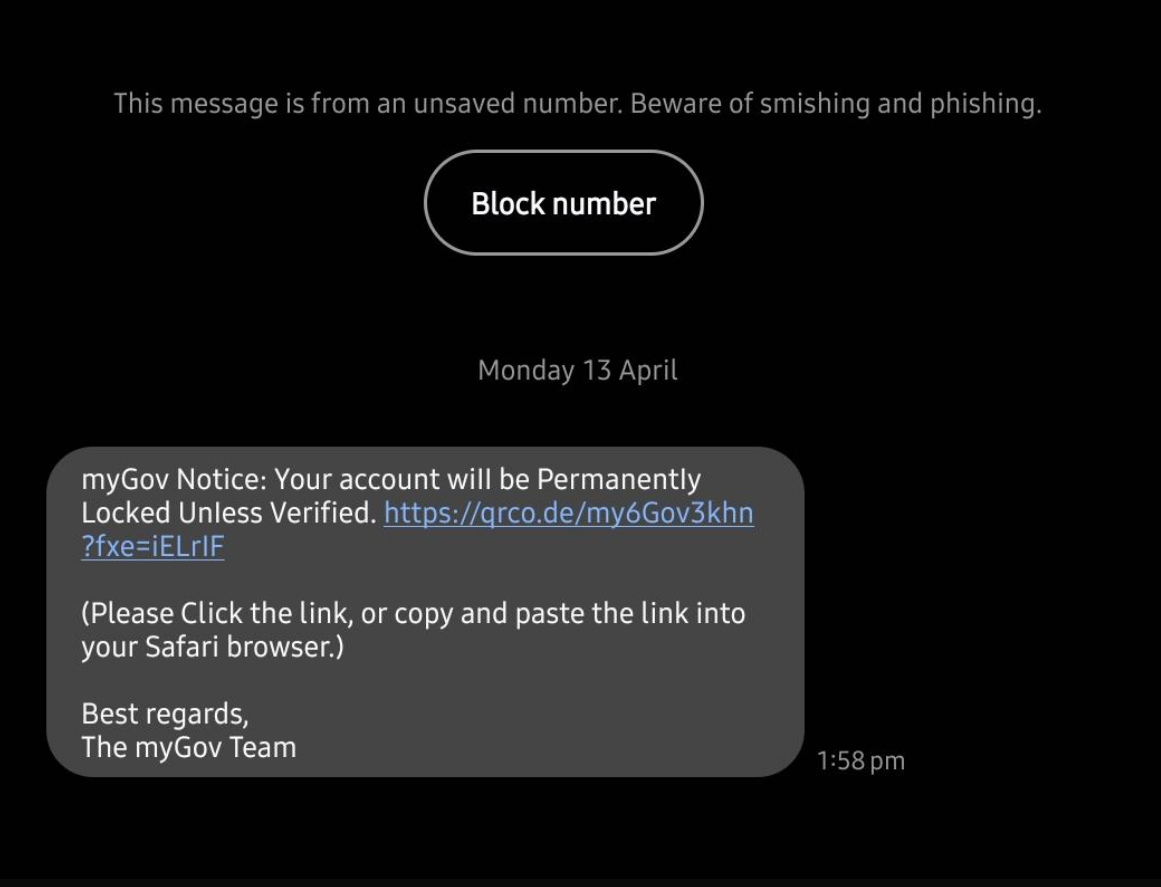
There are a range of fraudulent messages currently in circulation that attempt to mislead customers into clicking on a link. The link leads to a series of webpages that will request details including NetBank IDs, passwords, PINs and token codes.

The premise of the messages is that the account has been locked pending verification of the requested details. These messages may appear alongside legitimate messages in the same thread.

These messages are not legitimate CommBank communications. We will never send you a hyperlink from which to login via SMS.

If you are ever unsure as to a communication’s authenticity, please use one of the methods shown on Contact us - CommBank to verify.

We are aware of an increase in investment scams posing as legitimate Term Deposit offerings. These are promoted through fake Term Deposit comparison sites. Scammers are attempting to lure customers to transfer large sums of money into fraudulent accounts.

A customer will be asked to complete an application form for a fake bond or Term Deposit, provide their contact details and to transfer funds into a bank account.  Scammers will use this information to steal the person's identity and any money they may be able to obtain access to.

Scammers will do anything to prevent a customer from contacting the legitimate financial institution or receiving a login to access their Term Deposit online. CommBank urges potential investors to check the legitimacy of the investment product directly with the financial institution.

Things to look out for:

  • Unsolicited and unexpected contact – this could be via a phone call, email, SMS, or social media platform.
  • Big banks and ASX listed companies don’t often use external providers to issue on their behalf - always contact a financial institution directly to open an account. Avoid using a search engine to find their number or click on unauthentic ‘contact us’ links, instead use an official channel such as a banking app or official website.
  • Requests for funds to be transferred - always check the bank account details are legitimate and verify it directly with the financial institution before making any payment. You can use NameCheck to check for incorrect payment details.

Remember to StopCheck, and Reject if you come across an investment opportunity, even if it appears genuine. If you’re ever unsure, please contact us.

If you’ve been impacted by this scam, please contact us immediately.

We are aware there are messages in circulation impersonating CommBank that attempt to mislead customers into calling a phone number to dispute a transaction. This phone number is not genuine. 

If the number is called, the scammer attempts to convince the customer of their legitimacy by sending a follow up message pretending to be CallerCheck, that appears in the same message thread. The customer is then sent a link to a fraudulent login page which will steal their credentials and other personal information. 

CallerCheck is not an SMS based platform and notifications will only be sent via the CommBank app. 

These messages are not legitimate CommBank communications. We will never send you a hyperlink from which to login via SMS. 

If you are ever unsure as to a communication’s authenticity, please use one of the methods shown on Contact us - CommBank to verify.

We are aware of a number of SMS messages currently circulating that attempt to deceive customers into clicking on a link and providing credentials, such as NetBank IDs, passwords, PINs and token codes. These may appear in message threads alongside legitimate CommBank communications.

The messages direct recipients to click a link regarding suspicious activities that have been detected on their account. Upon entering their username and password, the recipient may also be asked for a NetCode, as verification. 

These messages are not legitimate CommBank communications. We will never send you a hyperlink from which to login via SMS.

If you are ever unsure as to a communication’s authenticity, utilise one of the methods shown on Contact us - CommBank to discuss.

We are aware of SMS messages currently in circulation that attempt to convince customers to click on a link to review “unusual activity”. The destination site then requests the customer provide credentials, such as NetBank IDs, passwords, PINs and token codes. These messages may appear in threads alongside legitimate CommBank communications.

The scammers then use these details to register digital wallets or register new devices to the scam recipient’s account.

These messages are not legitimate CommBank communications. We will never send you a hyperlink from which to login via SMS.

Remember to Stop, Check and Reject and if you are ever unsure as to a communication’s authenticity, you can use one of the methods shown on Contact us - CommBank to verify.

We're aware of a campaign where scammers are impersonating CommBank advising that customers’ personal details have been updated in an attempt to deceive them into clicking on a link, or calling a number, and providing:

  • credentials, such as Netbank IDs, CommBiz IDs, passwords and token codes; or,

  • personal identifiers, such as  ID details, addresses, phone numbers, date of birth, etc; or,

  • account details, such as account and/or card numbers

While the messages may look legitimate, these are not from CommBank. We will not ask you for these details from a link in an email. Always check the best method to contact us by visiting commbank.com.au/support/contact-us.html and only access your banking from the CommBank app; or, CommBiz and NetBank from a trusted location, never via a link in a message.

Remember to Stop, Check, and Reject if you come across an email requesting you to click on a link and provide your personal information or banking credentials.

If you’re ever unsure, please contact us.

We're aware of a number and variety of email messages currently circulating that attempt to deceive customers into either clicking on a link, or calling a number, and providing:

  • credentials, such as Netbank IDs, CommBiz IDs, passwords and token codes; or,

  • personal identifiers, such as ID details, addresses, phone numbers, dates of birth; or,

  • account details, such as account and/or card numbers.

While the messages may look legitimate, including links that appear accurate but lead to a fraudulent location, these are not from CommBank. We will not ask you for these details from a link in an email or SMS.

Always check the best method to contact us by visiting commbank.com.au/support/contact-us.html and only access your banking from the CommBank app or, CommBiz and NetBank by navigating yourself to a trusted location, rather than via a link in a message.

Be suspicious of any message that asks you for sensitive information, or to complete tasks like updating software, or giving remote access via email or text.

We are aware of postal delivery service scams targeting customers through text messages.

If you receive a message claiming to be from a postal delivery service that requests for you to click on a link for an undelivered package or to rearrange delivery, do not click on any links and delete the text. These messages contain links to websites impersonating postal delivery, however clicking them will lead to false websites that steal personal and financial information.

To keep yourself safe from these sorts of scams, don’t click the link or share your personal information. Instead, if you need to check the status of a delivery you have requested, use alternative methods such as the secure app provided by your postal delivery service or refer to their website for more information.

We're aware of a number of emails and SMS messages currently circulating that attempt to deceive customers into clicking on a link and providing credentials, such as Netbank IDs, passwords and token codes.

The messages direct recipients to click a link regarding a recent transaction, and upon entering your username and password, will also request a Netcode, for identification. 

This is not a legitimate CommBank communication. Do not click any links or reply to the sender.

If you are ever unsure as to a communication’s authenticity, utilise one of the methods shown on Contact us - CommBank to discuss .

We're aware of a large number and variety of SMS messages currently circulating that attempt to deceive customers into either clicking on a link, or calling a number, and providing:

  • credentials, such as Netbank IDs, CommBiz IDs, passwords and token codes; or,
  • personal identifiers, such as  ID details, addresses, phone numbers, date of birth, etc; or,
  • account details, such as account and/or card numbers

While the messages may look legitimate, or even appear to be arriving in the same conversation thread as legitimate messages, these are not from CommBank. We will not ask you for these details from a link in an email or SMS.

Always check the best method to contact us by visiting commbank.com.au/support/contact-us.html and only access your banking from the CommBank app; or, CommBiz and NetBank from a trusted location, never via a link in a message.

Be suspicious of any message that asks you for sensitive information, or to complete tasks like updating software, or giving remote access via email or text.

We are aware of a surge in phishing scams impersonating well known organisations, such as Auspost, Coles, and Linkt, in an attempt to deceive customers into disclosing sensitive banking information such as your NetBank ID, password, card details and NetCodes.

These scams involve deceptive emails or text messages that lead recipients to fake websites, and are designed to appear legitimate, often using convincing logos, branding, and language to trick unsuspecting individuals. These sites will urge victims to input their personal information under the guise of claiming a prize, resolving an issue with their account, or confirming a delivery.

To protect yourself from falling victim to these scams, it's important to remain cautious of unexpected emails or messages requesting sensitive information. If you receive a suspicious message or email with an urgent call to action, remember to StopCheck, and Reject. Avoid clicking links or sharing personal information if uncertain. And consult the organisation directly or reach out to somebody you trust.

We're aware of a large number and variety of SMS messages currently circulating that attempt to deceive customers into either clicking on a link, or calling a number, and providing:

  • credentials, such as Netbank IDs, CommBiz IDs, passwords and token codes; or,
  • personal identifiers, such as  ID details, addresses, phone numbers, date of birth, etc; or,
  • account details, such as account and/or card numbers

While the messages may look legitimate, or even appear to be arriving in the same conversation thread as legitimate messages, these are not from CommBank. We will not ask you for these details from a link in an email or SMS.

Always check the best method to contact us by visiting commbank.com.au/support/contact-us.html and only access your banking from the CommBank app; or, CommBiz and NetBank from a trusted location, never via a link in a message.

Be suspicious of any message that asks you for sensitive information, or to complete tasks like updating software, or giving remote access via email or text.

We’re aware of a new type of investment bond scam purporting to be supported by the Commonwealth Bank (CommBank). 
This scam claims the bond will provide unrealistic returns and guaranteed protection. 
In addition to naming a number of other entities, it names CommBank.

ASIC has also published an Imposter bond investment scams page (MoneySmart, new tab) to warn people of scams such as this. 

Remember to Stop, Check, and Reject if you come across an investment opportunity that appears too good to be true.
If you’re ever unsure, please contact us.

Scammers are posting advertisements on social media, particularly on Facebook, Instagram, WhatsApp and YouTube.

Both fictitious and compromised social media accounts are posting that a “Crypto Broker” (with an introduction similar to the image) helped them make significant sums. A mix of screenshots is used displaying fake notifications, accounts and balances. The scammers misuse the CommBank brand, app and website to try and legitimise their scam.

CommBank urges you to be sceptical of any opportunity that seems too good to be true, even if the information allegedly comes from someone you know.

Always Stop, Check and Reject if you have any doubt. You can also review our investment scams information to learn more about recognising these scams.

We're aware of a large number and variety of email and SMS messages currently circulating that attempt to deceive customers into providing:

  • credentials, such as Netbank IDs, CommBiz IDs, passwords and token codes; or,
  • personal identifiers, such as  ID details, addresses, phone numbers, date of birth, etc; or,
  • account details, such as account and/or card numbers

While the messages may look legitimate, or even appear to be arriving in the same conversation thread as legitimate messages, these are not from CommBank. We will not ask you for these details from a link in an email or SMS.

Always check the best method to contact us by visiting commbank.com.au/support/contact-us.html and only access your banking from the CommBank app; or, CommBiz and NetBank from a trusted location, never via a link in a message.

Be suspicious of any message that asks you for sensitive information, or to complete tasks like updating software, or giving remote access via email or text.

We're aware of a large number and variety of email and SMS messages currently circulating that attempt to deceive customers into providing:

  • credentials, such as Netbank IDs, CommBiz IDs, passwords and token codes; or,
  • personal identifiers, such as  ID details, addresses, phone numbers, date of birth, etc; or,
  • account details, such as account and/or card numbers

While the messages may look legitimate, or even appear to be arriving in the same conversation thread as legitimate messages, these are not from CommBank. We will not ask you for these details from a link in an email or SMS.

Always check the best method to contact us by visiting commbank.com.au/support/contact-us.html and only access your banking from the CommBank app; or, CommBiz and NetBank from a trusted location, never via a link in a message.

Be suspicious of any message that asks you for sensitive information, or to complete tasks like updating software, or giving remote access via email or text.

We're aware of a large number of email and SMS messages currently circulating that urge customers to provide their details by logging on to a site impersonating NetBank directly from a link in the email or SMS. While in some instances the link may appear legitimate, we will not send you links to login to our services.

These are not legitimate CommBank communications. Do not click the links or reply to the sender.

Always check the best method to contact us by visiting commbank.com.au/support/contact-us.html and only access NetBank from a trusted location, never via a link in a message.

Be suspicious of any message that asks you for sensitive information, or to complete tasks like updating software, via email or text.

We're aware of a number of email and SMS messages currently circulating that urge customers to call a number included in the email or SMS. If you call and are not immediately connected, a scammer will call you back, and convince you to provide details to them which they can then use to compromise your accounts or identity.

These are not legitimate CommBank communications. Do not click the links, call any number in a message or reply to the sender. If anyone from CommBank does call you, ask them to identify themselves via the CommBank app using CallerCheck.

Always check the best method to contact us by visiting commbank.com.au/support/contact-us.html and only access NetBank from a trusted location, never via a link in a message.

Be suspicious of any message that asks you for sensitive information, or to complete tasks like updating software, via email or text.

We are aware of emails in circulation claiming that user's ability to receive funds is limited.

The scammers request that you instruct your last payer to send you more money to release the funds.

PayID will never contact you directly. If you encounter any issues with PayID please contact your bank.

Signs it’s a scam:

  • You receive an email claiming to be from PayID.

  • You are asked to pay money in order to settle an overpayment or to “unlock” or “upgrade” your account.

  • You are asked to receive payment via PayID, but also asked for your email address or other irrelevant contact information.

Never respond to emails such as this, as criminals will use them to harvest information about you they may then seek to exploit.

We're aware of a large number of email and SMS messages currently circulating that urge customers to provide their details by either logging on to a site impersonating NetBank directly from a link in the email, or via a call to a number purporting to be CommBank

These are not legitimate CommBank communications. Do not click the links, call any number in an email or reply to the sender.

Always check the best method to contact us by visiting commbank.com.au/support/contact-us.html and only access NetBank from a trusted location, never via a link in a message.

Be suspicious of any message that asks you for sensitive information, or to complete tasks like updating software, via email or text.

We're aware of an email currently circulating that urges customers to login to CommBiz via a link in the email and complete an online identity verification.

This is not a legitimate CommBank communication. Do not click the links in the email or reply to the sender.

Always check the best method to contact us by visiting commbank.com.au/support/contact-us.html and only access NetBank from a trusted URL, like the CommBank website.

Always be suspicious of any message that asks you for sensitive information via email or text.

Beware of SMS phishing scams reporting to be from ‘CommBank’. 

  • An SMS that appears with other genuine SMS from the bank that requests recipients to click a link to secure their account regarding a new CommBank App registration. 

These are not legitimate CommBank communications. Do not click the links, call or reply to the sender.

We will never ask you to log on or provide sensitive information via a link in an email or SMS.

We are aware of a number of SMS phishing scams reporting to be from ‘CommBank’. The scammers sending these messages are employing a tactic that makes them appear in the same message thread as legitimate CommBank messages, as per the image. The link then takes you to a fake login page where the scammers harvest your credentials.

These are not legitimate CommBank communications. Do not click the links, call or reply to the sender.

We will never ask you to log on or provide sensitive information via a link in an email or SMS.

2023

We have been made aware of a new phishing scam that impersonate the Australians Communications and Media Authority (ACMA).
The link takes the recipient to a website that impersonates the ACMA and asks the recipient to choose their financial institution and follow the prompts

The text of the scam specifically encourages the recipient to click on the link by claiming that the recipient has been the victim of a data breach. This exploits the concerns that recipients may have about recent data breaches. Whilst this specific campaign involves the impersonation of ACMA, it is important to note that the same technique can involve the impersonation of other government agencies as well.

If you have received a message or email that does not seem genuine or includes an urgent call to action, remember to StopCheck and Reject. Don’t click the link or share personal information if you are unsure. Ask someone you trust or contact the organisation directly through a contact number provided on their official website. 

We’re aware of a new type of investment bond scam purporting to be supported by the Australian Securities and Investments Commission (ASIC).

The scam claims the bond can be cancelled after 90 days, and is being offered over corporate and treasury bonds. 

In addition to naming a number of other entities, it names CommBank.

ASIC has also published an Imposter bond investment scams page to warn people of this scam. 

Remember to Stop, Check, and Reject if you come across an investment opportunity that appears to be an imposter bond investment scam. If you’re ever unsure, please contact us.

We're aware of a number of emails currently circulating that urge customers to provide their details by either logging on to a site impersonating NetBank directly from a link in the email, or via a call to a number purporting to be CommBank.

These are not legitimate CommBank communications. Do not click the links, call any number in an email or reply to the sender.

Always check the best method to contact us by visiting commbank.com.au/support/contact-us.html and only access NetBank from a trusted URL, like the CommBank website CommBank.com.au.

Be suspicious of any message that asks you for sensitive information via email or text.

We are aware of a buying and selling scam involving fraudulent cheques. A scammer contacts a seller who’s selling a high-value good, such as a laptop or phone, and agrees to pay the seller by them or a friend depositing cash into the seller's account. The scammer however deposits a fraudulent or valueless cheque via an IDM (Intelligent Deposit Machine). The seller will see a notification on their phone that funds have been deposited however as the cheque is fraudulent or valueless, the funds will be dishonoured by the issuing bank and the initial deposit will be reversed.

In these circumstances if you’re receiving payment via cash:

  • Always make sure the purchaser is handing you cash in person, not depositing into your account.
  • If, due to circumstances, they (or a friend), must deposit into your account, it is important to ensure the transaction reads "CBA Deposit CBA ATM [Branch Name] ", a cash deposit will never have the word "cheque" in it. Also ensure the available balance reflects the new deposit and it is not still in the pending balance. 

We are currently aware of scammers seeking to exploit the recent Optus outage. 

Fraudulent messages are asking people to provide Optus and bank login details in order to allegedly claim compensation. The message directs a user to click on a link, at which point they are taken to a fake login page to capture Optus account details. It then requests payment card details and asks the user to select their financial institution, after which the user is directed to a fake NetBank page where banking credentials are captured. 

Optus have confirmed, via their outage page https://www.optus.com.au/notices/outage (Optus, new tab), that they will not be sending any communications via email or SMS concerning this outage with links. 

These messages are fraudulent, if in doubt, remember 3 simple steps: Stop. Check. Reject:   

  1. Stop – Does a call, email or text seem off? The best thing to do is stop. Take a breath. Real organisations won’t put you under pressure to act instantly.
  2. Check  – contact the organisation the message claims to be from on a trusted number, not one in the communication.
  3. Reject  – If you’re unsure, hang up on the caller, send a screenshot to [email protected], delete the email, block the phone number. Change your passwords if you feel you may be compromised.

There have been reports of a new phishing scam targeting users of accommodation sites, such as Booking.com. Reports claim users receive a message from official website email addresses such as ‘[email protected]’ or from the messaging function within the booking app.

The message claims that a booking will be cancelled if customers do not input credit card details through a provided link. The message or email is typically received when a customer has recently booked accommodation, is due to check-in, or has already checked-in.

If you have received a message or email that does not seem genuine or includes an urgent call to action, remember to Stop, Check and Reject. Don’t click the link or share personal information if you are unsure. Ask someone you trust or contact the organisation directly through a contact number provided on their official website. 

We are aware of new phishing emails pretending to be from CommBank, claiming that a new mobile phone or phone number has been linked to a customer’s account. The goal of these phishing emails is to collect credit card and NetBank login information.

These messages use scare tactics by suggesting that a newly registered phone or phone number can now seamlessly transact to and from linked CommBank accounts, or that a NetBank password has been changed, or that a transaction has been disputed. Anticipating the immediate anxiety that this is likely to cause you, the scammers have included a phone number that can be called for assistance; however, when phoned, the scammer will then claim your accounts need to be secured by providing a credit card number. The scammer then asks for the numbers to be typed on a mobile phone keypad, allowing them to record the sounds made by the phone and steal the credit card information to conduct fraud.

These are not legitimate communications from CommBank. Do not call the phone number in the email, click on any links or respond to the sender. If you are ever unsure of a message you have received claiming to be from us, visit http://www.commbank.com.au/contactus to find legitimate numbers you can call to speak to us directly. If you use the CommBank app, you can request CallerCheck be used as a way to verify you are speaking with the bank.

Both business and retail customers are currently receiving calls from scammers claiming to be CommBank staff and the CommBank fraud department.

These scammers are extremely convincing and will send a fraudulent SMS impersonating CommBank with a fake authorisation code to “verify” your identity. They will then ask you read out the fake authorisation code in order to confirm your identity.

CommBank will never send you an SMS to verify your identity and will never ask you to provide your passwords, NetCodes or tokens.

If you get an unexpected call from CommBank you can ask us to use CallerCheck to verify it’s us.

AUSTRAC has issued a news release regarding scams impersonating AUSTRAC and FIU. There have been reports of scammers calling members of the public, posing as AUSTRAC or FIU investigators. The scammers state that the individual’s bank account was used for money laundering and is now under investigation. The scammers advise that AUSTRAC will put a hold on their account and asks them to transfer their money into another account for ‘safe-keeping’.

AUSTRAC will never tell you we are putting a hold on or freezing your bank account. These scams attempt to trick you into moving or paying money, or giving out your personal information. Scammers often pretend to be from trusted organisations like AUSTRAC.

If you think a call claiming to be from AUSTRAC or any other organisation is not genuine, remember to Stop, Check, and Reject and if you are ever unsure, please ask someone you trust or contact the organisation the call claims to be from - do not engage with the scammer.

For further information you can visit: Be aware of scams impersonating AUSTRAC and FIUs | AUSTRAC (AUSTRAC, new tab)

We're aware of an email currently circulating, that urges customers to confirm their identity by logging on to NetBank directly from a link in the email.

This is not a legitimate CommBank communication. Do not click the links or reply to the sender.

Always be suspicious of any message that asks you for sensitive information via email.

If you receive a message claiming to be from a postal delivery service requesting you click on a link for an undelivered package or to rearrange delivery, do not click on any links and delete the text.

Scammers are sending texts that appear to be from postal delivery services. These messages contain links to websites impersonating postal delivery services and ask you to input information such as your NetBank ID, password, card details and NetCodes to pay for a redelivery fee. If you receive a message like this, don’t click the link or share your personal information. If you need to check the status of a delivery you have requested, you could instead use the secure app provided by your postal delivery service or refer to their website for more information.


We’ve seen an increase in scams where scammers claim to be from a government organisation and/or the police and advise victims that they’ve been involved in illegal activity such as money laundering. Scammers create a sense of urgency by making threats of arrest, police investigation or other serious penalty. Often, scammers will specifically target overseas nationals in Australia, and may threaten deportation or visa cancellation. As well as seeking money, scammers will often attempt to obtain passports, visa numbers, and other forms of ID. Scammers will falsely provide ID numbers for cases and transfer to fake government organisations to support the legitimacy of the scam. Scammers then demand the victim to transfer money to international bank accounts and other unusual methods such as cryptocurrencies like bitcoin, cardless cash, cash deposits, international money transfers and gift cards/store cards for their bail. Often, these scammers create fear through ensuring the victim has regular contact with the scammer to track their actions, whereabouts and who the victim is talking to. Victims can also be made to contact relatives overseas and fake their kidnapping in order to obtain more funds.

If you receive a message like this, don’t click any links or share your personal information. Hang up, delete the message and stop contact with the scammer.  View more information on threat and penalty scams and download our threat and penalty scam factsheet (PDF)

A CommBank/CommBiz themed scam is currently operating where scammers are cold calling customers, particularly businesses, pretending to be from CommBank or CommBiz support and advising of a problem with their internet banking.  

Customers are then being directed to a Live Chat site, which is a fraudulent duplicate of the CommBank website with hyperlinks that will install remote access software on the customer’s computer, allowing the scammer to take control of it while they talk the customer through providing them necessary details to complete payments. 

Important points to note, we will never: 

  • Request remote access to a customer’s computer 

  • Ask customers to provide us with a Netcode or code from a CommBiz token 

  • Ask for any password 

  • Instruct customers to make a transfer 

Should you receive a call from someone claiming to be from the bank that is suspicious, hang up and call back on a known number such as your relationship manager, or one of the methods at Contact us - CommBank.

If you get an unexpected call from CommBank you can ask us to use CallerCheck to verify it’s us.

Scammers often impersonate widely used services such as DocuSign to steal credentials and gain unauthorised access to accounts. To increase the credibility of these impersonations, attacks may include names of bank staff. These emails are not from CommBank.

If the email is unexpected, and the layout and branding is inconsistent with DocuSign, it could be a scam.

If you're ever unsure whether an email is legitimate, contact us www.commbank.com.au/contactus or through your Relationship Manager. If you think an email might be a scam, report it to us by forwarding to [email protected], then delete the message.

For more information about how to recognise DocuSign fraud visit https://www.docusign.com.au/blog/how-docusign-users-can-spot-avoid-and-report-fraud (Docusign, new tab)

Scammers are posting advertisements on social media, particularly on Facebook, Instagram, WhatsApp and YouTube.

The advert claims to use AI to generate passive income from an initially modest investment and deliver large returns. The scammers often claim you can make between $1000 - $5000 a day from an investment of $350.

The scammers will create a fake trading profile that looks legitimate, and will ask you to begin with a small investment. They'll show you fake returns on your investment, then ask for more money, often through cryptocurrency.

The scammers misuse well-known news brands and the CommBank brand to try and legitimise their scam. Scammers have even used fraudulent, AI generated videos of CommBank CEO Matt Comyn, and others, to try and convince people to invest.

CommBank urges you to be sceptical of any opportunity that seems too good to be true. Always Stop, Check and Reject if in doubt. You can validate the authenticity of any investment product offered by CommBank by contacting us directly through our official phone numbers, which can be found on our Contact us page. You can also review our investment scams information to learn more about recognising these scams.

Be on the lookout for an SMS scam falsely claiming to be from CommBank. 

The SMS requests recipients to call regarding a newly completed transaction. 

This is not a legitimate CommBank communication. Do not click any links, call the number in the message, or reply to the sender.

If you are ever unsure as to a communication’s authenticity, utilise one of the methods shown on www.commbank.com.au/contactus to call a CommBank number you know to be legitimate in order to speak with us.

Beware of email and SMS scams reporting to be from CommBank. 

  • An email that urges customers to confirm their identity by logging on to NetBank directly from a link in the email. 
  • An SMS that requests recipients to call regarding a pending Airbnb transaction. 

These are not legitimate CommBank communications. Do not click the links, call or reply to the sender.

We will never ask you to log on or provide sensitive information via a link in an email or SMS.

If you receive a message claiming to be from Linkt toll services requesting payment for an overdue bill or to fix an issue with your account, do not click on any links and delete the text.

Scammers are sending texts that appear to be from Linkt toll services. These messages contain links to fake websites and ask you to input information such as your NetBank ID, password, card details and NetCodes. If you receive a message like this, don’t click the link or share your personal information. Delete the message and contact linkt.com.au (linkt, new tab) directly to check whether the message is legitimate. 

Both business and retail customers are currently receiving calls from scammers (often with UK/British accents) claiming to be Commonwealth Bank staff.

These scammers are extremely convincing and will often:

  • Provide information that seems genuine in order to convince you to provide your user ID, password, security questions or token.
  • Gain remote access to your computer by requesting you to download software applications such as, AnyDesk or logging into fake CommBank websites.

Whilst our fraud team may contact you to verify a transaction, we’ll never ask you for sensitive banking details such as NetBank or CommBiz token/passwords, PIN’s or NetCodes. We’ll also never ask you to transfer money, download software or get you to login via a link sent through email or SMS.

If you are speaking to someone claiming to be from Commonwealth Bank, whether they seem to be legitimate or not:

  • Never tell them your token passwords, NetBank passwords, NetCodes or usernames for your CommBiz Service
  • Never download software or update software where they have sent instructions to do so
  • Never provide remote access to your device or PC

If you receive a call from anyone claiming to be from the Commonwealth Bank, request they use CallerCheck to identify you. If you do not have the CommBank app and are unsure if the caller is legitimate, hang up and contact us via www.commbank.com.au/contactus to verify.

Currently, people who are selling items on Facebook marketplace or gumtree are being targeted by scammers requesting payments to be made to “PayID” to settle fake overpayments, “upgrade” or “unlock” their accounts.

PayID will never contact you directly. If you encounter any issues with PayID please contact your bank.

Signs it’s a scam:

  • You receive an email claiming to be from PayID advising you have been paid, but no money appears in your bank account.

  • You are asked to pay money in order to settle an overpayment or to “unlock” or “upgrade” your account.

  • You are contacted by someone claiming they cannot pick the item up themselves and will have a family member do so on their behalf.

  • You are asked to receive payment via PayID, but also asked for your email address or other irrelevant contact information.

There are a number of websites popping up which claim that you can earn money by completing tasks on that website. The tasks involve the victim using their own money to purchase products and services to boost seller’s visibility and/or ratings. Some examples are writing reviews for hotels or purchasing products from an alleged amazon or eBay seller. Payments for these products/services are to a BSB and account number provided. The idea is the victim will be paid a commission however, this may never come or very little will be received, but what is clear is you will not receive what is promised.

Scammers are reaching out to unsuspecting victims via WhatsApp and Telegram however, there are also advertisements circulating on Instagram and Facebook. Remember if something seems too good to be true, it often is. If you are approached or come across an advertisement that sounds like the above, remember to Stop, Check, and Reject and if you are ever unsure, please ask someone you trust or contact the organisation the message claims to be from.

Scammers have recently published a fictitious website impersonating Commonwealth Bank’s subsidiary – Securitisation Advisory Services Pty Ltd (ACN 064 133 946) (AFSL 241216) to promote the sale of scam investment products, including treasury and corporate bonds.

To attract potential victims, the scammers have created this fake price-comparison website, offering to provide investors with information on the best rates for various products. Potential investors who leave their personal details on the site are very likely to receive a call from the scammers. The caller will impersonate as a staff member working for Securitisation Advisory Services. They will supply the potential investor with good quality documents containing details of the proposed investment, which will usually provide a greater return than an equivalent legitimate product in the market. The fictitious website used for this scam is ‘sas-invest.com’.

Commonwealth Bank urges you to review carefully before proceeding when considering any investment opportunity. Always Stop, Check and Reject if in doubt. You can validate the authenticity of any investment product offered by Commonwealth Bank by contacting us directly through our official phone numbers, a full list of which is provided on our Contact us page. You can also review our investment scams information to learn more about recognising these scams.

A large number of CommBank-themed phishing messages and emails are currently in circulation.

These fraudulent communications urge recipients to click on a link by informing them of unusual or unexpected activity on their accounts, such as unexpected logins, registered devices, Netcodes, and payments.

These are not legitimate CommBank communications. Do not click the link or reply to the sender.

2022

A number of CommBank-themed phishing messages are currently in circulation that specifically target our CommBiz service.

These fraudulent communications inform recipients that their account access is compromised or will be locked if they fail to verify details.

These are not genuine CommBank communications. Do not click the link or reply to the sender.

An ongoing scam campaign has seen Commonwealth Bank, and other financial institutions, impersonated to promote the sale of scam investment products, including treasury bonds, corporate bonds, and term deposits.

To attract potential victims, the scammers have created fake price-comparison websites, offering to provide investors with information on the best rates for various products. Potential investors who leave their personal details on the site are liable to receive a call from the scammers. The caller will impersonate the member of staff at a financial institution, sometimes using the details of a real bank employee stolen from a Linkedin profile. They will supply the potential investor with high-quality and detailed documents providing details of the proposed investment, which will usually provide a return which is 1% to 2% greater than an equivalent legitimate product. Common domains used for this scam include ‘cba-im.com’ or ‘cba-am.com’.

Remember to Stop. Check, and Reject if you identify an investment opportunity that matches the above and remember if you are ever unsure, please verify via https://www.commbank.com.au/support/contact-us.html

A number of CommBank-themed phishing emails and SMS messages are currently in circulation. 

These fraudulent communications inform recipients that there has been unusual activity on their NetBank, or that it will be stopped or restricted if they fail to login and complete other actions such as verifying details or unlocking their account, by clicking on a malicious link within the email and entering their credentials or completing a verification process. Do not click the link or reply to the sender.

These are not genuine CommBank communications. If in doubt, please verify via https://www.commbank.com.au/support/contact-us.html

A number of CommBank-themed phishing messages and emails are currently in circulation.

These fraudulent communications inform recipients that their account access will be impacted if they fail to verify identity details or acknowledge new terms and conditions.

Do not click the link or reply to the sender.

A number of fraudulent SMS messages and emails targeting CommBank customers are currently in circulation.

The messages prompt recipients to follow malicious links to take action, or put a stop to suspicious activity.

This is a common tactic used by attackers to create a false sense of urgency in order to make you do something you wouldn’t normally, such as providing your personal information or login credentials.

These are not genuine CommBank communications. Do not click the link or reply to the sender.

A number of CommBank-themed phishing emails are currently in circulation that are misappropriating the content of our genuine communications to customers.

These fraudulent communications inform recipients that their NetBank will be stopped or restricted if they fail to login and complete other actions such as verifying details or unlocking their account, by clicking on a malicious link within the email and entering their credentials or completing a verification process. Do not click the link or reply to the sender.

Whilst these are not genuine CommBank communications, it is important to note attackers will frequently adapt legitimate emails for their own purposes. If in doubt, please verify via https://www.commbank.com.au/support/contact-us.html.

A fraudulent CommBank-themed SMS message is currently in circulation.
This communication attempts to mislead customers into downloading an app named after our chat-bot Ceba, however the application it installs onto your device, if allowed, is a piece of malicious software.

Never attempt to download our apps from anywhere aside from legitimate app stores, which can be reached from our website, here https://www.commbank.com.au/digital-banking/commbank-app.html.

If you believe you have downloaded this malicious software, or may have been otherwise compromised, please contact us via one of these methods, https://www.commbank.com.au/support/contact-us.html.

This is not a genuine CommBank communications. Do not click the link or reply to the sender.

A number of CommBank-themed phishing emails are currently in circulation that are misappropriating the content of our genuine communications to customers.

These fraudulent communications inform recipients that their NetBank will be stopped or restricted if they fail to login and complete other actions such as verifying details or unlocking their account, by clicking on a malicious link within the email and entering their credentials or completing a verification process. Do not click the link or reply to the sender.

Whilst these are not genuine CommBank communications, it is important to note attackers will frequently adapt legitimate emails for their own purposes. If in doubt, please verify via https://www.commbank.com.au/support/contact-us.html

A number of CommBank-themed phishing SMS messages are currently targeting customers. They all include a link to review a transaction or dispute, and create an urgency to follow it.

These are not legitimate CommBank communications. Do not click on the link or reply to the sender. 

To be safe, always navigate directly to NetBank yourself and only log on to a site you know to be genuine, rather than using any links in communications.

Scammers have recently published links on social media to fake articles exploiting the Commonwealth Bank brand. Scammers are using these articles to lure people into completing a survey and/or asking individuals to register themselves for an investment scheme. There are also fake articles purportedly from ‘A Current Affair’ with faked testimonials to convince you it is a valid scheme.

The links within the articles take you to a fake, non-CommBank domain to complete the survey and register. Furthermore, these scams often require urgent payments to be made to third party accounts.

CommBank urges you to please Stop, Check and Reject if it is not legitimate, when considering any investment opportunity. You can validate the authenticity of any investment product offered by CommBank by contacting us directly through our official phone numbers, a full list of which is provided on our Contact Us page. You can also review our investment scams information to learn more about recognising these scams.

If you believe you have fallen victim to this scam, please contact us via CEBA in the CommBank App or call us on 132221.

The recent Optus data breach may leave you at a heightened risk of being the target of scams – regardless of whether your personal data was lost in the breach or not. It has come to light that scammers are using the Optus data breach to scare and scam customers. They have recently been contacting customers pretending to be from third party businesses such as Amazon/Ebay, to name a few, and claiming that the customer's account has been hacked. The scammer is then able to convince the customer to provide further details, including payment information such as card details, as a protective measure in response to the data breach. Once these details are provided the scammer will then steal the customer's funds.

When dealing with unsolicited callers:

  • Be aware that they may invoke the Optus data breach as part of an attempt to gain your personal data.
  • Never disclose financial data to an unsolicited caller, or allow them remote access to your electronic devices.
  • If you believe that you have been targeted by a scam, contact CBA by visiting our contact us page.
  • Remember 3 simple steps: Stop. Check. Reject:

  1. Stop – Does a call, email or text seem off? The best thing to do is stop. Take a breath. Real organisations won’t put you under pressure to act instantly.
  2. Check – Ask someone you trust or contact the organisation the message claims to be from
  3. Reject – If you’re unsure, hang up on the caller, delete the email, block the phone number. Change your passwords.

We have observed a range of email and SMS phishing activity attempting to exploit concerns about compromised personal data or accounts.

Variations on this theme include:

  • Suspicious account activity detected
  • Account locked due to suspicious activity
  • New devices detected
  • Account closure due to misuse
  • CommAlert! Account temporarily locked
  • Suspect account and temporary blocking of accounts
  • Account under review/on hold
  • Account verification failure
  • Account suspended/temporarily limited
  • Requests to extort individual victims of the Optus breach

All of these messages have a link which allegedly will help you “fix” the issue if you click – many of the links look similar to NetBank or CommBank or other CBA domains.

The messages are not legitimate. Please do not click links in these kinds of messages, reply to them or otherwise engage.

If you wish to verify the legitimacy of a message or are concerned about your account, you can contact us by messaging us in the CommBank app or using the 13 22 21 number. 

We continue to monitor all our customer accounts closely to help protect you from unauthorised activity. For more information, please visit CommBank Safe.

A recent trend has occurred where customers are being targeted on Facebook by the celebrity CFD scam with Commonwealth Bank branding. CommBank is being falsely represented in these ads by indicating we support the product/service that alludes to the possibility of making significant income with minimal effort. This lures unsuspecting victims into clicking on the ad for more information which then populates another hyperlink that takes the reader to an overseas CFD provider.

Do not interact with these ads or believe the sales pitch. You can validate the authenticity of any investment product offered by CommonBank by contacting us directly through our official phone numbers, a full list of which is provided on our contact us page.

If you proceed to ‘invest’ in the CFD from one of these ads the likelihood of getting funds back would be minimal.

A recent trend has occurred where phishing emails are being sent with Commonwealth Bank branding and with signature of a CommBank employee advising customers that they will lose access to their mobile banking app soon. The email requests customers to click on a link to ‘renew’ their access or ‘re-register’ the device.

If you click on the link you will be requested to input your banking information which will then be used to access your genuine account. This is not a legitimate CommBank communication. DO NOT click on the link and simply delete it. To be safe, always navigate directly to your NetBank yourself and log on from the site you know to be genuine.

The Commonwealth Bank will not send emails of this nature with a link to reset or input your details.

A recent trend has spiked where scammers are posing as a relative, usually daughter, son or cousin, of the victim. Contact is made with the victim by sending a message via Whatsapp, Facebook messenger or phone (from an unknown number).

The scammers will often say that they have broken their phone and are using a “new” number. They will then ask for some urgent assistance with some funds to pay for a bill or some other expense. Funds are requested via wire transfer or card transactions on most occasions.

CommBank urges you not to transfer any funds being requested for in these messages and instead call your relative on their ‘old’ number to confirm.
If you do proceed with the funds transfer the likelihood of getting these funds back would be minimal, if any.

We have observed that the scammers have recently circulated a fake letter to customers asking for a ‘fee’ to be paid before a large sum of funds can be credited into the customer’s account. This letter is on an obviously fake CBA letterhead and is signed by a CBA employee.

This is not a genuine letter issued by CBA or by any of its employees. CBA urges you not to proceed with any funds transfer being requested for in these letters as the likelihood of getting these funds back would be minimal, if any.

A large number of fraudulent SMS messages targeting CommBank customers are currently in circulation.

The messages prompt recipients to follow malicious links. The messages claim the recipient needs to take action to review settings or complete a security check to their CommBank accounts or online banking.

This is a common tactic used by attackers to create a false sense of urgency in order to make you do something you wouldn’t normally, such as providing your personal information or login credentials.

These are not genuine CommBank communications. Do not click the link or reply to the sender.

Three CommBank-themed phishing SMS and emails related to usage of NetBank are targeting customers. They all include a link and create an urgency to follow it.

These are not legitimate CommBank communications. Do not click on the link or reply to the sender.

To be safe, always navigate directly to NetBank yourself and log on from the site you know to be genuine, rather than using any links in communications.

A number of CommBank-themed phishing messages are currently in circulation.

The fraudulent messages prompt recipients to click on a malicious link within the message by informing them that their account or card has been suspended and details need to be updated or more information provided.

These are not a genuine CommBank communications. Do not click on the link or reply to the sender.

A large number of fraudulent SMS messages targeting CommBank customers are currently in circulation.

The messages prompt recipients to follow malicious links. The messages claim the recipient needs to take action to put a stop to suspicious activity, renew details or unlock access to their CommBank accounts or cards.

This is a common tactic used by attackers to create a false sense of urgency in order to make you do something you wouldn’t normally, such as providing your personal information or login credentials.

These are not genuine CommBank communications. Do not click the link or reply to the sender.

A number of fraudulent SMS messages targeting CommBank customers are currently in circulation.

The messages prompt recipients to follow malicious links. The messages claim the recipient needs to take action to put a stop to suspicious activity or investigate further.

This is a common tactic used by attackers to create a false sense of urgency in order to make you do something you wouldn’t normally, such as providing your personal information or login credentials.

These are not genuine CommBank communications. Do not click the link or reply to the sender.

We have seen a spate of CommBank-themed SMS phishing (smishing) targeting customers.

The SMS phishing varies in subject and includes telling people their accounts have been “placed under review”, or “new payees have been added,” or a CommBank account “has been registered on a new device”.

All are designed to trick people into clicking a link and then providing their login credentials.

These are not genuine CommBank emails. Do not click the link or engage with the message.

If you have made a mistake and already done so, please message us in the CommBank app, or visit us in a branch.

A number of CommBank-themed phishing emails and SMS are currently in circulation.

These fraudulent communications inform recipients that their NetBank has been, or will be, stopped or restricted if they fail to login by clicking on a malicious link within the email and updating their details.

This is not a genuine CommBank communication. Do not click the link or reply to the sender.

A CommBank-themed phishing email is currently targeting customers.

The fraudulent message prompts recipients to click on a malicious link within the email in order to restore your Netbank access.

This is not a legitimate CommBank communication. Do not click on the link or reply to the sender.

Scammers have recently published links on different social media sites/apps to fake articles exploiting CBA’s recently published move to integrate our Crypto trading platform into the Commbank app. Scammers are using these articles to lure people into completing an ‘Expression of Interest’ form consisting of a few multiple choice questions. Once completed, the scammers are asking individuals to register themselves using their Name, Email ID and Phone number. This is then followed by an email/phone call to the individual in an attempt to convince them into transferring funds and start earning by investing in Crypto.

The links contained in the articles take you to a fake, non-CBA domain to complete the ‘Expression of Interest’ and register. Furthermore, these scams often require urgent payments to be made to random third party accounts.

CommBank urges you to please pause, reflect and review carefully before proceeding when considering any investment opportunity. You can validate the authenticity of any investment product offered by CommBank by contacting us directly through our official phone numbers, a full list of which is provided on our Contact Us page. You can also review our investment scams information to learn more about recognising these scams.

A CommBank-themed phishing email is currently targeting customers.

The fraudulent message prompts recipients to click on a malicious link within the email in order to restore your Netbank access.

This is not a legitimate CommBank communication. Do not click on the link or reply to the sender.

A CommBank-themed SMS phish is currently targeting customers.

The fraudulent message prompts recipients to click on a malicious link within the SMS, in order to prevent their card being added to Apple Pay.

These are not legitimate CommBank communications. Do not click on the link or reply to the sender.

A CommBank-themed SMS phish is currently targeting customers.

The fraudulent message prompts recipients to click on a malicious link within the SMS in order to restore your Netbank access or message us in the CommBank app.

These are not legitimate CommBank communications. Do not click on the link or reply to the sender.

A number of CommBank-themed phishing emails and SMS are currently in circulation.

These fraudulent communications inform recipients that their NetBank will be stopped or restricted if they fail to login, or complete other actions such as verifying details or recording “touch behaviour”, by clicking on a malicious link within the email and entering their credentials or completing a verification process.

This is not a genuine CommBank communication. Do not click the link or reply to the sender.

A number of CommBank-themed phishing emails and SMS are currently in circulation.

These fraudulent communications inform recipients that their NetBank will be stopped or restricted if they fail to login, or complete other actions such as verifying details or recording “touch behaviour”, by clicking on a malicious link within the email and entering their credentials or completing a verification process.

This is not a genuine CommBank communication. Do not click the link or reply to the sender.

2021

A CommBank-themed SMS phish is currently targeting customers.

The fraudulent message prompts recipients to click on a malicious link within the SMS in order to restore your Netbank access or message us in the CommBank app.

These are not legitimate CommBank communications. Do not click on the link or reply to the sender.

A CommBank-themed phishing email is currently in circulation.

This fraudulent email informs recipients that their NetBank will stop if they fail to login by clicking on a malicious link within the email and entering their credentials.

This is not a genuine CommBank communication. Do not click the link or reply to the sender.

A large number of fraudulent SMS messages targeting CommBank customers are currently in circulation.

The messages prompt recipients to follow malicious links. The messages claim the recipient needs to take action to put a stop to suspicious activity or unlock access to their CommBank accounts or cards.

This is a common tactic used by attackers to create a false sense of urgency in order to make you do something you wouldn’t normally, such as providing your personal information or login credentials.

These are not genuine CommBank communications. Do not click the link or reply to the sender.

A CommBank-themed phishing email targeting customers is currently in circulation.

This fraudulent email informs recipients that a statement has been issued, prompting them to click a malicious link and enter their credentials to view.

This is not a genuine CommBank communication. Do not click the link or reply to the sender.

Any time you need to access NetBank, please use a method already known to get to the authentic site, rather than a link in a message or email.

Scammers are currently offering fake Bonds purporting to be issued by various reputable and well-known companies in Australia. We have identified a variation of this scam where fake Fixed Income/Fixed Rate Bonds allegedly issued by the Commonwealth Bank of Australia are being offered.

The emails promoting this scam originate from fake domains such as @cba-invest.com instead of the legitimate CommBank domain (@cba.com.au). Furthermore, these scams often require payments to be made to non-CommBank accounts.

CommBank urges you to please pause, reflect and review carefully before proceeding when considering any investment opportunity. You can validate the authenticity of any investment product offered by CommBank by contacting us directly through our official phone numbers, a full list of which is provided on our Contact Us page. You can also review our investment scams information to learn more about recognising these scams.

We have noticed reports of the re-emergence of a campaign similar to one earlier reported in July. A fake email purporting to be from CommBank prompts recipients to click on a malicious link after telling them an unrecognised device has attempted to sign into their account.

This is not a legitimate communication. Do not click the link, reply to the email, or provide any details.

A CommBank-themed SMS phish is currently targeting customers.

The fraudulent message prompts recipients to click on a malicious link within the SMS in order to update their personal details.

These are not legitimate CommBank communications. Do not click on the link or reply to the sender.

To be safe, always navigate directly to NetBank yourself and log on from the site you know to be genuine, rather than using any links in communications.

A large number of fraudulent SMS messages targeting CommBank customers are currently in circulation.

The messages prompt recipients to follow malicious links. The messages claim the recipient needs to take action to put a stop to suspicious activity or unlock access to their CommBank accounts or cards.

This is a common tactic used by attackers to create a false sense of urgency in order to make you do something you wouldn’t normally, such as providing your personal information or login credentials.

These are not genuine CommBank communications. Do not click the link or reply to the sender.

A CommBank-themed SMS phish is currently targeting customers.

The fraudulent message prompts recipients to click on malicious links within the SMS on the basis that their access to NetBank, bank accounts, or bank cards is or will be restricted until further information is provided or actions taken.

These are not legitimate CommBank communications. Do not click on the link or reply to the sender.

To be safe, always navigate directly to NetBank yourself and log on from the site you know to be genuine, rather than using any links in communications.

Two CommBank-themed SMS phishing messages are currently targeting customers.

The fraudulent messages prompt recipients to click on malicious links within the SMS on the basis that their access to NetBank is or will be restricted until further information is provided or actions taken.

These are not legitimate CommBank communications. Do not click on the link or reply to the sender.

To be safe, always navigate directly to NetBank yourself and log on from the site you know to be genuine, rather than using any links in communications.

A CommBank-themed SMS phish campaign is currently targeting customers.

The fraudulent messages prompt recipients to click on malicious links within the SMS on the basis that they had not setup the new payee.

These are not legitimate CommBank communications. Do not click on the link or reply to the sender.

To be safe, always navigate directly to NetBank yourself and log on from the site you know to be genuine, rather than using any links in communications.

We are aware of text messages circulating which contain a link to malicious software. Current versions of this message advise of a missed call and include a link to allow you to listen to a voicemail.

If you click on this link, it may try and install software that will compromise your device, including user details and passwords; and/or allow unauthorised access to your accounts.

If you have clicked any suspicious links, or notice any unusual activity on your online banking, please message us in the CommBank app, or find your nearest branch https://www.commbank.com.au/digital/locate-us/

See examples:

CommBank customers are being targeted with a phishing email with the subject line “Your CommBank is temporarily locked”. The email looks as though it comes from the CommBank address [email protected] and asks the customer to verify account details in order to restore access. This is not a genuine CommBank communication. Do not click the link and remember to always navigate to the site you know to be the legitimate NetBank login page before entering any details. 

Three CommBank-themed SMS phishes are currently targeting customers.

The fraudulent messages prompt recipients to click on malicious links within the SMS on the basis that their access to NetBank, bank accounts, or bank cards is or will be restricted until further information is provided or actions taken.

These are not legitimate CommBank communications. Do not click on the link or reply to the sender.

To be safe, always navigate directly to NetBank yourself and log on from the site you know to be genuine, rather than using any links in communications. For more details about our KYC processes, visit commbank.com.au/KYCcollect.

A CommBank-themed phishing SMS is currently in circulation.

The fraudulent message prompts recipients to click on a malicious link within the SMS by informing them that their debit or credit card has been suspended and details need to be updated.

This is not a genuine CommBank communication. Do not click on the link or reply to the sender.

A CommBank-themed phishing SMS is currently in circulation.

The fraudulent message prompts recipients to click on a malicious link within the SMS by informing them that their account is marked as insecure and NetCodes must be returned to confirm safety.

This is not a genuine CommBank communication. You should never share NetCodes. Do not click on the link or reply to the sender.

A CommBank-themed phishing email is currently in circulation.

This fraudulent email informs recipients that a document has been received, prompting users to log on and view the document by clicking on a malicious link within the email and entering their credentials.

This is not a genuine CommBank communication. Do not click the link or reply to the sender.

A large number of fraudulent SMS messages targeting CommBank customers are currently in circulation.

The messages prompt recipients to follow malicious links. The messages claim the recipient needs to take action to put a stop to suspicious activity or unlock access to their CommBank accounts or cards.

This is a common tactic used by attackers to create a false sense of urgency in order to make you do something you wouldn’t normally, such as providing your personal information or login credentials.

These are not genuine CommBank communications. Do not click the link or reply to the sender.

A CommBank-themed phishing email is currently in circulation. The email prompts recipients to click on a malicious link within the message by informing them that an unrecognised device has attempted to sign into their account and that account access has been disabled pending verification.

The phishing email appears to come from [email protected]. In this situation a legitimate CommBank email address has been "spoofed", which means the sender address has been forged to mislead you as to the email's origin. The communication itself is a phish. Do not click on the email or respond to the sender.

A phishing SMS targeting CommBank customers is in circulation.

The message informs recipients that online access is restricted and prompts users to follow a malicious link within the SMS. The malicious link contains the words “commbank” and “netbank” in order to trick the recipient. However, this is not a genuine CommBank communication.
Do not click the link, or reply to the sender.

Three CommBank-themed phishing SMS related to security are targeting customers.

The fraudulent messages prompt recipients to click on malicious links within the SMS and share Netcodes on the basis that insecure activity is occurring. This is a social engineering tactic to create a false sense of fear and trick you into doing something you wouldn't normally do. You should never share Netcodes. Please do not click the links or reply to these messages. 

There is a CommBank-themed phishing email in circulation with the subject line ‘Security Alert’.

The phishing email purports to come from “Commonwealth support” and informs the recipient that their account is missing important security information. The fraudulent message prompts recipients to follow a link to update their information within 24 hours to avoid their account being locked.

If you receive this email, do not reply to sender, click any link within the email, or provide any information.

A number of customers have reported receiving a fraudulent SMS that claims their NetBank access has been restricted. The message prompts the recipient to follow a malicious link within the SMS in order to restore access. This is not a genuine CommBank communication. Do not click on the link or reply to the sender.

Customers have reported receiving a phishing email purporting to come from CommBank, with the subject line “You have received a new document”.

The fraudulent email informs the recipient that a new document is ready for review and can be seen by following a malicious link within the email to log on.

Do not click on links within the email, or reply to the sender. To be safe, always navigate directly to NetBank yourself and log on from the site you know to be genuine, rather than using any links in communications.

A fraudulent SMS is in circulation targeting CommBank customers. It informs the recipient that a payment has been made to a new biller, which can be cancelled by following a malicious link. This is not a genuine CommBank communication. Do not click the link or respond to the sender.

A CommBank-themed phishing SMS is currently in circulation.

The fraudulent message informs recipients that their NetBank has been locked, prompting them to click a malicious link within the message to restore access.

This is not a genuine CommBank communication. Please do not click the link or respond to the sender.

A phishing email is currently targeting CommBank customers.

This email informs recipients that there have been multiple login attempts on their account with the wrong password entered. This message attempts to create a false sense of urgency by suggesting that their account will be suspended indefinitely unless the recipient updates their account information by following the link provided.

This is not a genuine CommBank communication. Please do not click the link or respond to the sender.

A CommBank-themed phishing SMS is currently in circulation.

The fraudulent SMS alerts the recipient that all online banking access has been locked, prompting users to click on a malicious link in the SMS to verify their identity.

This is not a genuine CommBank communication. Please do not click the link or respond to the sender.

Multiple CommBank-themed phishing SMS are currently in circulation.

The fraudulent messages alert recipients to suspicious activities regarding their banking, such as new NetBank payees and Apple Pay activity, and prompts the recipient to click on a malicious link in the SMS to verify the activity.

These are not genuine CommBank communications. Please do not click the link or respond to the sender.

A coronavirus-themed phishing email is currently targeting CommBank customers. This email informs recipients that they must update their personal details in order to use their NetBank account, due to the 'COVID-19 virus'. This phishing message also attempts to create a false sense of urgency, by suggesting that the link provided is only valid for one day.

This is not a genuine CommBank communication. Please do not click the link or respond to the sender.

New variations of a CommBank-themed phishing SMS are in circulation.

The SMS alerts the customer that a new payee was created, prompting users to click on a malicious link in the SMS to cancel the payee.

This is not a genuine CommBank communication. Please do not click the link or respond to the sender.

Some CommBank customers have received phishing SMS messages that claim NetBank access has been blocked. Message recipients are prompted to click on a malicious link in the SMS to restore account access.

These are not genuine CommBank communications. Please do not click on a link or reply to the sender.

Variations of a CommBank-themed phishing SMS are currently in circulation.

The SMS alerts the customer that there has been a new payee created or payment processed in NetBank, prompting users to click on the link in the SMS to cancel the payee or payment.

This is not a genuine CommBank communication. Please do not click the link or respond to the sender.

Some customers have received hoax CommBank-themed SMS messages related to payees and PayID. 

The messages claim that unusual account activity such as a new linked PayID or a payment made to a new payee has taken place, and prompt the recipient to click on the link if they did not initiate the activity. 

These are not genuine CommBank communications. Please do not click on a link or reply to the sender.

Variations of a number of CommBank-themed phishing SMS messages are in circulation. 

The messages claim that access to online banking services such as NetBank have been locked, suspended or restricted for security reasons. Message recipients are then prompted to click on a malicious link in the SMS to restore account access.

These are not genuine CommBank communications. Please do not click on a link or reply to the sender.