Help & support
0.99%
In-store payments^
The standard rate is now 0.99%. If you were previously on the 1.10% standard rate, your rate was automatically reduced from 1 October 2026.
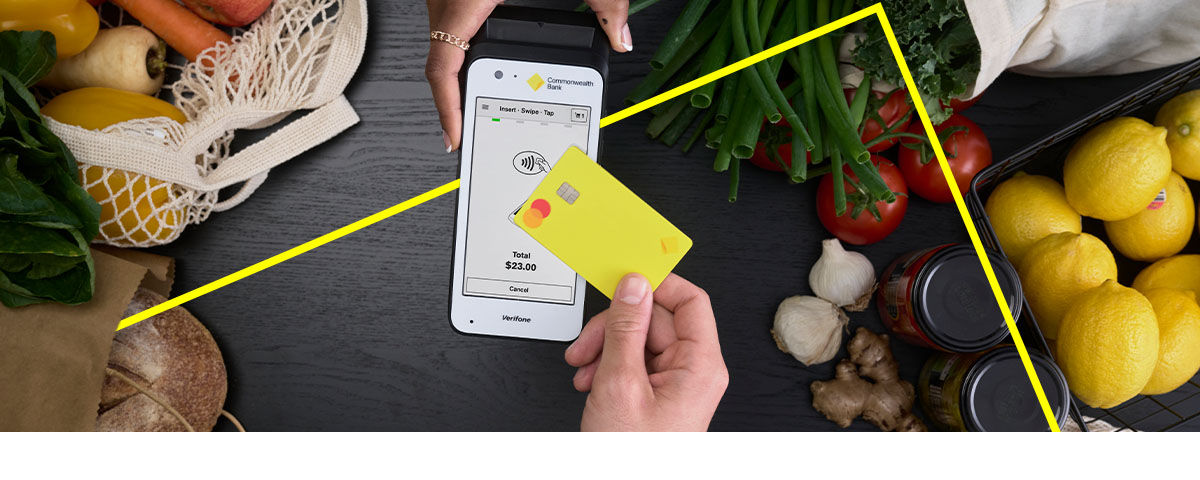
Reliable, secure, feature-packed EFTPOS terminals to help your business accept payments with ease.
Accept fast and secure payments wirelessly. Use as standalone or integrate with one of 150+ POS systems.
Hardwired for reliable Broadband connectivity. Built to handle large transaction volumes. Integrates with 750+ POS systems.
Accept all essential payment types at the table, countertop or anywhere in-store. Integrates with 750+ POS systems.
CommBank is integrating a new eCommerce platform into the bank during 2026.
As part of this transition, CommWeb, BPOINT and PowerBoard are no longer available to new customers. Existing customers can access support resources below. Qkr continues to be available.
Qkr is a mobile app designed to help schools securely accept and streamline payments from parents.
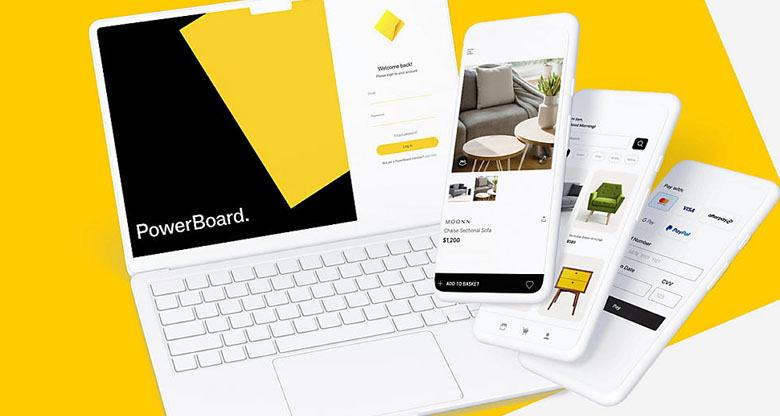
PowerBoard is no longer available to new customers. Existing customers can access support resources below.
BPOINT is no longer available to new customers. Existing customers can access support resources below.
CommWeb is no longer available to new customers. Existing customers can access support resources below.
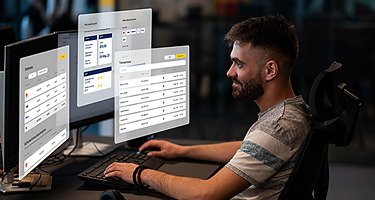
Connect your business to payments and additional services through CommBiz or APIs, so you can collect, send and manage money with greater control, speed and visibility.
Use NameCheck to assess account information before payment or account setup, helping reduce errors and strengthen controls.
Use PayTo® to collect pre-authorised account-to-account payments directly from customers, giving your business a flexible way to manage recurring, variable and one-off payments.
Use Fast Payments to make near real-time payments to NPP eligible accounts using a BSB and account number or PayID® (CommBiz only, not currently available for our APIs.)1 Initiate payments in CommBiz or connect your systems using our APIs.
Same-day settlement with a linked CommBank Business Transaction Account.2
Access integration support, 24/7 help when you need it, plus get a replacement terminal within 4 hours.3
Know that Australia's largest financial institution is working hard to protect your business from fraud.
Our payment solutions that are popular with businesses like yours.
 Retail
Payment solutions, EFTPOS terminals, Buy Now Pay Later, and eCommerce platforms tailor-made for your retail business. Learn more
 Hospitality
A custom terminal for hospitality, with cloud-based POS integration, split billing, customisable tipping, and Pay at Table. Learn more
 Health
Our end-to-end solutions mean greater operational efficiencies for your healthcare business or pharmacy. Learn more
Merchant services are designed to help your business accept payments, whether in-store, online, or on the go. These services include a range of payment solutions such as EFTPOS terminals, eCommerce payment gateways with value-added features such as surcharging and refunds.
A merchant facility is the arrangement or service provided by a bank or payment provider that enables a business (the merchant) to accept electronic payments from customers. This includes credit cards, debit cards, and other payment methods. It usually involves:
If you need to take payments in person or in store, consider an EFTPOS terminal. If you’re taking payments using a website, consider a payment gateway solution.
If you're taking payments in store, you’ll need an EFTPOS terminal to accept card and digital wallet payments. If your retail business operates entirely online, you’ll need a payment gateway solution to securely accept online orders and payments. Explore our retail payment solutions.
Applying for a merchant terminal online is quick and easy, typically taking 15 minutes. So your business can start accepting customer payments as quickly as possible, we’ll need the following details:
You can apply online in 15 minutes or call 1800 730 554 to speak to a merchant specialist.
Once your application is approved, we’ll send you information about your terminal and how to get started.
The Reserve Bank of Australia (RBA) has announced a removal of surcharging on prepaid, debit and credit card payments on designated card networks, as well as lowering caps on interchange fees paid by Australian businesses effective 1 October 2026. For more information, visit RBA card surcharge reforms.
As this advice has been prepared without considering your objectives, financial situation or needs, you should, before acting on the information, consider its appropriateness to your circumstances. Please view our Merchant Agreement (PDF), Financial Services Guide (PDF) and Operator and User Guides at our merchant support hub.
^ 0.99% is available for eligible customers and eligible in-store payment products. Eligible in-store payment products include: Smart Mini, Smart, Smart Integrated. 0.99% covers Mastercard®, Visa®, AMEX®/JCB®, eftpos®, and UnionPay® transactions (additional costs may apply for all other cards). AMEX/JCB is subject to approval, available to eligible customers only. Eligibility criteria, terms and conditions apply. Please contact AMEX for more information on 1300 363 614, available weekdays 8am to 6pm Sydney time.
1 Some BSB and/or account numbers of other financial institutions are not eligible to receive Fast Payments. In this instance, when processing a Fast Payment you will be advised to choose a different payment method.
2 Same day settlement is available on all EFTPOS transactions made before 9:30pm (Sydney/Melbourne time) and all eCommerce transactions made before 5:30pm (Sydney/Melbourne time) for eligible customers with a CommBank Business Transaction Account and a linked CommBank merchant facility.
3 Replacement within 4 business hours in all locations except remote areas (3 to 5 business days). A remote area is not serviced by a technician and only phone support is available.
4 Available via an accredited POS vendor that provides the feature. View accredited POS vendors for Smart terminal, Smart Integrated and Essential Plus.
This page contains links that will bring you to a third party website, owned and operated by an independent party over which CBA has no control ("3rd Party Website"). Any link you make to or from the 3rd Party Website will be at your own risk. Any use of the 3rd Party Website will be subject to and any information you provide will be governed by the terms of the 3rd Party Website, including those relating to confidentiality, data privacy and security.